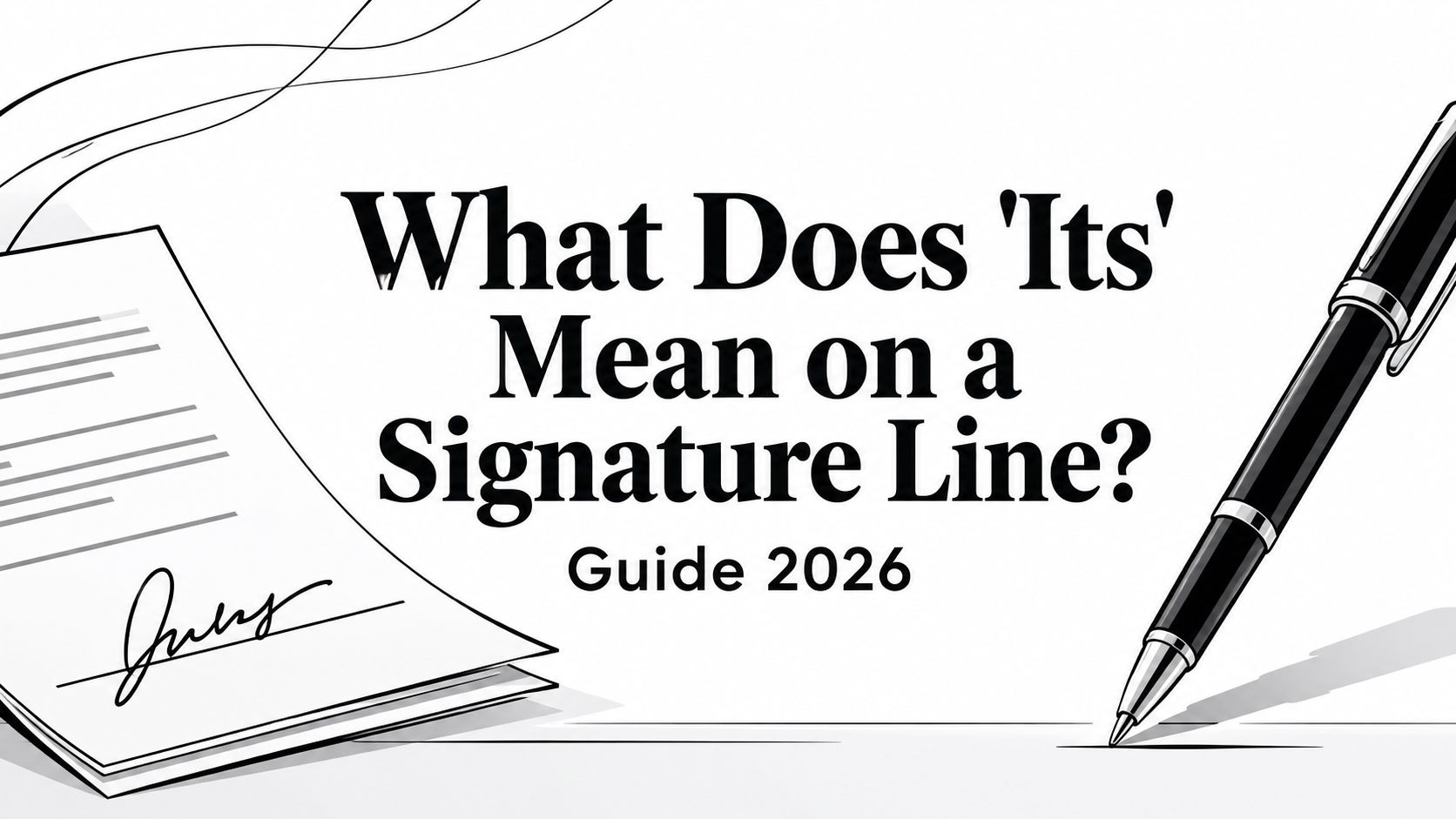
Its on a signature line shows the signer's official title or capacity, such as CEO, President, or Authorized Representative. It signals that the person is signing for a company, not in a personal capacity.
You've probably seen that tiny field at the bottom of a contract, paused for a second, and wondered whether it matters. It does, because that small label helps separate an individual's signature from an organization's legal commitment, which is exactly where contract risk starts or ends.
The Moment of Pause Before the Signature
A procurement lead gets the final draft back from legal, the counterparty is waiting, and the signature block has one last line marked Its. The deal looks ready, but that single field creates hesitation because nobody wants to mis-sign a contract and trigger a cleanup cycle later.
That moment is common in lease forms, vendor agreements, employment papers, and sales contracts. If you want a practical parallel for other execution details, VerticalRent's lease guidance is a useful reference point for how signature decisions show up in real document workflows.
Practical rule: if the document is asking someone to sign for an entity, don't treat the signature block like a formality. Read the role field as part of the execution record, not as decoration.
The confusion usually comes from one question, simple on the surface and business-critical underneath. Is the signer binding themselves, or are they binding the company?
That's why teams using contract review and CLM software should pay attention to this line before approval routing closes. A misplaced title can slow execution, create review friction, and force legal to reopen a document that should've moved cleanly to signature.
For a deeper look at pressure-based signing concerns, see signing under duress. The issue is different from the Its field itself, but both topics sit in the same risk zone, where execution quality affects enforceability and business confidence.
Decoding The Role of Its in a Signature Block
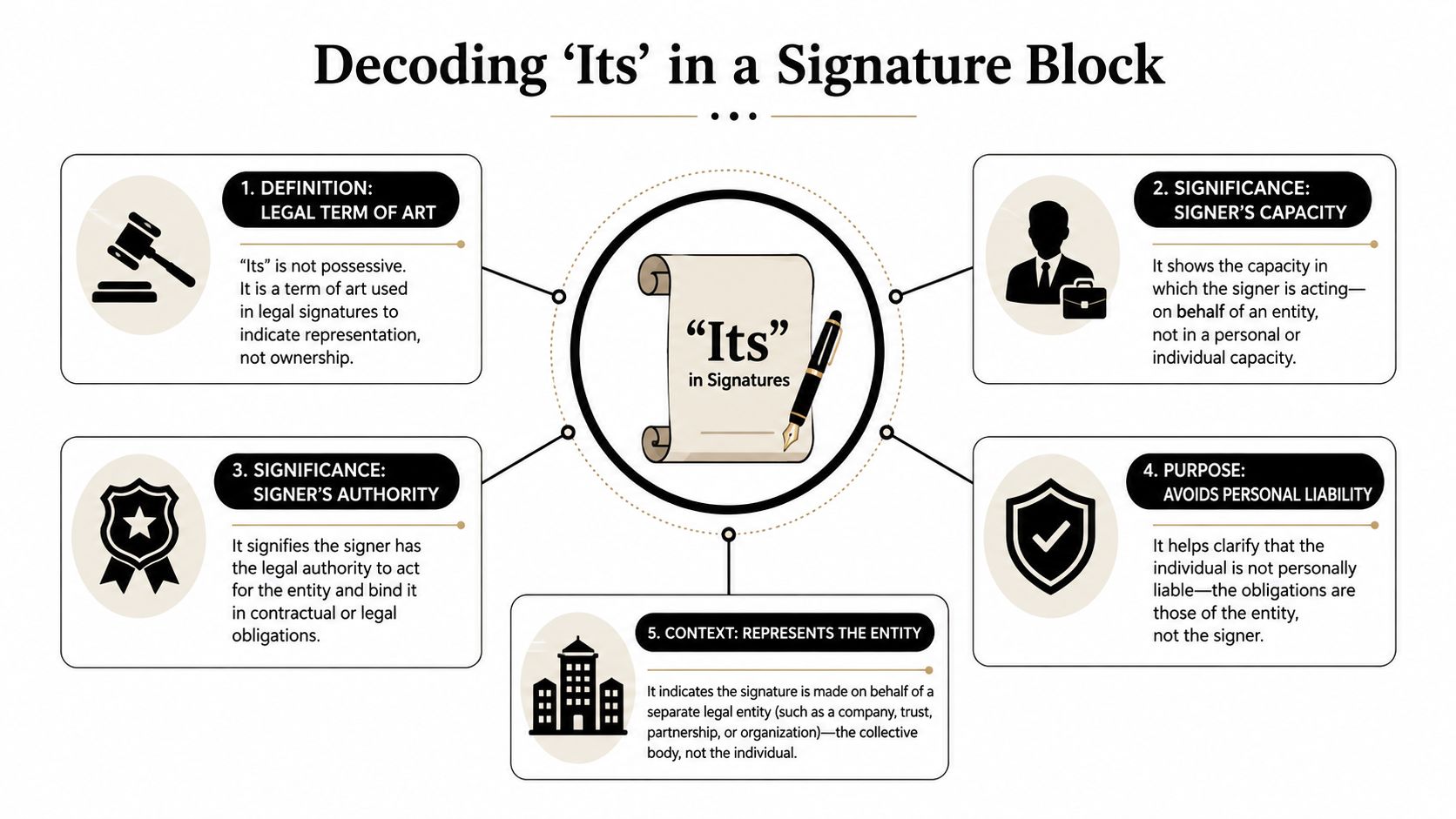
Its is a capacity field, not a name field. In contract practice, it shows the signer is acting in an official role for an organization rather than as a private individual, and the printed name, title, and company name are typically paired with the signature line so the document shows who signed and on whose authority. That framing is captured clearly in SignWell's explanation of signature lines.
Think of it like a uniform
A uniform tells people what role someone is performing right now. The Its line does the same thing in a contract, it marks the signer as the company's representative, not just a person putting ink on paper.
That distinction matters because contracts don't just record a name, they record authority. If a CEO signs for a company, the title after Its helps show the signature binds the entity, not the individual personally.
A good way to read the block is to ask three questions in order:
- Who is signing? The printed name identifies the human being.
- On whose behalf are they signing? The company or organization name answers that.
- In what capacity are they signing? The Its field answers that last question.
The field doesn't create authority on its own. It records the role that the organization already recognizes.
That's why teams working in legal operations or contract intelligence should treat Its as a control point. If your CLM template maps the signer role correctly, the approval trail stays cleaner and the executed record is easier to audit later.
For a more detailed discussion of authority mapping, this signatory authority guide is a helpful companion piece. It connects the signature block to the broader question of who can bind the organization.
Common Signature Block Examples and Variations
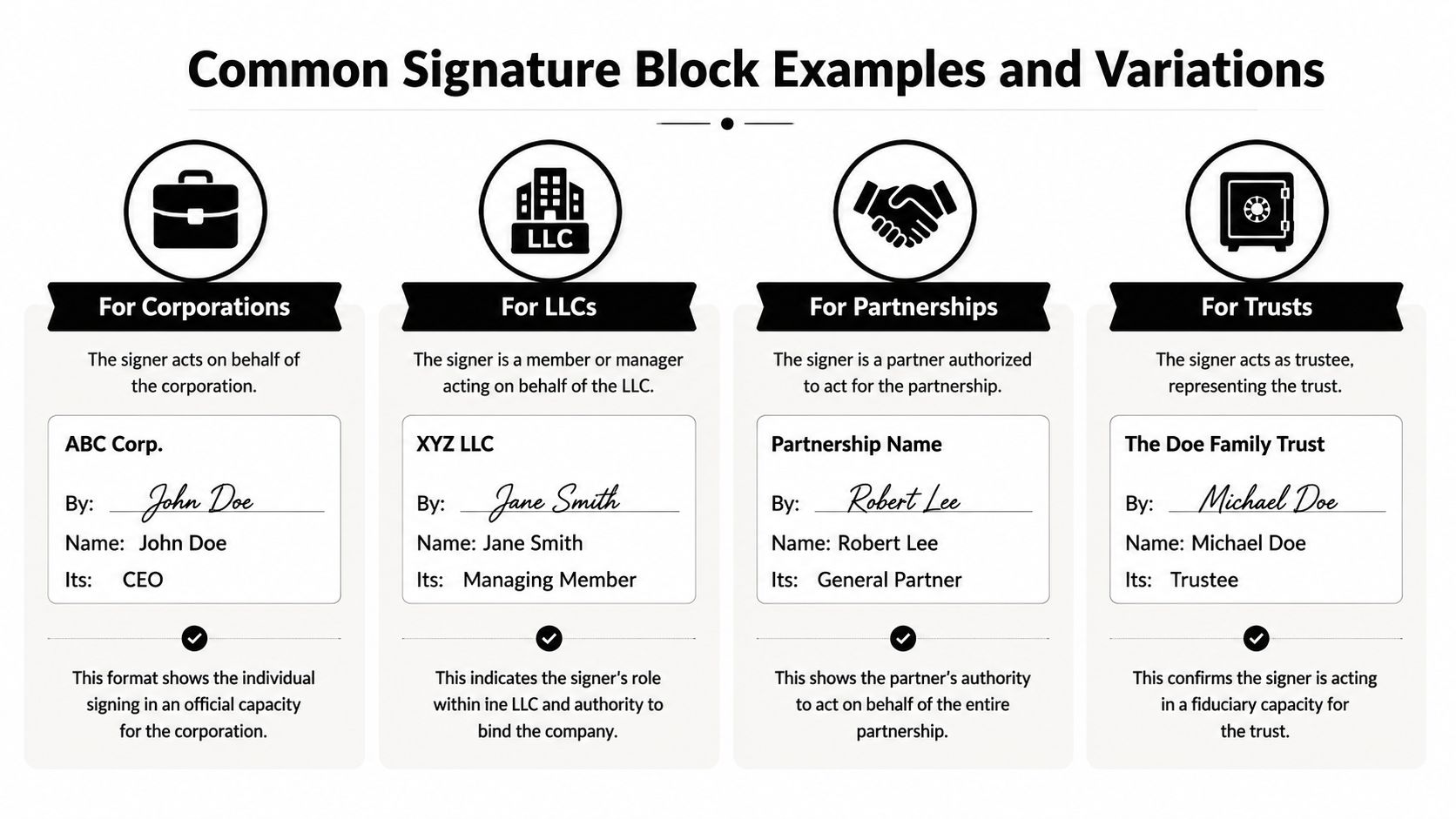
A corporate block often looks different from an LLC block, but the logic stays the same. The signature line shows who signed, and the Its line shows the role that ties the signature to the entity.
What the block usually looks like
A traditional corporate signature block often uses By for the actual signature and Its for the signer's title. One legal explanation notes that the signer puts their name on the By line and their company position on the Its line, such as President when the signer is a CEO or another authorized officer, as described by Crederelaw's contract signature explanation.
| Entity type | Typical execution pattern | What the Its line tells you |
|---|---|---|
| Corporation | By, name, then title or role | The signer is acting as an officer or authorized representative |
| LLC | By, name, then managing role or authorized role | The signer is acting for the LLC, not personally |
| Partnership | By, name, then partner role | The signer is representing the partnership |
| Trust | By, name, then trustee role | The signer is acting in fiduciary capacity |
The exact label can vary. Some forms say Title, some say Capacity, and some use Its even when the role is already obvious from the context. The safest practice is to follow the labels on the page, not the format you saw in a previous contract.
A witness or execution support step can also appear in some workflows, which is why witness signature guidance matters when your document package includes more than one signer field. A clean execution workflow avoids guesswork by showing each person exactly where their role belongs.
For legal operations teams, a core benefit here is standardization. If your templates consistently place By, Name, Its, and Date in predictable positions, review gets faster and signature errors drop sharply in day-to-day contract processing.
The Legal and Financial Implications of Signing Correctly

A sloppy signature block can turn a routine approval into a dispute about authority. Using an Its line helps show the signer is acting for the entity rather than as an individual, and the By / Its structure is meant to indicate that the signer has authorization to bind the corporation and is signing on behalf of the entity, not personally, as summarized in this legal-education explanation.
Why the risk is real
If the title is missing, wrong, or inconsistent with the rest of the document, the other side may question whether the person had authority to execute. That can create delay, force redrafting, or trigger a legal review of whether the agreement was properly formed.
The practical business risk is bigger than a formatting issue. A badly executed signature block can blur the line between corporate liability and personal liability, which is exactly the kind of ambiguity contract teams try to avoid. In plain terms, if the record doesn't clearly show that the company signed, the individual can end up having to explain why they believed they were signing in a representative capacity.
Digital execution doesn't remove that risk, it just changes where the record lives. For teams evaluating secure e-signature workflows, Blocsys Technologies' guide to secure digital contracts is a useful way to think about tamper resistance and execution integrity in modern contract systems.
Business takeaway: the signature block is part of the control environment. If it's wrong, contract management teams inherit avoidable risk during approvals, audits, and disputes.
This is why contract automation tools matter. When eSignature and CLM systems apply role-based routing, they reduce the chance that someone signs in the wrong capacity or leaves a critical field blank. If your review process includes electronic validity checks, this e-signature legality guide helps connect signature formatting to enforceability.
Automating Signature Blocks with CLM Workflows
Manual signature review works when volume is low. It breaks down when legal, sales, procurement, and finance all need the same contract to move fast with consistent execution standards.
How automation changes the workflow
A CLM platform can prefill signature blocks from approved party data, mapped roles, and user permissions. That means the system can route a contract to the right signer with the right title, then store the executed version in a searchable repository for later review.
Legitt AI is one example of a platform that handles drafting, review, negotiation, e-signatures, and repository management in one workspace. In this context, its value is operational, it can help standardize signer roles, reduce manual copy-paste, and keep the signature record aligned with the rest of the contract lifecycle.
That matters because Its is really a data point about identity and authority. If the system knows the signer is an authorized representative, the execution packet can reflect that consistently across templates, approval flows, and eSignature steps.
Common automation use cases include:
- Drafting templates: reusable contract forms with predefined signature fields.
- Approval workflows: routing to the right internal approver before signature.
- eSignature execution: sending the final version to the correct person with the correct capacity label.
- Obligations tracking: linking the executed contract to downstream tasks and renewal dates.
- Repository management: storing versions, amendments, and signed copies in one place.
For teams building sales or procurement handoffs, integrated e-sign workflow guidance shows how signature steps fit into a broader deal process. The point isn't just speed, it's repeatability.
A standardized CLM process also improves auditability. When a reviewer can see who signed, in what role, and under which approval path, contract intelligence becomes more useful and legal ops spends less time cleaning up avoidable execution mistakes.
Frequently Asked Questions About Signature Lines
Is Its always required?
No. Some signature blocks use Title or Capacity instead of Its, and some documents don't need that field at all. The safest move is to follow the labels and instructions in the actual contract.
What happens if the Its line is left blank?
That can create ambiguity about whether the signer acted for the entity or for themselves. It may not automatically invalidate the contract, but it can slow review and create a dispute about authority.
Is Its the same as a job title?
Usually, yes in practice, but the document controls. A contract may want a specific office, representative capacity, or role, so don't guess if the wording is unclear.
Do eSignature platforms handle this field automatically?
Many structured eSignature workflows do, especially when they're tied to CLM templates and role-based routing. The benefit is consistency, because the signer, title, and entity are captured in one execution path.
If your team wants fewer signature errors and a cleaner contract process, explore how Legitt AI supports drafting, review, eSignature, and repository management in one workflow. It can help standardize signature blocks, route approvals by role, and keep every executed contract tied to the right company authority.