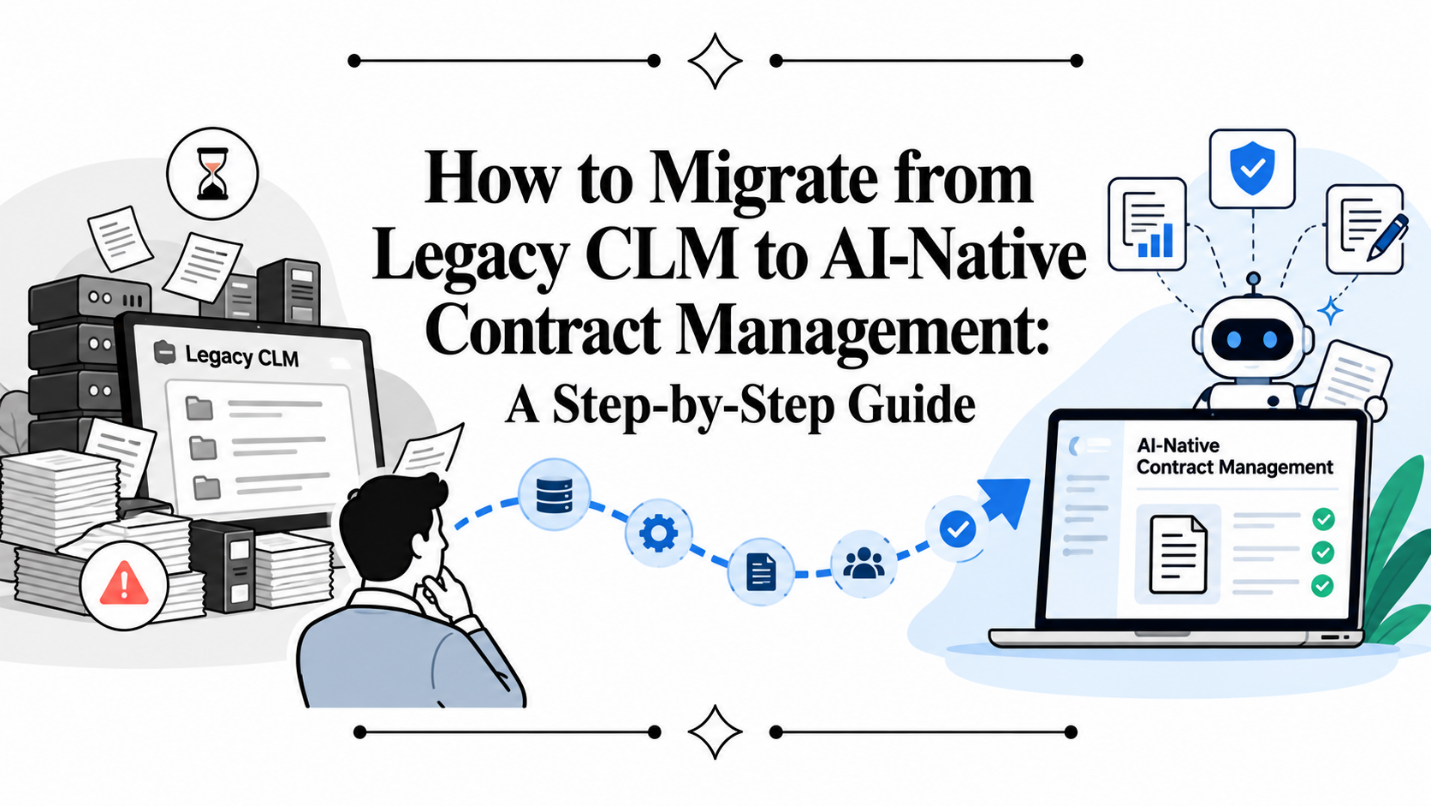
For many companies, implementing a Contract Lifecycle Management system was once considered a major digital transformation initiative. It centralized contracts, introduced workflows, improved approval processes and reduced dependence on shared drives and email. But CLM has changed significantly.
Today, businesses are beginning to expect more than document storage, workflow configuration and electronic signatures. They want systems that can understand contracts, identify risk, answer questions, extract obligations, assist with drafting and provide intelligence across the entire contract portfolio. This is why many organizations are now considering CLM migration from traditional systems to AI-native contract management platforms.
The migration, however, should not be treated as simply moving thousands of PDFs from one repository to another. Done properly, it is an opportunity to rethink how contracts operate across legal, sales, procurement, finance and business teams.
Here is the approach I would recommend.
Step 1: Understand Why You Are Migrating
Before beginning any contract lifecycle management migration, define the business problem you are trying to solve. Organizations often say they want to replace their legacy CLM because the existing platform is “old” or “difficult to use.”
That is not specific enough. Identify the actual problems.
Are users avoiding the system? Are contracts taking too long to create? Is legal overwhelmed with review requests? Is reporting unreliable? Can teams find contracts but not understand what is inside them?
You should also identify what the new platform needs to improve.
For example:
- Faster contract drafting
- AI-assisted review
- Better repository intelligence
- Easier search
- Automated metadata extraction
- Obligation tracking
- Business-user self-service
- Better integrations
This becomes the foundation for your migration strategy.
Step 2: Audit the Existing Contract Repository
Do not migrate everything blindly. Most legacy repositories contain years of accumulated documents. There may be duplicate contracts, drafts, expired agreements, unsigned copies, outdated templates and amendments that are not properly linked to parent agreements. Before migration, create an inventory.
Understand:
- Number of contracts
- Contract types
- Active versus expired agreements
- Departments using the system
- Metadata currently available
- Related amendments and addenda
- Missing documents
- Existing integrations
This exercise frequently reveals that the repository is much less structured than management assumed. A good legacy CLM migration should improve the quality of the contract repository rather than reproduce the problems of the old system.
Step 3: Clean and Classify the Data
This is probably the least exciting part of migration, but it is one of the most important. Contracts should be classified before or during migration based on categories such as customer agreements, vendor contracts, NDAs, partnership agreements, employment-related documents and leases.
Duplicates should be identified. Drafts should be separated from executed agreements. Amendments should be connected to their parent contracts. The objective should be to establish a reliable contractual record.
AI can significantly reduce the manual effort here by automatically classifying contracts and extracting information such as parties, dates, contract values, governing law, renewal provisions and termination rights.
Step 4: Redesign the Process Instead of Copying It
One of the biggest mistakes in contract management migration is recreating every workflow from the legacy CLM.
If an approval workflow has fifteen steps because it was designed eight years ago, moving those same fifteen steps into a newer platform does not constitute transformation.
Use the migration as an opportunity to simplify.
Ask:
Which contracts actually need legal review?
Which agreements can use approved templates?
Which deviations require escalation?
Can low-risk contracts move automatically?
Can business users generate contracts without opening a legal ticket?
AI-native systems allow organizations to move toward exception-based contract management. Standard contracts move quickly. People become involved when there is a genuine legal, financial or commercial exception.
Step 5: Define Your AI Use Cases
Moving from traditional CLM to AI contract management requires a slightly different mindset. AI should not simply be another feature inside the application. Identify specific tasks where intelligence can reduce work.
For example, AI can help:
- Draft contracts conversationally
- Review agreements against legal playbooks
- Identify risky clauses
- Compare counterparty language with preferred positions
- Suggest alternative clauses
- Summarize agreements
- Extract obligations
- Answer natural-language questions across contracts
The objective is not to automate every legal decision. It is to automate repetitive analysis so people can focus on decisions that require judgement.
Step 6: Migrate in Phases
A big-bang migration sounds efficient but can create unnecessary risk. I generally prefer phased migration. You might begin with active contracts, followed by recently expired agreements and then historical contracts.
Similarly, you can introduce workflows gradually. Start with high-volume areas such as NDAs, customer agreements or vendor contracts before expanding to more complex workflows.
This gives users time to adapt while giving the implementation team an opportunity to improve configurations based on actual usage.
Step 7: Validate the Migrated Contracts
Migration should not be considered complete simply because the document count matches.
Sample the migrated contracts. Check whether metadata has been extracted correctly. Validate parties, dates, values, contract types and parent-child relationships.
If AI is being used for repository analysis, test its output against a representative set of contracts. For critical data points, define clear validation thresholds and exception-handling processes. Trust in the new system will disappear quickly if users repeatedly encounter incorrect data.
Step 8: Integrate Contract Management with the Business
Contracts do not operate independently. Sales works in CRM. Procurement may use ERP or sourcing applications. Finance relies on financial systems. Employees work in Microsoft 365 or Google Workspace.
Your new contract platform should fit into those workflows.
A salesperson should not need to manually enter information already available in CRM. Similarly, an executed contract should be capable of triggering downstream business processes. The goal should be to make contract management part of the company’s operating environment rather than another isolated application.
Step 9: Measure the Outcome
Once the migration is completed, compare performance against the original objectives.
Track metrics such as:
- Contract turnaround time
- Legal review time
- Percentage of contracts using standard language
- Number of contracts requiring legal intervention
- Repository completeness
- Renewal visibility
- User adoption
The value of CLM migration should ultimately appear in business outcomes, not just successful data transfer.
Moving from CLM to Contract Intelligence
Migrating from a legacy CLM system to an AI-native platform is not primarily a technology replacement project. It is an opportunity to change how the organization works with contracts. Traditional CLM helped companies digitize the contract process. AI contract management has the potential to make that process intelligent. The distinction matters. A repository tells you where a contract is. An intelligent contract system should help you understand what the contract says, where the risk is, what action is required and what happens next.
That is the standard organizations should be aiming for when planning their next CLM migration.
Frequently Asked Questions
- What is CLM migration?
CLM migration is the process of moving contracts, metadata, workflows, templates and related processes from an existing Contract Lifecycle Management system to a new platform.
- Why are companies replacing legacy CLM platforms?
Common reasons include low user adoption, complex workflows, limited contract intelligence, weak reporting, poor integrations and the inability to use AI effectively across contract data.
- Should every historical contract be migrated?
Not necessarily. Organizations should define retention and business requirements before migration. Active and strategically relevant agreements are generally prioritized, while obsolete or duplicate documents may be archived separately.
- How can AI help during legacy CLM migration?
AI can classify documents, extract metadata, identify contract types, detect duplicates, analyze clauses and establish relationships between agreements and amendments.
- What is AI contract management?
AI contract management uses artificial intelligence to assist with activities such as drafting, contract review, clause analysis, metadata extraction, summarization, obligation identification and repository intelligence.
- What is the biggest risk during contract management migration?
Poor data quality is one of the biggest risks. Migrating incomplete, duplicated or incorrectly classified contracts can undermine trust in the new platform.
- Should existing workflows be recreated exactly?
Usually not. Migration provides an opportunity to simplify workflows, remove unnecessary approvals and automate routine contracts.
- How should companies validate migrated contract data?
Use representative contract samples, compare extracted metadata with source agreements and establish validation processes for business-critical fields.
- Is phased CLM migration better than a big-bang migration?
For many organizations, yes. A phased approach reduces operational risk and allows teams to learn from early workflows before migrating more complex contract processes.
- What determines whether a CLM migration is successful?
Successful migration should result in better adoption, faster contract cycles, improved repository quality, reduced manual work and better visibility into contractual risk and obligations.