
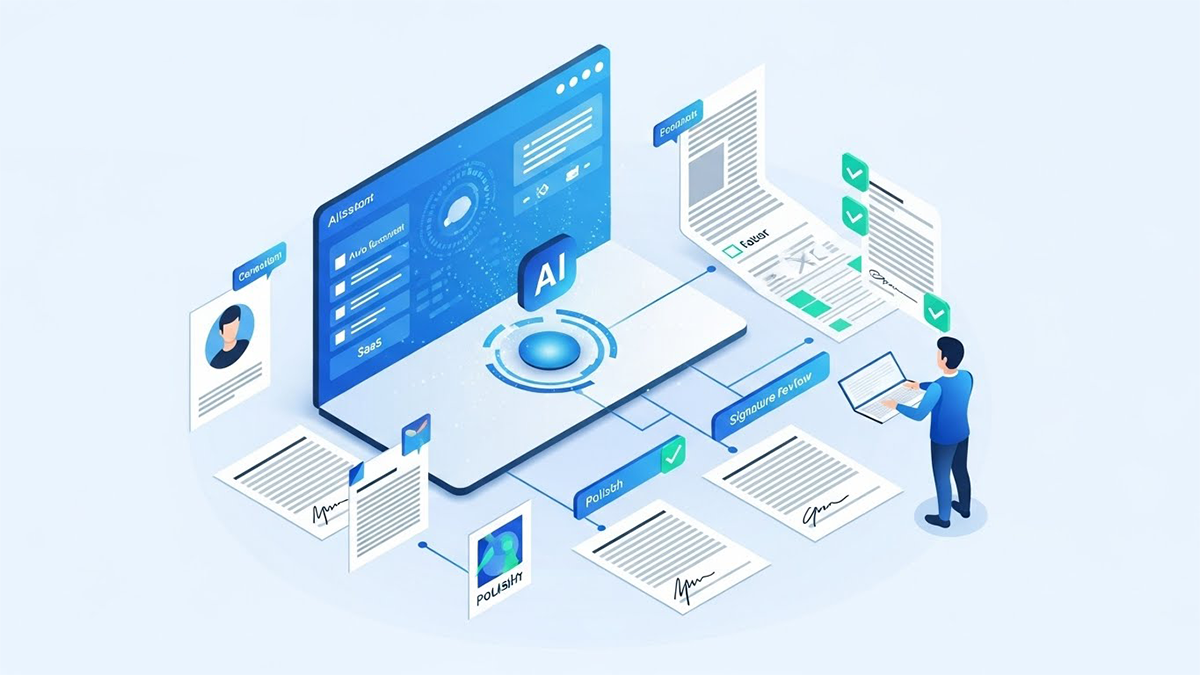
Most teams already use AI to brainstorm, summarize, or tweak wording. The real leap is using AI to generate drafts that are so aligned with your standards, so clean in structure, and so complete in content that they are genuinely ready to circulate for signature after focused legal review. That requires more than a generic chatbot. It takes structured templates, clear playbooks, and a process where AI is wired into your contracting workflow.
Used properly, AI does not replace legal judgment. It industrializes the boring parts of drafting, so lawyers and business owners can spend their time on strategy and negotiation instead of formatting and clause assembly. AI-native platforms like Legitt AI can take your templates, clause library, and rules, and turn them into a drafting engine that consistently produces signature-ready contracts at scale.
1. What does “signature-ready” actually mean in an AI context?
Signature-ready does not mean “no lawyer needed”. It means the draft:
- Uses your latest approved template, not a random prior version
- Applies the right clauses and fallbacks for that deal type and jurisdiction
- Correctly reflects the commercial terms of the deal
- Has clean numbering, definitions, and cross references
- Contains no obvious structural gaps or missing required clauses
In other words, the draft is good enough that a reviewer can focus on high value issues: unusual risks, negotiation points, and counterparty-specific concerns. AI’s role is to reliably produce this level of quality every single time, rather than leaving it to individual habits and copy paste skills.
2. How do I configure AI to draft from my templates and clause library?
The foundation of signature-ready drafting is not the model itself, but the inputs you give it.
You typically need to:
- Standardize templates
- Identify your current go-to templates for key contract types (MSA, SOW, NDA, SaaS agreement, vendor agreement, etc).
- Clean them for consistent headings, numbering, and defined terms.
- Build a clause library
- Extract key clauses (liability, indemnity, IP, data protection, termination, SLAs) as reusable building blocks.
- For each, define a primary version and approved fallback variants.
- Define playbooks
- Document what is mandatory, what is negotiable, and what requires escalation.
- Map clause variants to risk levels, deal sizes, geographies, and entity types.
An AI-native tool like Legitt AI uses these assets as a rules layer. The model is not inventing clauses from scratch. It is selecting, assembling, and adapting from your curated content so that the resulting draft aligns with your contracting strategy.
3. How do I feed deal context into AI so the draft is actually tailored?
Signature-ready drafts must reflect the real deal, not a generic scenario. That means AI needs structured inputs about the transaction.
Common context fields include:
- Contracting entities and counterparties
- Deal size, currency, and term length
- Products or services, including SKUs or packages
- Geography, governing law, and applicable regulations
- Risk tier or strategic importance
- Commercial features such as SLAs, credits, and pricing models
You can provide this context through:
 Hi, What do you want to Draft?

Click to upload or drag & drop
pdf, docx up to 5 MB
Click to upload or drag & drop
pdf, docx up to 5 MB
- A simple intake form for business users
- Integration with CRM or CPQ so opportunity data flows directly into contracting
- Predefined “deal types” that bundle common combinations of attributes
Legitt AI, for example, can pull structured data from upstream systems and use it to select the right template and clause variants, populate pricing schedules, and adjust risk-sensitive provisions. The more clean context you provide, the closer the draft will be to signature-ready from the first iteration.
4. How should I use AI when the starting point is third party paper?
Real life often starts with the customer or vendor’s draft, not yours. AI can still bring you close to signature-ready by acting as a structured reviewer and co-author.
Best practices:
- Classify their clauses
- AI maps each provision in the third party draft to your internal categories (liability, IP, data, termination, etc).
- Compare against your playbook
- The system highlights which provisions are within policy, which are acceptable with approval, and which are outside tolerance.
- Propose redlines
- AI suggests edits that move their language closer to your standard while respecting their structure.
- It identifies missing mandatory clauses and proposes insertion points.
- Generate a clean comparison view
- Instead of line-by-line manual review, legal receives a view of “here is where this paper deviates and here are recommended changes”.
You still decide what to accept. But AI does most of the mechanical work needed to convert a third party draft into a signature-ready counterproposal.
5. How do I keep AI output compliant, consistent and under control?
To reach signature-ready quality, you need guardrails. The aim is controlled generation, not free-form creativity.
Key control levers:
- Scope of generation
- For core risk clauses (liability, indemnity, data), restrict AI to approved variants.
- Allow more flexible generation only for low risk narrative sections like background or non-critical descriptions.
- Confidence thresholds
- Require human review for any suggested clause with low confidence or that departs from known patterns.
- Mandatory checks before circulation
- Run automated validations for missing mandatory clauses, broken references, inconsistent definitions, and entity names.
- Role-based permissions
- Allow business users to generate drafts but limit approval and sending to designated legal or contracts staff for defined risk tiers.
Platforms like Legitt AI are built to embed these rules so that AI becomes an execution engine for your policies, rather than a separate tool that people use ad hoc.
6. What does an AI-driven signature-ready drafting workflow actually look like?
A typical end-to-end flow might be:
- Intake
- Business user fills an intake form or a deal is created in CRM.
- Key fields are captured: parties, value, term, products, jurisdiction, risk tier.
- AI draft generation
- Legitt AI selects the right template and clause set.
- It fills in parties, commercial variables, and selects clause variants based on the context.
- Automated checks
- System validates that all mandatory clauses are present.
- It runs structural checks on numbering, definitions, and cross references.
- Legal review and adjustments
- Legal receives a structured view of the draft, with high risk areas flagged.
- Lawyers focus on exceptions, context nuance, and deal-specific tuning.
- Business validation
- A plain language summary of key economics and obligations is shared with the deal owner for confirmation.
- Final clean version for signature
- Once approved, the draft is locked for format and passed to e-signature or CLM workflow.
At each step, AI is doing heavy lifting, but human review remains in control for risk and judgment.
7. How do I measure whether AI is really producing signature-ready drafts?
You will only trust AI drafting if you can see that it is improving outcomes.
Useful metrics include:
- Time from intake to first draft
- Number of rounds of internal edits before the document is sent externally
- Percentage of clauses that are fully standard versus modified
- Frequency of structural errors caught late (for example broken references, missing definitions)
- Cycle time from first draft to signature for deals using AI-assisted drafting versus manual drafting
You can also gather qualitative feedback from lawyers and deal owners about where AI drafts are strong and where they need tuning. Over a few months, well configured AI should reduce rework, cut drafting time, and increase the share of truly standard, clean clauses in your signed contracts.
8. How do I phase AI into my drafting process without disrupting the business?
You do not need to switch everything to AI drafting overnight. A phased approach is safer and easier to manage.
A pragmatic rollout might be:
- Start with low risk, high volume contracts like NDAs, simple SOWs, or standardized SaaS subscriptions.
- Use AI to generate drafts, but enforce mandatory legal review on every contract in the pilot.
- Tune templates, clause libraries, and playbooks based on what legal repeatedly edits.
- Once accuracy and comfort are high, allow pre approved users to send AI-generated drafts directly for certain low risk deal types and thresholds.
- Gradually extend to more complex contract types, keeping strict oversight for high value or high risk deals.
Over time, AI drafting becomes the default starting point, and manual drafting is reserved for unusual or strategic scenarios.
Read our complete guide on Contract Lifecycle Management.
FAQs
Will AI actually save time, or will legal spend the same effort fixing AI mistakes?
If you feed AI clean templates, a curated clause library, and clear playbooks, it usually reduces work rather than adds to it. The biggest time savings come from consistent structure, automatic population of commercial terms, and reliable insertion of required clauses. Early in deployment you will spend time tuning and correcting, but those corrections feed back into the system. After a few cycles, most changes are minor rather than fundamental rewrites, and lawyers can focus on real negotiation issues.
Can non lawyers safely generate signature-ready drafts with AI?
Yes, but within strict boundaries. Non lawyers can use AI to assemble drafts based on approved templates and clearly defined parameters for low risk contracts. The system should block them from changing core risk clauses or sending documents externally without passing risk thresholds and approval rules. Think of AI as a guided drafting assistant. Legal still defines the rules, monitors usage, and retains the right to intervene where needed.
How do I stop AI from generating language that is not aligned with our policies?
The key is to limit free form generation and anchor AI in your content. You can disable open ended drafting for sensitive sections and instruct the system to only use approved clause variants for topics like liability, indemnity, data protection, and compliance. You can also configure redline detection so any newly generated wording that diverges from known patterns is flagged for review. This way, AI behaves more like a configurable engine than a general chatbot.
What happens if the counterparty insists on custom wording that is not in our library?
AI can still help by analyzing their proposed wording and comparing it to your standards. It can highlight risks, show how it deviates from your usual positions, and suggest alternative language. For truly novel provisions, a lawyer will need to take the lead and, if appropriate, add a new variant to the clause library. Over time, your playbook expands to cover these patterns, and AI becomes more capable of handling them in future deals.
Do I need a CLM system before implementing AI for signature-ready drafts?
A CLM makes lifecycle management easier, but it is not a strict prerequisite for AI drafting. You can start with AI native tools like Legitt AI to generate and review drafts, export them as Word or PDF, and later integrate with CLM or e-signature. Many teams use AI drafting as the first step toward broader CLM modernization, because it immediately reduces friction while building the structured data you will need for future automation.
How does AI handle jurisdiction-specific and industry-specific drafting requirements?
You can configure AI with jurisdiction and industry metadata and associate those with specific clause variants and templates. For example, data protection clauses for EU customers, healthcare-specific provisions, or financial services security language. When a user selects the governing law or industry, AI applies the matching variants automatically. This ensures that signature-ready drafts are not only generally sound, but also tailored to the regulatory and commercial reality of the deal.
How do we ensure confidentiality and security when contracts are processed by AI?
Contract drafts and executed agreements contain highly sensitive information. You should choose an enterprise-grade platform with strong encryption, role-based access controls, detailed audit logging, and clear data residency policies. Verify whether your data is kept in a dedicated environment and whether it is used to train shared models. Solutions such as Legitt AI are designed with contractual sensitivity in mind, so AI processing does not compromise confidentiality.
Can AI also help with drafting complex schedules and annexes, not just the main body?
Yes. AI can populate pricing tables, service level schedules, data processing annexes, and other structured attachments, especially when they follow predictable patterns. If your schedules are standardized and parameterized, AI can map deal inputs into the correct fields. For very bespoke schedules, AI can still assist with structure and boilerplate language, leaving final adjustment to subject matter experts.
How do we train our teams to work effectively with AI drafting tools?
Success depends as much on process and culture as on technology. Provide short, practical training focused on: what AI will generate, what users must still check, and when to escalate to legal. Set clear rules about where AI can and cannot be used. Encourage users to give feedback on drafts, and build a feedback loop with legal so that recurring edits lead to template and playbook updates. The goal is to make AI drafting feel like a normal part of the workflow, not a separate experiment.
Why consider an AI-native platform like Legitt AI instead of just using a general purpose chatbot layered on Word?
General purpose chatbots do not know your templates, your clause library, your playbooks, or your approval rules. They can draft text, but they cannot reliably create signature-ready documents that align with your contracting strategy. An AI-native platform like Legitt AI is built around structured templates, clause objects, playbooks, entity models, and workflow rules. That architecture is what allows it to consistently produce clean, compliant, and context-aware drafts that are truly ready to move into negotiation and signature with minimal rework.