
Contract lifecycle management gets used a lot as a category label. But in practice, when companies say they do CLM in Salesforce, they usually mean one of three very different things: they store contract PDFs in Salesforce, they use Salesforce CPQ to generate order forms, or they have DocuSign connected for e-signatures.
None of those three things is CLM. They are fragments of it.
This guide explains what contract lifecycle management actually covers end-to-end, what Salesforce provides natively across those stages, where the gaps consistently appear, and what a properly integrated CLM solution adds to close them.
What Contract Lifecycle Management Actually Covers
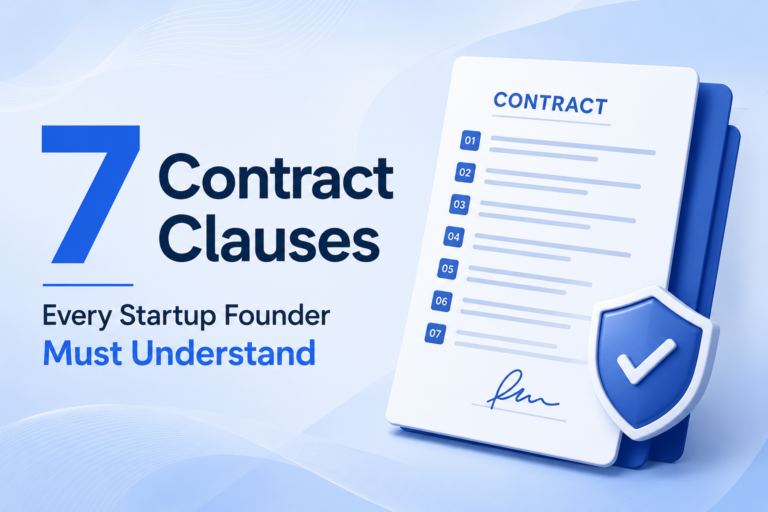
CLM is the end-to-end management of a contract from the moment someone decides one is needed to the moment it expires, renews, or is terminated. That spans more stages than most people initially think.
Stage 1 – Request and intake: Someone identifies that a contract is needed. This might be a sales rep closing a deal, a procurement manager onboarding a vendor, a partnership team formalizing an agreement, or legal responding to an inbound contract from a counterparty. How the request gets captured, routed, and tracked is the first CLM function.
Stage 2 – Drafting: A contract document is created. This involves selecting the right template, applying the right clause language for the specific deal context, and populating deal-specific terms. In manual processes, this is where most of the time and most of the errors accumulate.
Stage 3 – Review and approval: Before a contract goes to the counterparty, it typically needs internal review. Who reviews it – and whether every contract needs review or only certain types – depends on the company’s risk tolerance and the approval workflow they have set up.
Stage 4 – Negotiation: The counterparty receives the contract and responds – either accepting it or proposing changes. Redlines, counter-redlines, and version management happen here. This is often the most time-consuming stage for contracts with non-standard terms.
Stage 5 – Execution: The contract is approved on both sides and signed. E-signature has made this stage significantly faster – what used to take days of printing, signing, scanning, and mailing now takes minutes. The execution stage also includes confirming that the right parties signed with the right authority, and that the final executed version is stored correctly.
Stage 6 – Post-signature management: Once signed, the contract creates ongoing obligations on both sides. Renewal dates, payment milestones, deliverable deadlines, reporting requirements, notice periods, performance benchmarks. Someone needs to track these for the life of the contract.
Stage 7 – Renewal or termination: When a contract approaches its end date, someone needs to decide: renew, renegotiate, or let it lapse. This requires advance notice of when that decision point is approaching, and ideally data about contract performance during the current term.
Full contract lifecycle management in Salesforce covers all seven stages. Most companies have good tooling for stages 3 (approval) and 5 (e-signature). Stages 1, 2, 4, 6, and 7 are where the gaps consistently appear.
What Salesforce Provides Natively Across the CLM Stages
Salesforce is not a CLM platform, but it does provide some functionality relevant to each stage. Being honest about where that functionality is useful and where it falls short clarifies what an integrated CLM adds.
Stage 1 – Request and intake: Salesforce handles this reasonably well through opportunity and account records. When a deal closes, the relevant data exists in Salesforce. The gap is that Salesforce does not automatically initiate a contract workflow – someone still has to take the data from Salesforce and do something with it.
Stage 2 – Drafting: Salesforce does not draft contracts. Salesforce CPQ generates quotes and order forms – commercial documents, not legal agreements. The gap between a CPQ-generated quote and a signed legal contract is exactly where most manual work happens.
Stage 3 – Review and approval: Salesforce has approval workflow functionality that can be used for contract review routing. This works reasonably well for simple, linear approval chains. It becomes cumbersome for complex approvals with parallel reviewers, conditional logic, or revision cycles.
Stage 4 – Negotiation: Salesforce has no negotiation capability. Redline management and version control during counterparty negotiation happen entirely outside Salesforce, typically in email threads with Word attachments.
Stage 5 – Execution: Salesforce integrates with DocuSign and Adobe Sign via AppExchange connectors. This covers the basic e-signature use case adequately. Signed documents can be stored back to Salesforce records.
Stage 6 – Post-signature management: Salesforce has a Contracts object and activity tracking. But it does not extract obligation dates from contract documents, does not automatically create tasks from contract milestones, and does not monitor contracts for upcoming renewal windows unless someone manually enters those dates.
Stage 7 – Renewal or termination: Salesforce can surface renewal dates if they are manually entered and tracked. It does not proactively identify contracts approaching renewal, analyze whether renewal is likely based on contract performance data, or support the renegotiation workflow.
The honest summary: Salesforce provides fragments of contract lifecycle management at stages 1, 3, and 5. Stages 2, 4, 6, and 7 require either significant manual effort or an integrated CLM solution.
What an Integrated CLM Solution Adds to Salesforce
A CLM platform integrated with Salesforce fills the gaps at each stage:
Stage 2 – Drafting: Contract auto-generation from Salesforce opportunity data, with AI-driven clause selection based on deal context.
This is covered in detail in how the Salesforce contract management integration works technically and in the complete lead-to-signature workflow.
Stage 4 – Negotiation: Version-controlled redline management inside the CLM platform. AI-assisted analysis of counterparty changes against pre-approved playbook positions. Negotiation history linked to Salesforce opportunity records.
Stage 6 – Post-signature management: AI extraction of key dates and obligations from signed contracts. Automatic creation of Salesforce tasks and alerts from contract data. Real-time obligation tracking without manual data entry.
Stage 7 – Renewal and termination: Proactive renewal alerts surfaced in Salesforce at configurable intervals before the renewal window. Contract performance data available for renewal negotiation. Termination notice tracking to prevent inadvertent auto-renewals or missed termination windows.
Across all stages, the CLM integration means contract data flows into Salesforce from the contract, as well as from Salesforce into the contract. The two-way sync is what makes Salesforce a genuine system of record for the full customer relationship rather than just the pre-signature history.
The Specific Cost of Each CLM Gap
Quantifying the cost of contract lifecycle management gaps helps prioritize which ones to close first.
Gap at Stage 2 – no automated drafting: Average manual contract drafting time for standard agreements is 2-4 hours per contract. For a company doing 50 contracts per month, that is 100-200 hours of legal or sales operations time per month spent on substantially automatable work.
Gap at Stage 4 – no structured negotiation management: Each additional round of redlines adds 3-7 days to contract cycle time. In competitive deal situations, that time directly affects win rates.
Gap at Stage 6 – no post-signature tracking: The IACCM’s research consistently finds that 9.2% of contract value is lost to leakage – missed renewals, untracked obligations, unrealized performance bonuses. For a company with $10M in contracted annual revenue, that is $920,000 in potential leakage per year.
Gap at Stage 7 – no proactive renewal management: Companies that manage renewals reactively – discovering them after they have auto-renewed or lapsed – consistently report lower net revenue retention than companies that manage renewals proactively with 90-day advance notice.
None of these gaps require accepting the status quo. Each one is addressable with an integrated CLM solution.
Choosing a CLM Integration Approach for Salesforce
There are three common approaches to adding contract lifecycle management to Salesforce, each with different cost, complexity, and capability profiles:
Approach 1 – Salesforce AppExchange solutions. Tools like Conga and Nintex offer contract automation that runs natively within Salesforce. These are strong for basic contract generation and simple approval workflows, but typically have limited AI capability for review, clause analysis, and post-signature extraction.
Approach 2 – Dedicated CLM platforms with Salesforce integration. Platforms like Ironclad, DocuSign CLM, Icertis, Agiloft, Legitt AI, and SpotDraft are built as full CLM solutions and offer Salesforce integration as a primary use case. These provide the deepest capability across all CLM stages but require more implementation effort than native AppExchange tools.
Approach 3 – Point solutions by stage. Some teams solve individual stage gaps with separate tools – a proposal tool, a separate e-signature tool, a contract repository. This approach tends to create new integration challenges and does not address the cross-stage data flow problem that causes most CLM pain.
The right approach depends on contract volume, deal complexity, and how many of the seven CLM stages need addressing. For companies doing fewer than 20 contracts per month with straightforward deal structures, Approach 1 often suffices. For companies doing 50+ contracts per month or managing complex multi-party agreements, Approach 2 delivers significantly more value despite the higher implementation investment.
For a strategic view of what this adds to the CRM beyond CLM functionality, see what AI-native CLM integration actually adds to Salesforce. For the specific AI capabilities that enable contract intelligence inside Salesforce, see what AI add-ons bring to Salesforce that Einstein does not.
Summary
Contract lifecycle management and Salesforce are complementary, not redundant. Salesforce provides excellent CRM infrastructure for the pre-signature journey. CLM fills the gaps that Salesforce’s native capabilities leave open – particularly at the drafting, negotiation, and post-signature obligation tracking stages.
The cost of those gaps is quantifiable: in legal team hours, in contract cycle time, in revenue leakage from missed renewals and untracked obligations. So is the value of closing them.
Getting the integration right requires understanding which CLM stages matter most for your business, choosing an integration approach that fits your volume and complexity, and treating implementation as a workflow design project rather than a software deployment.
Related reading:
FAQs
Can Legitt AI integrate with Salesforce out of the box?
Yes, Legitt AI offers native connectors and API integrations for Salesforce CRM, CPQ, and Opportunity objects.
Do contracts auto-update in Salesforce when generated from Legitt AI?
Yes. Contracts, statuses, and key metadata are automatically synced back to Salesforce records.
Can I trigger contract creation based on Opportunity stage changes?
Absolutely. Legitt AI can listen for Opportunity stage updates (e.g., "Proposal") and auto-generate contracts.
Is clause-level compliance available within Salesforce UI?
Yes, via Legitt AI’s embedded views or linked dashboards, clause risks and variations can be viewed from within Salesforce.
Does Legitt AI support electronic signatures?
Yes. Legitt AI integrates with DocuSign, Adobe Sign, and also offers built-in eSignature functionality.
Can sales reps edit contracts directly?
Sales reps can customize allowed fields or clauses. Legitt AI enforces legal-approved templates and clause rules.
How does renewal tracking work?
Legitt AI tracks contract end dates and sends alerts to Salesforce users, ensuring proactive renewal management.
What happens if a clause is changed outside the approved language?
Legitt AI flags it, notifies relevant approvers, and can block execution until compliance is restored.
Is Legitt AI secure for storing sensitive contract data?
Yes. It uses encryption, secure storage, and meets enterprise compliance standards.
Can I analyze contract performance in Salesforce dashboards?
Yes. Legitt AI feeds real-time contract performance data into Salesforce dashboards or standalone analytics views.