A customer asks for a copy of the signed agreement. Your sales lead swears it’s in email. Finance thinks the latest version sits in a shared drive. Operations has a PDF on someone’s desktop, but nobody knows whether it includes the last pricing change or the auto-renewal clause.
That’s how contract problems show up in a small business. Not as abstract legal theory, but as wasted time, awkward customer calls, delayed invoices, missed renewals, and avoidable risk.
Most small companies don’t need a heavyweight legal ops program. They need control. They need one reliable place to see what was agreed, who approved it, what happens next, and when someone needs to act. That’s what contract lifecycle management, or CLM, is really about. It treats contracts as active business assets instead of static files.
This matters more as the business grows. A founder can keep ten agreements in their head. A team can’t. Once contracts spread across inboxes, cloud folders, accounting threads, and CRM notes, the cost starts showing up everywhere. The same operational discipline that improves billing and back-office work also applies here. If you’re already thinking about adjacent workflow improvements such as AI-driven invoice automation for professional services, CLM fits the same pattern. Reduce manual chasing, create clear ownership, and make key business documents trackable.
Introduction The Hidden Costs of Disorganized Contracts
A disorganized contract process rarely looks dramatic at first. It looks like little delays.
A salesperson waits on legal language copied from an old Word file. A manager approves the wrong version because the email thread split in two directions. A renewal date passes because nobody owned the reminder. A vendor dispute takes longer because the signed terms aren’t easy to retrieve.
Where small businesses usually feel the pain
For most small teams, the actual problem isn’t lack of effort. It’s fragmented process.
- Documents live everywhere. Signed PDFs, redlines, amendments, and approval notes sit across email, drives, and chat.
- Knowledge lives in people’s heads. One employee remembers which clause to use. Another remembers which customer negotiated special payment terms.
- Follow-up depends on memory. Renewal windows, notice periods, and obligations get tracked in spreadsheets, if they’re tracked at all.
Disorganization in contracts doesn’t stay in legal. It spills into sales, procurement, finance, and customer operations.
That’s why a contract lifecycle management small business setup should be judged less like software and more like operating infrastructure. If it gives you visibility, consistency, and follow-through, it pays for itself in calmer execution.
What CLM changes
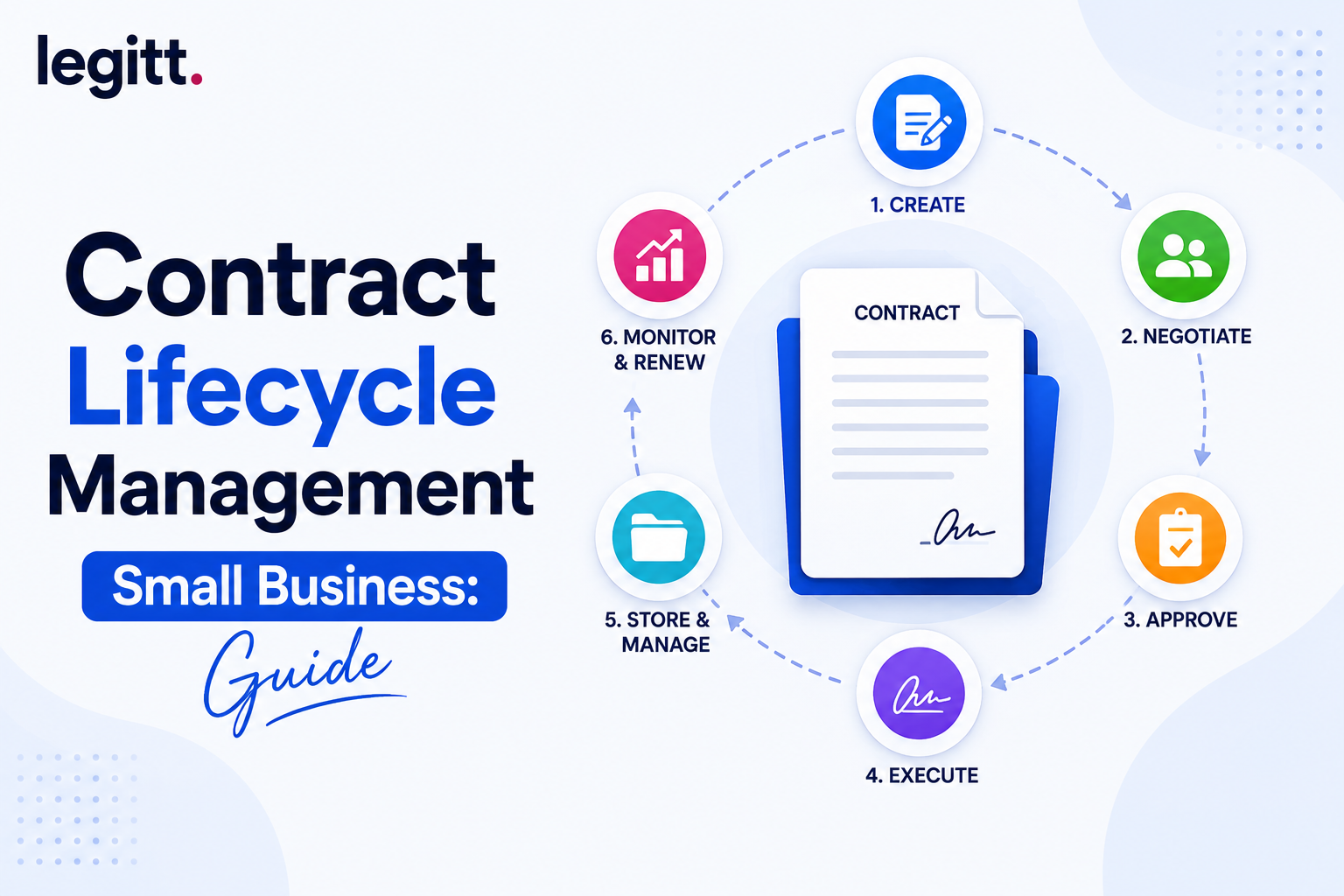
At its simplest, CLM gives you a system for the whole life of the contract. Drafting. Review. Negotiation. Approval. Signature. Storage. Renewal. Termination. It creates process where there used to be improvisation.
Small businesses don’t need every advanced feature on day one. They do need a way to stop losing time and context. The companies that get value from CLM usually start there.
What Is CLM From Digital Filing Cabinet to Business Engine
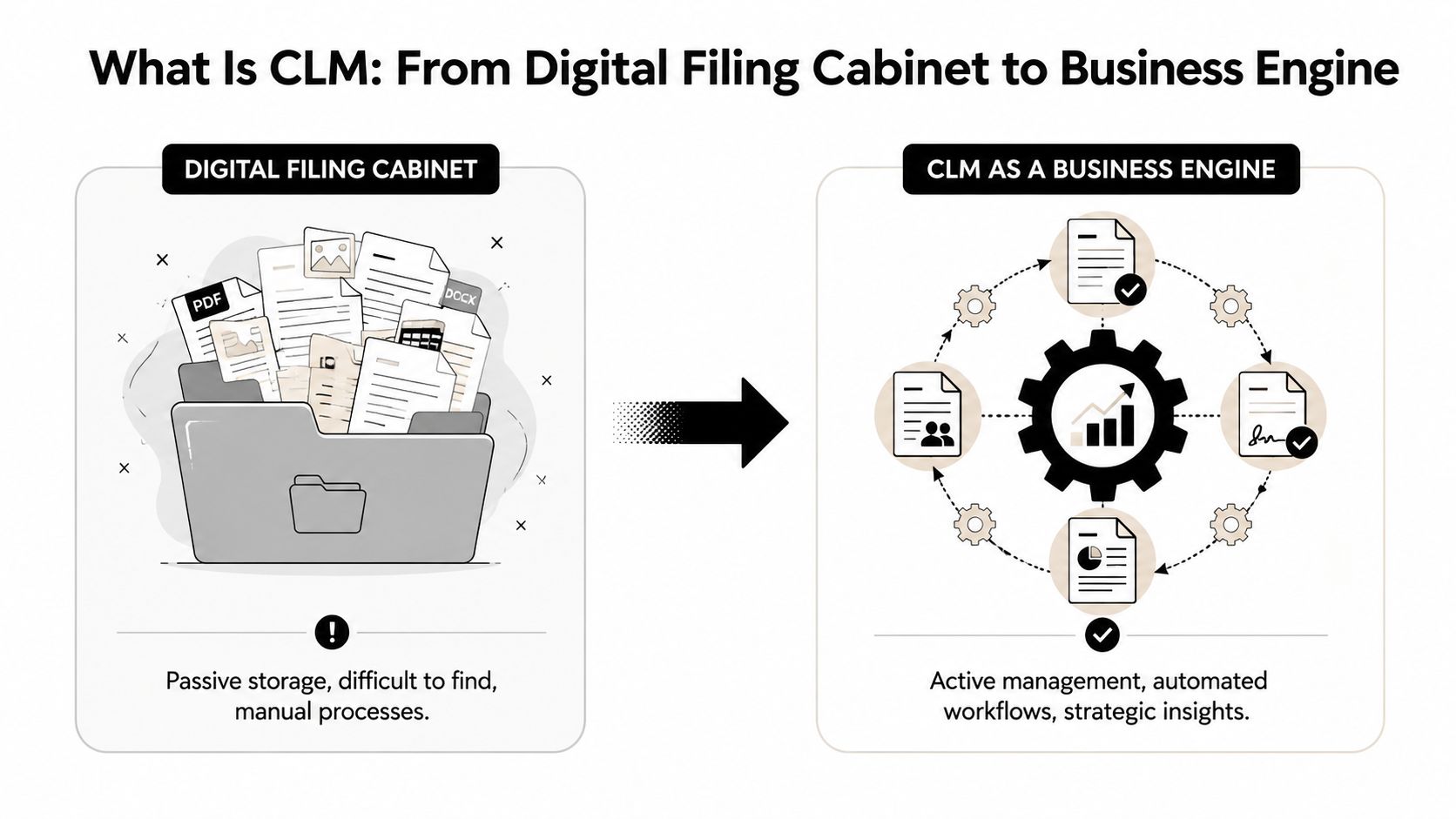
A shared folder is storage. CLM is workflow.
That distinction matters because many small businesses think they already have contract management when what they really have is digital filing. Files are saved. Folders are named. Search kind of works. But nothing moves on its own, nobody gets prompted at the right time, and key contract terms aren’t easy to track.
The difference between storage and management
A digital filing cabinet answers one question: “Where is the document?”
A CLM process answers harder questions:
- What version is current
- Who needs to approve it
- What terms changed during negotiation
- When does it renew or expire
- What obligations follow signature
- Which contracts need attention this week
That’s why modern CLM is treated as a full business workflow, not simple storage. It covers drafting, negotiation, approval, execution, storage, renewal, and termination, and for small businesses the practical shift is important. Contracts become measurable operating assets instead of archived paperwork. Industry guidance also notes that the highest-ROI architecture is a single source of truth with centralized storage, metadata, version control, and obligation or renewal tracking because it reduces lost documents, missed deadlines, and inconsistent terms by making milestones machine-trackable rather than spreadsheet-dependent, as outlined in JAGGAER’s CLM guide.
What the lifecycle actually includes
A useful CLM setup for a small business usually includes these stages:
| Stage | What happens | Why it matters |
|---|---|---|
| Drafting | Teams start from templates or approved clauses | Cuts rework and inconsistency |
| Collaboration | Sales, ops, finance, or legal comment on terms | Keeps review in one place |
| Negotiation | Redlines and comments get controlled | Reduces version confusion |
| Approval | Internal sign-off follows routing rules | Prevents bottlenecks and rogue changes |
| Execution | eSignature completes the agreement | Speeds closure and tracking |
| Repository | Final signed copy and versions are stored centrally | Makes retrieval reliable |
| Post-signature management | Obligations, amendments, and notice periods are tracked | Stops contracts from disappearing after signature |
Why the single source of truth matters most
The phrase sounds abstract, but it solves a very specific small-business problem. Without one source of truth, every department keeps a partial version of reality. Sales tracks commercial terms in the CRM. Finance tracks billing dates elsewhere. Operations tracks service obligations in a spreadsheet. Nobody has the whole picture.
Practical rule: if your team has to search in more than one place to answer a basic contract question, you don’t have contract management yet.
That’s why the best CLM systems for smaller teams don’t just “store contracts.” They connect document, workflow, metadata, and milestones in one operating record.
Why Your Small Business Cannot Afford to Ignore CLM
Small businesses often postpone CLM because it sounds like an enterprise purchase. That’s usually a mistake.
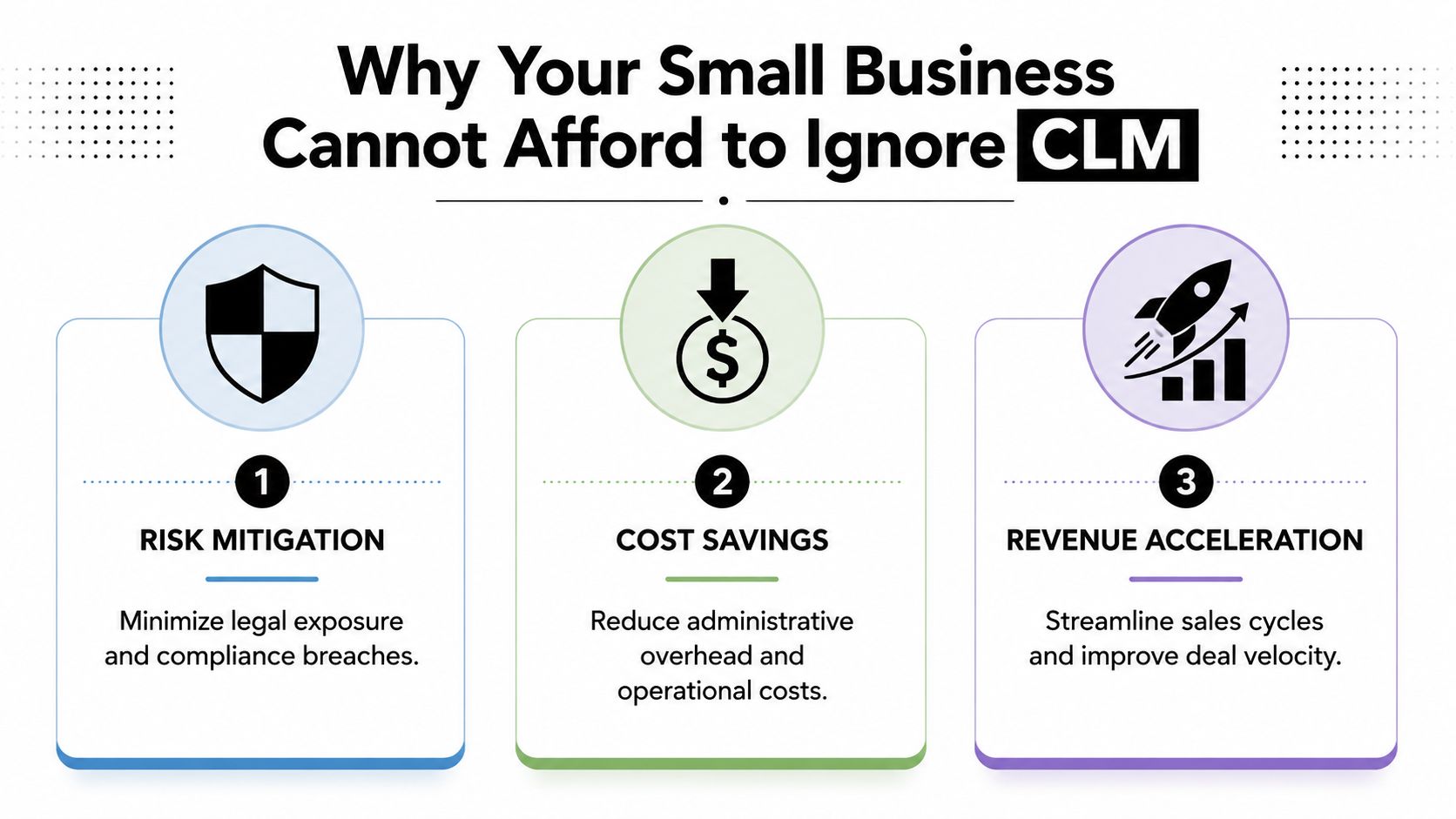
When contracts are handled manually, the business pays in three ways. People spend too much time on administration. Important terms slip through the cracks. Renewals and obligations become reactive instead of controlled.
The operational case
The cleanest argument for CLM in an SMB is time. Companies using CLM can reduce contract administration time by 60%, and procurement research cited by industry publications reports that weak contract management and suboptimal terms can erode sourcing value by 9% annually, according to Art of Procurement’s analysis of CLM tools and trends.
Those numbers matter because a small business doesn’t have slack staff capacity. If one operations manager spends hours chasing approvals and hunting down signed PDFs, that time is coming directly out of customer work, sales support, vendor management, or finance cleanup.
The risk case
The legal risk is real, but SMB owners usually feel the operational version first.
A missed notice window can lock you into another term. An outdated pricing exhibit can trigger margin problems. A buried obligation can create service delivery friction. These aren’t edge cases. They’re normal outcomes of manual tracking when nobody owns the lifecycle after signature.
The practical way to approach this is:
- Risk mitigation means knowing the status of contracts before a problem reaches the customer or vendor.
- Cost savings means fewer manual handoffs, fewer internal follow-ups, and less administrative drag.
- Revenue acceleration means contracts get drafted, approved, signed, and acted on faster.
The cost of weak contract management isn’t only legal exposure. It’s slower execution across the business.
Why waiting gets more expensive
Small teams often assume they’ll “fix it later” when contract volume grows. In reality, bad habits scale faster than process.
If you’re using email chains, shared folders, and memory today, growth makes each of those systems less reliable. More counterparties mean more versions. More departments mean more approvals. More renewals mean more chances to miss a date. CLM works best when you introduce it before the process becomes chaotic enough to require a rescue project.
Core CLM Features Your Small Business Actually Needs
A lot of CLM buying guides drown small businesses in enterprise wish lists. That’s the wrong approach.
For an SMB, the goal isn’t feature breadth. It’s a short list of capabilities that remove friction from real contract work. If a tool can’t help your team draft faster, approve cleanly, sign quickly, and manage what happens after signature, it’s probably adding software without adding control.
Five features that deserve priority
A centralized searchable repository
This is the foundation. Every contract, amendment, version, and executed copy should live in one place with clear metadata.
A repository isn’t valuable because it feels tidy. It’s valuable because your team can answer basic questions fast. Which version is signed? What is the renewal date? Who approved the exception? Which customer has a non-standard payment clause?
AI-powered drafting and review
Small businesses often don’t have in-house counsel reviewing every routine agreement. That makes template discipline and guided review more important.
AI-assisted drafting can help teams start from approved templates instead of recycling old files. AI review can also flag deviations on third-party paper so non-legal teams don’t miss obvious commercial or process issues before escalation.
Automated approval workflows
Approvals break down when they depend on someone manually forwarding a document to the right people.
A solid SMB workflow should route agreements by type, value, or risk. Standard sales agreements might need sales leadership and finance. Vendor agreements might need operations and procurement. The point is consistency. People should know where the contract is, who has it, and what happens next.
Integrated eSignature
This one is obvious, but still essential. Signing should happen inside the workflow, not as a disconnected last step.
If a contract has to leave the process and bounce across inboxes to get signed, status tracking immediately gets weaker. Integrated eSignature keeps the execution stage visible and reduces avoidable lag.
Post-signature intelligence
This is the feature many SMBs underweight. The focus is often on getting the contract signed, then visibility is lost once the PDF is filed away.
Independent coverage of CLM for small businesses points out that post-signature work is where compliance, milestone tracking, amendments, and ongoing visibility really matter, and that preventing missed renewals and revenue leakage is a core value of modern CLM, as discussed in Contractsafe’s small business CLM overview.
What this looks like in practice
A practical small-business stack might work like this:
- Sales contracts start from approved templates, route through controlled approvals, and go to signature without leaving the platform.
- Vendor agreements get reviewed against standard clauses, then tracked for notice periods and payment obligations.
- Renewals and amendments trigger alerts so the business can act before terms roll over by default.
One example of an integrated platform in this category is Legitt AI, which combines drafting, negotiation workflows, eSignature, repository management, and post-signature tracking in one workspace. That matters for SMBs because disconnected tools often recreate the same visibility problem they were supposed to solve.
A Pragmatic CLM Implementation Guide for Small Teams
Most small businesses don’t fail at CLM because the software is impossible. They fail because they try to do too much at once.
The pattern is familiar. A team buys a platform, imports a messy folder structure, debates taxonomy for weeks, and asks every department to change habits immediately. Adoption stalls. Data quality stays poor. People go back to email.
Start with one workflow, not every contract
The cleaner path is workflow first. Standardize a few templates and clauses. Pick one high-impact use case. Then build a simple process around it.
Guidance on CLM implementation consistently points to that sequence: standardize templates and clause libraries, then add controlled redlining, automated approvals, e-signatures, and reporting. It also emphasizes starting with a narrow set of high-impact use cases and migrating active contracts first, as described in STP’s guide to CLM practices that actually work.
A small sales team is often the best pilot group because the volume is visible and the pain is immediate.
A practical rollout sequence
- Pick one contract type. Start with NDAs, MSAs, SOWs, or vendor agreements. Don’t start with everything.
- Clean up the template. Approve standard language, fallback clauses, and naming conventions.
- Set routing rules. Decide who approves what. Keep the workflow short.
- Enable signature and storage. The executed contract should land in the repository automatically.
- Track only active contracts first. Old archives can wait unless they still matter commercially.
- Train around real tasks. Show people how to create, review, approve, sign, and retrieve a contract. Don’t teach abstract system features.
A successful SMB rollout feels a little boring. The right contracts move faster, fewer people get confused, and nobody has to ask where the signed version lives.
What usually derails adoption
A few failure patterns show up repeatedly:
- Too much migration too early. Teams spend time importing irrelevant historical files.
- No process owner. If nobody owns templates, metadata, and workflow rules, the system degrades.
- Over-engineering. A small business doesn’t need enterprise complexity on day one.
- Poor change management. If people don’t understand why the process changed, they’ll work around it.
For teams trying to optimize document processes for efficiency, the same rule applies here. Start with repetitive work, simplify the path, and remove manual handoffs before adding sophistication.
It’s also worth understanding why implementations break down even when the software is capable. This review of why CLM platforms fail is useful because it focuses on adoption and workflow design, which are usually the primary issues for smaller teams.
Measuring ROI and Understanding the Costs of CLM
Small-business owners don’t need a theoretical ROI model. They need a short list of business signals that show whether CLM is reducing friction.
That starts with time. CLM tools can cut contract administration time by 60%, while manual tracking can be highly error-prone, with 92% of tracking errors caused by human handling. The same source notes that focusing on just 5-7 core CLM metrics can capture about 80% of the actionable insight a team needs, according to Sutisoft’s guidance on CLM optimization.
The metrics that matter for SMBs
Don’t build a dashboard monster. Track a compact set of metrics that tie to work your team actually feels.
| Metric | What it tells you |
|---|---|
| Contract turnaround time | Whether drafting, review, and approval are speeding up |
| Time spent on administration | Whether manual handling is dropping |
| Renewal visibility | Whether key dates are being tracked before they’re urgent |
| Non-standard term frequency | Whether templates and review discipline are improving |
| Approval bottlenecks | Which step or role keeps slowing deals down |
| Retrieval speed | Whether the repository is actually usable |
Tangible ROI versus soft benefits
Some benefits are easy to count. Others are still valuable even if they don’t fit neatly into a spreadsheet.
Tangible returns often include less admin time, fewer drafting cycles, lower dependence on outside legal review for routine work, and better retention of negotiated value through timely renewals and obligation management.
Operational returns are just as important. Teams trust the process more. Handoffs become cleaner. Finance can confirm terms faster. Sales can answer customer questions without digging through inboxes.
Bottom line: if your team spends less time chasing contracts and more time acting on them, the system is working.
How to think about cost
CLM pricing varies by user count, feature depth, workflow complexity, and implementation scope. The mistake is comparing vendors only on subscription price.
A cheaper tool that lacks approval routing, searchable metadata, or renewal tracking can cost more in practice because your team keeps doing the hard work manually. Evaluate the total operating model, not just the software line item.
If you want a practical example of how contract management ROI is framed in a specific operational context, this piece on contract management ROI in real estate is a useful reference because it shows how faster retrieval, process discipline, and lifecycle visibility affect day-to-day execution.
How to Choose the Right CLM Platform for Your Business
A good CLM platform for a small business should feel lighter than the problem it solves. If the tool is harder to adopt than your current mess, it won’t stick.
The evaluation process gets easier when you ignore giant feature matrices and ask a narrower question. Will this platform help my team create, approve, sign, store, and manage contracts with less friction than we have now?
A practical evaluation checklist
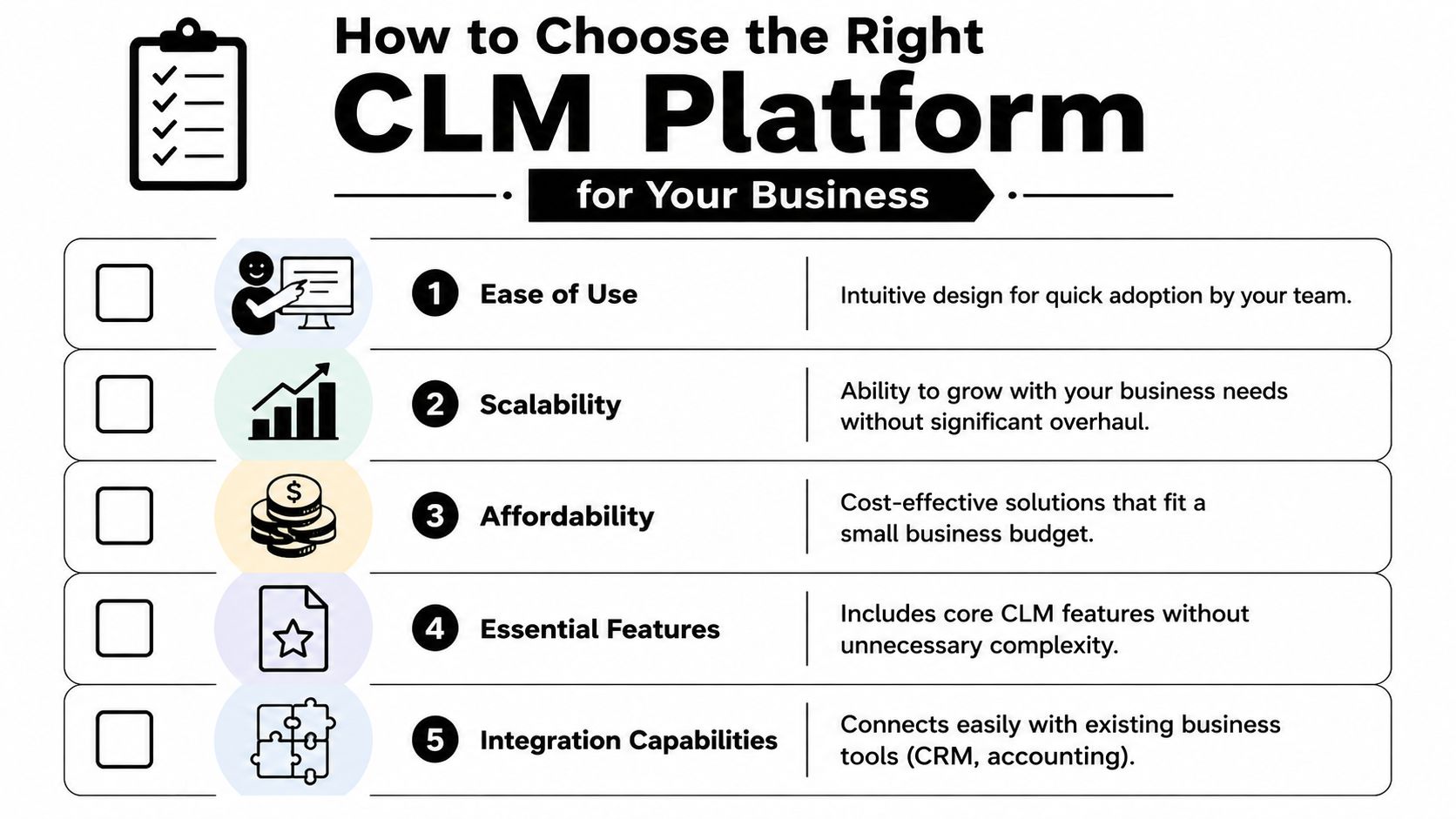
Ease of use
Ask non-legal users to test the workflow. Can sales create the right agreement without help? Can finance find the signed contract fast? Can managers approve from a clean interface without training fatigue?
Core feature fit
You don’t need every enterprise capability. You do need your priorities covered well. For most SMBs, that means repository, workflow, eSignature, drafting support, and post-signature tracking.
Integration quality
Check whether the platform connects to systems your team already uses, such as Salesforce, HubSpot, Microsoft 365, Slack, or your document stack. A CLM system creates more value when data doesn’t need to be copied by hand.
Security and compliance
Security review still matters, even for smaller organizations. Look for clear answers on access controls, encryption, audit trails, and relevant compliance standards. If the vendor is vague here, that’s a warning sign.
Scalability and support
Your needs will change. You might add more workflows, departments, templates, or approval layers. The platform should handle that growth without forcing a full rebuild.
Questions worth asking on every demo
- Show me the post-signature workflow, not just drafting and signing.
- Show me how metadata is captured, not just where files are stored.
- Show me how approvals change by contract type, not just a generic workflow.
- Show me how renewals and obligations surface, not just the final signed PDF.
For buyers comparing tools side by side, this Legitt AI versus competitors comparison can help frame what to look for in workflow depth, repository control, and integration coverage. The useful part isn’t the vendor angle by itself. It’s the checklist mindset. Compare platforms against your operating reality, not against a giant feature brochure.
Frequently Asked Questions About CLM for Small Business
At what contract volume does a small business need CLM
Volume matters less than complexity and risk. If contracts involve approvals across multiple people, negotiated terms, renewals, amendments, or obligations after signature, you’ll likely benefit from CLM even at modest volume. The trigger isn’t “how many contracts do we have.” It’s “are we losing visibility and control.”
Do I still need a lawyer if I use CLM software
Yes. CLM improves process, consistency, and visibility. It doesn’t replace legal judgment for unusual terms, regulated matters, disputes, or high-risk negotiations. Think of CLM as the operating system around contract work. Lawyers still matter for advice, escalation, and risk decisions.
Can I start with a free or very cheap CLM tool
You can, but there are trade-offs. Low-cost tools may handle storage and simple signing, yet fall short on approvals, metadata, searchable obligation tracking, and post-signature visibility. That can be acceptable at the very beginning, but many small businesses outgrow those tools quickly. If you start small, make sure the system can support a more disciplined workflow later instead of forcing another migration.
If your team is stuck between messy folders and heavyweight legal software, Legitt AI is worth evaluating as a practical middle path. It supports drafting, negotiation, approvals, eSignatures, repository management, renewals, and obligation tracking in one workspace, which is the operating model most small businesses need.