Your team already knows the scene. A salesperson sends back MSA_v7_FINAL_reallyfinal.docx. Legal has MSA_v7_redline_gc.docx. Procurement approved a PDF that no one can trace to the last negotiated Word file. Someone asks a simple question, “Which version did the customer sign?” and the room goes quiet.
That silence is expensive.
In contract work, weak document version management doesn't just create clerical mess. It creates revenue delays, approval confusion, broken audit trails, and legal exposure when teams rely on outdated language. Generic file storage tools can keep documents somewhere. They can't reliably tell legal, sales, procurement, and operations which version was authoritative at each point in the contract lifecycle.
The fix isn't more disciplined file naming alone. It's a controlled system that ties drafting, review, redlining, approvals, eSignature, repository management, renewals, and obligations back to one version history. That's where modern contract lifecycle management, AI contract review, and contract intelligence start to matter.
The Hidden Costs of Uncontrolled Documents
A contract doesn't become risky only when a clause is wrong. It becomes risky when nobody can prove which clause was approved, when it changed, and who accepted the change.
The problem usually starts small. A legal team shares a Word file. A salesperson downloads it to send a revised draft. Procurement adds comments in a separate copy. Outside counsel sends another attachment by email. By the third round, the file names look organized enough to keep everyone moving, but nobody is working from a true single source of truth.
That confusion hurts more than productivity. Eightty-eight percent (88%) of employees feel demoralized when they cannot find the most current version of a document, according to Box's document version control analysis. In contract-heavy teams, that frustration shows up as delayed approvals, repeated redlines, and second-guessing before signature.
Where the business risk shows up
Legal, sales, and procurement experience version chaos differently:
- Legal loses defensibility when it can't easily map edits to negotiation history.
- Sales loses momentum when redlines circulate in parallel and the customer waits for a clean response.
- Procurement loses control when vendor paper changes outside the approved workflow.
- Operations loses visibility when the executed contract doesn't match what gets stored or renewed.
Uncontrolled versions don't just waste time. They weaken confidence in every downstream decision tied to the contract.
Teams that care about support operations often learn a related lesson from AI knowledge for customer support. When information is scattered, people stop trusting the system and start creating personal workarounds. Contracting teams do the same thing with desktop copies, email threads, and “just in case” PDFs.
Why contracts make the problem worse
Contracts are different from ordinary business documents because every revision can affect liability, price, term, renewal rights, security obligations, and dispute posture. If your team still treats signed PDFs as the main record, it's worth revisiting why that creates avoidable exposure in this breakdown of why PDF contracts are not secure.
Filename chaos is annoying. Version ambiguity in contracts is a governance failure.
What Is Document Version Management Really?
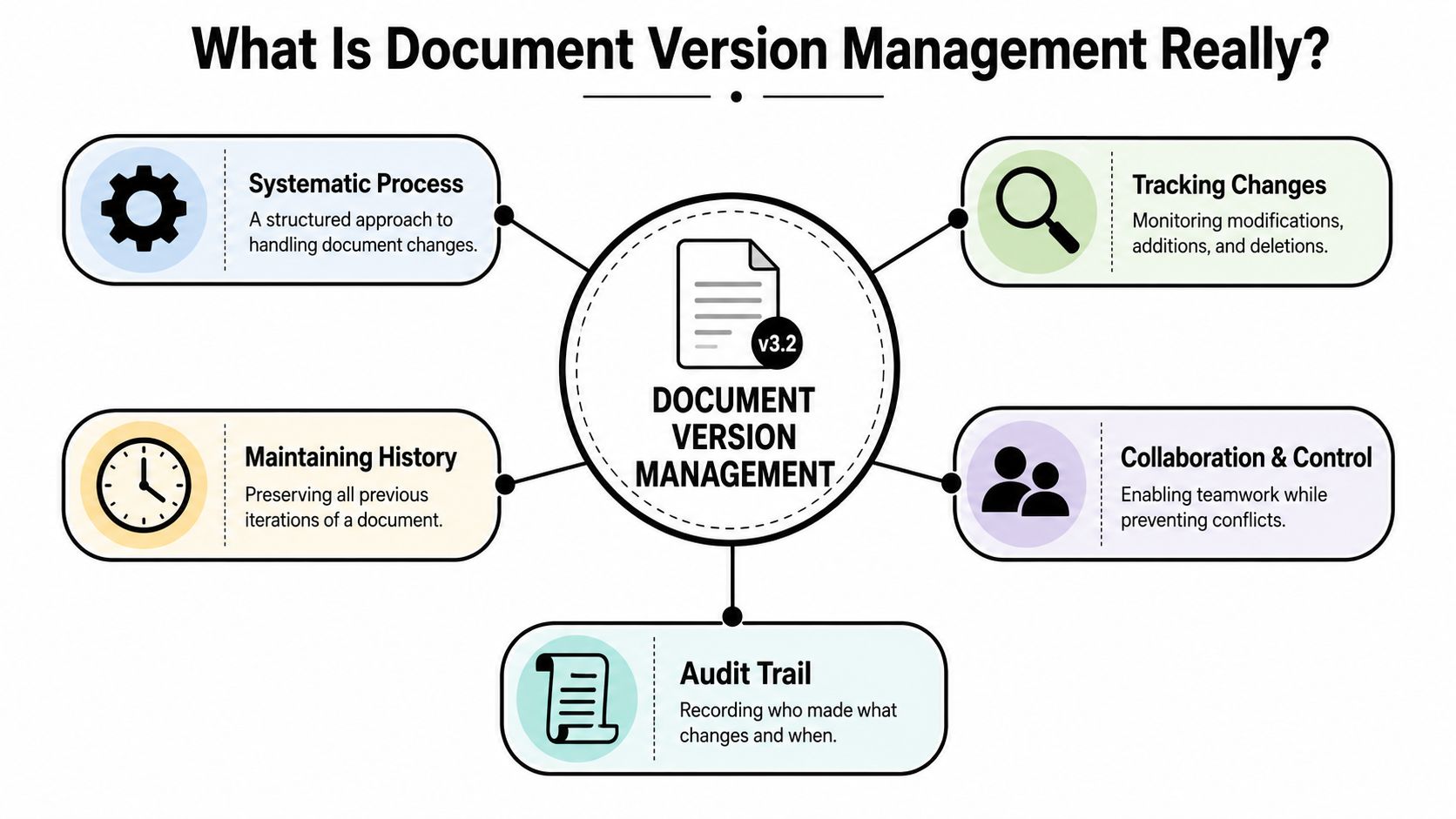
Document version management is the disciplined process of maintaining one controlled document record with a complete history of changes, approvals, and states over time. That's different from saving copies with slightly different names.
Manual versioning says, “I saved another file.”
True version control says, “The system knows what changed, who changed it, when it changed, why it changed, and which version was approved.”
A useful way to think about it is as a time machine for contracts. You should be able to move backward to any point in the negotiation and answer five questions without checking inboxes:
- Which version was current
- Who edited it
- What changed
- Who approved it
- What happened next
What manual teams usually do
Most organizations start with a mix of shared drives, email attachments, Word track changes, and occasional checklists. That can work for low-risk documents with a single editor. It breaks down when several stakeholders need to review and negotiate a live agreement.
The core weaknesses are predictable:
- Copies multiply across inboxes, desktops, and shared folders.
- Approvals detach from the actual file version under review.
- Negotiation context disappears when teams save “clean” copies without preserving the reason for edits.
- Search becomes unreliable because metadata lives in people's heads, not in the system.
What a controlled system does instead
A proper system treats the contract as a managed business record throughout the lifecycle. It connects drafting, redlining, review, approval workflow, eSignature, repository storage, and post-signature management.
That means the platform should support:
- Structured version history with timestamps and user identity
- Role-based access so not everyone can overwrite active drafts
- Workflow states such as draft, internal review, counterparty review, approved, signed, and archived
- Comparison tools to identify clause-level changes between versions
- Repository search that surfaces the right contract without relying on file names
Practical rule: If your team can't reconstruct the exact negotiation path of a signed agreement from one system, you don't have document version management. You have file storage.
For teams working heavily in Microsoft Word, this becomes especially important once collaboration crosses departments. The gap between simple drafting and controlled workflow is well illustrated in version control and collaboration in Microsoft Word with Legitt Draft, where the challenge isn't writing the contract. It's preserving authority over the contract while people are editing it.
Comparing Version Control Approaches
Not every organization needs the same setup. A startup closing a few standard NDAs has different needs from an enterprise legal team managing procurement paper, sales contracts, amendments, and regulated approvals. Still, organizations typically fall into one of three models.
Nearly two-thirds (approximately 66%) of employees have had to recreate a document because they could not locate the original, according to ShareFile's document version control guide. That's the clearest sign that the method, not the user, is the problem.
Version Control Methods Compared
| Criterion | Manual (Shared Drive/Email) | Centralized DMS (e.g., SharePoint) | AI-Native CLM (e.g., Legitt AI) |
|---|---|---|---|
| Auditability | Weak. History is fragmented across files and inboxes. | Better. Version records are centralized. | Strong. Version history can be tied to drafting, approvals, negotiation context, and repository metadata. |
| Collaboration efficiency | Low. Parallel edits create duplicate drafts and slow reviews. | Moderate. Teams can work from one repository, but legal workflow still needs discipline. | High. Drafting, review, redlining, approvals, and eSignature can run in one controlled flow. |
| Risk of error | High. Users can approve the wrong file or miss a change. | Lower, but still depends on process design and user behavior. | Lower by design when workflow states, permissions, and comparisons are embedded in the contract process. |
| Intelligence | None beyond manual search and human review. | Limited. Storage and retrieval improve, but clause-level insight is usually outside the system. | Built for contract intelligence, including deviation analysis, search, and contract analytics across versions. |
| Best fit | Small teams with low document volume and low legal risk | Organizations that need central storage and baseline governance | Teams managing complex enterprise contract workflows across legal, sales, procurement, and operations |
What each model gets right and wrong
Manual methods are familiar. They're also brittle. They rely on people remembering where the latest draft lives and whether comments from one stakeholder made it into another file. That's manageable until one contract matters.
A centralized document management system improves control. It can create a single repository, preserve file history, and reduce random duplication. But for contract lifecycle management, storage alone isn't enough. Legal still needs to manage redlines, approval routing, signed versions, amendments, and obligations in context.
AI-native CLM takes the next step. It treats the contract as structured business data rather than just a file. That matters when sales asks which clause changed, procurement wants the approved fallback language, or legal needs to compare third-party paper against standard terms at speed.
How to identify your current state
Ask three questions:
- Can your team identify the approved version without checking email?
- Can you compare any two versions and understand clause-level deviation quickly?
- Can you tie the signed agreement back to the negotiation and approval record?
If the answer is no, the issue isn't user discipline alone. It's the platform. For organizations considering the architecture question, AI-native CLM versus retrofitted systems is the critical decision point.
How to Build a Robust Version Control Policy
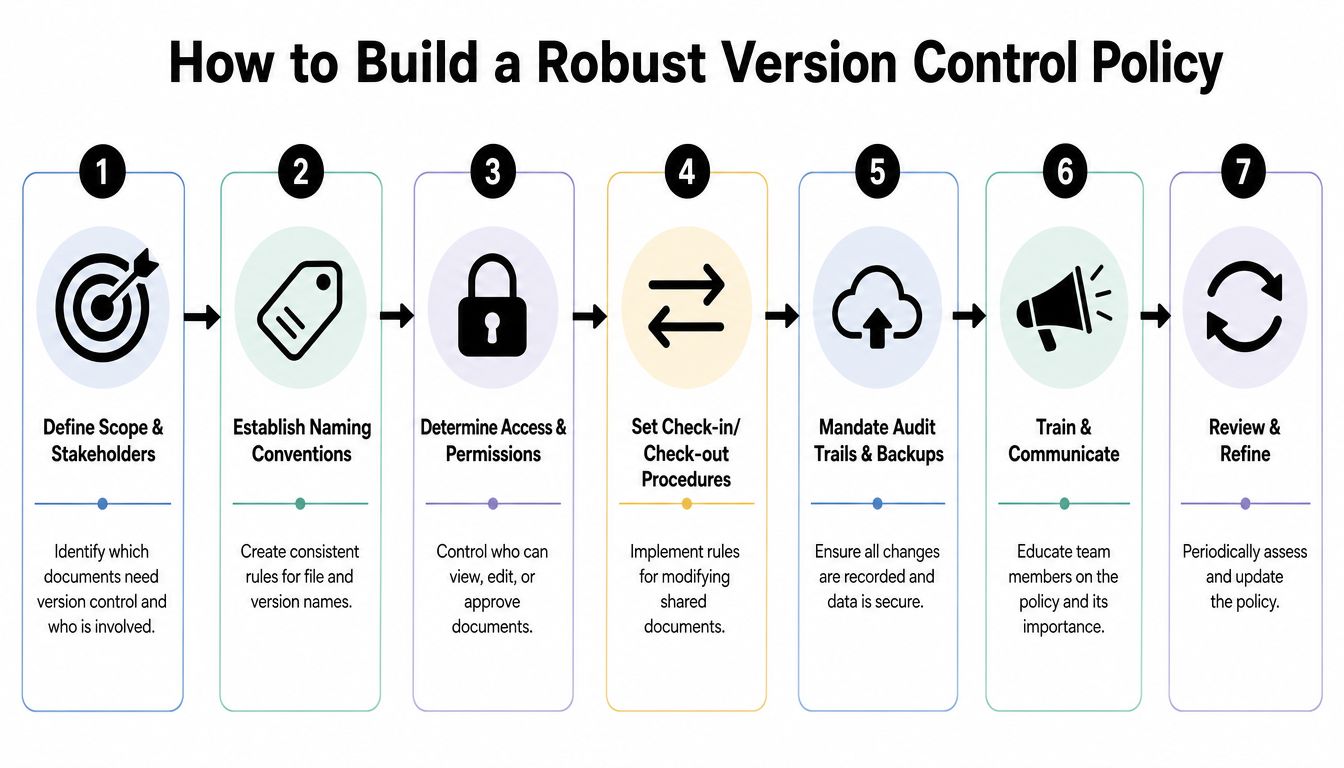
Technology helps, but policy decides whether the system stays clean six months from now. Without clear rules, even a capable CLM or DMS ends up replicating shared-drive chaos inside a nicer interface.
In regulated environments, that structure isn't optional. In regulated industries, document version control is a mandatory systematic process that tracks every modification to ensure traceability, often using a semantic versioning scheme (major.minor.patch) to comply with standards like ISO 27001, as outlined by Cognidox.
Start with scope and version rules
Don't write one vague policy for “documents.” Define which records require controlled versioning. Contracts, amendments, order forms, DPAs, procurement terms, playbooks, and approved templates usually belong in scope.
Then define your numbering method. A practical model is semantic versioning:
- Major version for material commercial or legal change
- Minor version for negotiated edits that don't change the overall form
- Patch version for formatting, typo correction, or administrative cleanup
That simple rule helps legal and commercial teams understand the weight of a change without opening every comparison.
Set control points that users can't bypass
A strong version control policy should answer operational questions, not just governance ones:
- Who can create a new contract record
- Who can edit an active draft
- When check-out is required
- Who can convert a draft into an approval-ready version
- Which approval chain applies by contract type
- How third-party paper is captured and reviewed
- How signed copies are locked and archived
If these decisions are left informal, people will work around them. They always do.
A policy works when the workflow enforces it. If users need memory and goodwill to follow the rule, adoption will drift.
Build naming, approval, and archival standards
Even in a CLM environment, naming still matters for exports, attachments, and exceptions. Use a consistent pattern that includes document type, counterparty or project, version marker, and date where needed. Attach metadata at the record level so users can search by contract type, owner, stage, renewal date, or clause family instead of scanning file names.
Approval design should follow business risk. Standard sales paper may need a lighter route. Non-standard indemnity, security, or pricing changes may need legal, finance, procurement, or security review before release.
Archival rules matter too. Obsolete drafts shouldn't float around active folders. Signed agreements, superseded amendments, and historical versions should remain accessible but clearly marked by status.
Put the policy into the platform
The most effective teams embed policy in the system itself:
- Required metadata fields prevent incomplete uploads
- Role-based permissions limit uncontrolled editing
- Approval workflows preserve sign-off records
- Template controls reduce off-book drafting
- Repository rules keep amendments tied to the parent agreement
A centralized repository is the foundation. For teams cleaning up fragmented storage before layering on automation, centralized contract storage is usually the first operational fix.
Common Versioning Pitfalls and How to Fix Them
Many teams think they have version control because they have version history somewhere. In practice, the system still fails during negotiation, amendments, or cross-functional review.
The hardest gap shows up in collaborative redlining. A frequently asked but poorly answered question is how to manage version control in "real-time collaborative redlining" without creating "version sprawl" that breaks audit trails, a problem that manual saving and many general-purpose tools fail to solve, as noted in Adobe Acrobat's discussion of document version control.
Pitfall one, version sprawl during redlines
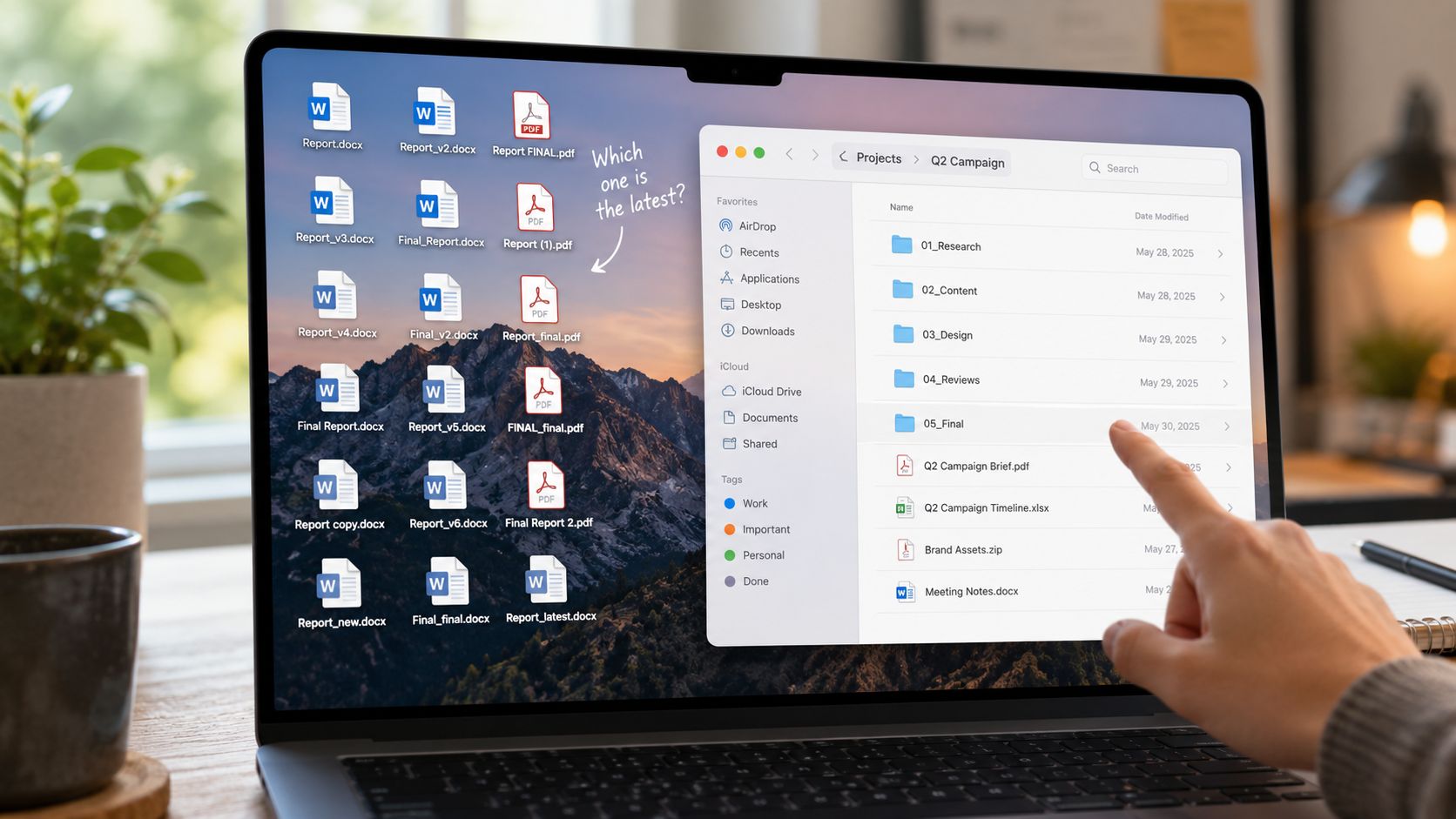
This usually happens when legal edits one file, sales forwards another, and the counterparty comments on a third. The audit trail breaks because nobody can prove which draft contained which clause at which moment.
Fix it by keeping negotiation inside one controlled workspace. The system should consolidate edits into a single versioned record instead of treating each emailed attachment as a separate truth source.
Pitfall two, third-party paper enters outside the workflow
Vendor and customer paper often arrives as an attachment, gets revised in email, and only later lands in the repository. By then, the review path is already incomplete.
A better approach is to intake outside paper directly into the contract workflow, assign ownership, and create a versioned record before anyone starts redlining.
Pitfall three, amendments become detached from the base agreement
Amendments often cause more confusion than the original contract. Teams save them in a different folder, title them inconsistently, and lose sight of which obligations still govern.
Use parent-child linking between the master agreement and every amendment, addendum, order form, and renewal document. If your current process struggles here, handling contract amendments needs its own workflow, not a side folder.
Pitfall four, users bypass the system for speed
This is usually a design problem, not a training problem. If approvals take too long, metadata is painful, or uploads are clunky, users revert to email and local files.
Fix that with workflow design:
- Reduce friction by pre-filling metadata from CRM or intake forms
- Route approvals automatically based on contract type or fallback clauses
- Use in-app redlining and comments so negotiation history stays attached to the document
- Lock signed versions so executed agreements can't be unofficially replaced
Good version control doesn't ask users to become archivists. It removes the need for improvisation.
The AI Advantage in Contract Version Management
Traditional document management stores versions. AI contract management turns those versions into usable intelligence.
That matters because contract teams don't just need to know that a document changed. They need to know whether the new version introduced legal risk, commercial drift, or approval exceptions. For that reason, AI-native CLM has become part of the operational conversation, not a side experiment. In 2026, 44% of companies have deployed or are actively deploying AI systems to support contracting workflows, according to Procurement Tactics.
From passive history to active analysis
In a basic repository, a version log tells you that a file changed.
In an AI-native environment, the system can help answer more useful questions:
- Which clauses changed from the approved template
- Whether the counterparty inserted non-standard language
- Which obligations or renewal terms were affected
- Whether a redline requires escalation under policy
- How the current draft differs from the last approved version
That changes the value of version history. It stops being a compliance artifact and becomes a working tool for legal operations, procurement, and sales execution.
What that looks like in practice
A modern CLM workflow can support:
- AI-powered drafting from approved templates and business inputs
- Contract review that compares third-party paper to fallback positions
- Negotiation support through clause-level deviation analysis
- Approval workflows that route non-standard terms to the right reviewers
- Repository intelligence that makes every version searchable by metadata and content
- eSignature orchestration so the executed version stays tied to the exact approval record
- Renewal and obligation tracking based on the final signed language, not a forgotten draft
One option in this category is Legitt AI, which combines drafting, redlining, approval workflows, eSignature, repository management, and AI agents for clause extraction, deviation analysis, obligations tracking, and contract intelligence inside one workspace.
Why this matters to business teams
Legal wants defensibility. Sales wants speed. Procurement wants controlled negotiation. Operations wants a reliable repository. AI-native contract lifecycle management helps align those goals because the system can surface changes instead of forcing teams to discover them manually.
For readers comparing broader approaches to legal technology, LocalChat's legal AI guide offers a useful overview of how AI is being applied to legal document workflows beyond simple storage and search.
Version management becomes strategic when the system can explain the significance of a change, not just record that it happened.
Measuring Success and Ensuring Governance
A version control program is working when teams trust the system enough to stop creating side channels. That trust has to be measured.
The first layer is operational. Contracts should move through drafting, review, approval, signature, and storage with fewer disputes about document status. The second layer is governance. Leaders should be able to verify who accessed what, which version was approved, and whether the executed agreement reflects approved terms.
What to measure
Track outcomes that connect legal operations to business performance:
- Contract cycle time from draft to signature
- Frequency of version disputes during negotiation and approval
- Use of outdated templates in live transactions
- Turnaround time for redline review
- Repository completeness for signed agreements, amendments, and approval records
- Renewal and obligation visibility after execution
These aren't vanity metrics. They tell you whether the organization has one contract system or several unofficial ones.
Governance controls that actually matter
Auditability is central here. Best practices for document version control mandate that organizations establish audit logs to track every change, access, and approval, which is critical for compliance, transparency, and troubleshooting in legal and procurement environments, as described by DocuWare.
That means governance should include:
- Named process ownership across legal operations, IT, and business stakeholders
- Access reviews to remove unnecessary editing rights
- Template governance so only current approved forms remain active
- Amendment controls to keep post-signature changes tied to the original record
- Periodic workflow review to catch bottlenecks and bypass behavior
How to know you've crossed the line into control
A mature system makes simple questions easy to answer:
| Governance question | Controlled environment |
|---|---|
| Which version was sent for approval? | The workflow record shows the exact version and approvers |
| What changed before signature? | Version comparison and audit history show the edits |
| Who had access to the contract? | Permissions and access logs are attached to the record |
| Which agreement governs today? | The repository shows status, amendments, and effective version |
When legal, sales, procurement, and operations all rely on the same record, version management stops being an admin task. It becomes part of enterprise contract workflow design.
If your team is still chasing attachments, rebuilding approval history, or guessing which version controls, Legitt AI is worth evaluating as a practical CLM option. It brings drafting, AI contract review, negotiation workflow, eSignature, repository management, renewals, and contract intelligence into one controlled environment so version history stays usable from first draft to executed agreement.