Spreadsheets start as a temporary fix. Then one tab becomes five, follow-ups live in inboxes instead of a pipeline, and nobody knows which prospect got the proposal last week. At that point, the problem isn't just organization. It's lost revenue, slow handoffs, and too much manual work for a small team.
A good CRM fixes that, but most small businesses hesitate for the same reasons. They expect a painful setup, hidden costs, and a system that needs an admin to keep it alive. That fear is reasonable. Some CRMs are simple in the demo and messy in daily use.
This guide focuses on tools that are easy to adopt. The bar is straightforward. The CRM should feel usable fast, support a setup that can happen in under an hour for a basic pipeline, keep pricing reasonably transparent, and connect to the rest of a modern workflow. That matters because the CRM shouldn't stop at lead tracking. It should connect cleanly to quoting, contracts, approvals, eSignature, renewals, and the rest of the revenue process.
If you're comparing B2B customer relationship management tools, start here. These are the CRMs I'd shortlist for a small business that wants less admin, better follow-up discipline, and a clean path from first conversation to signed agreement.
1. HubSpot CRM (Smart CRM + Sales Hub)
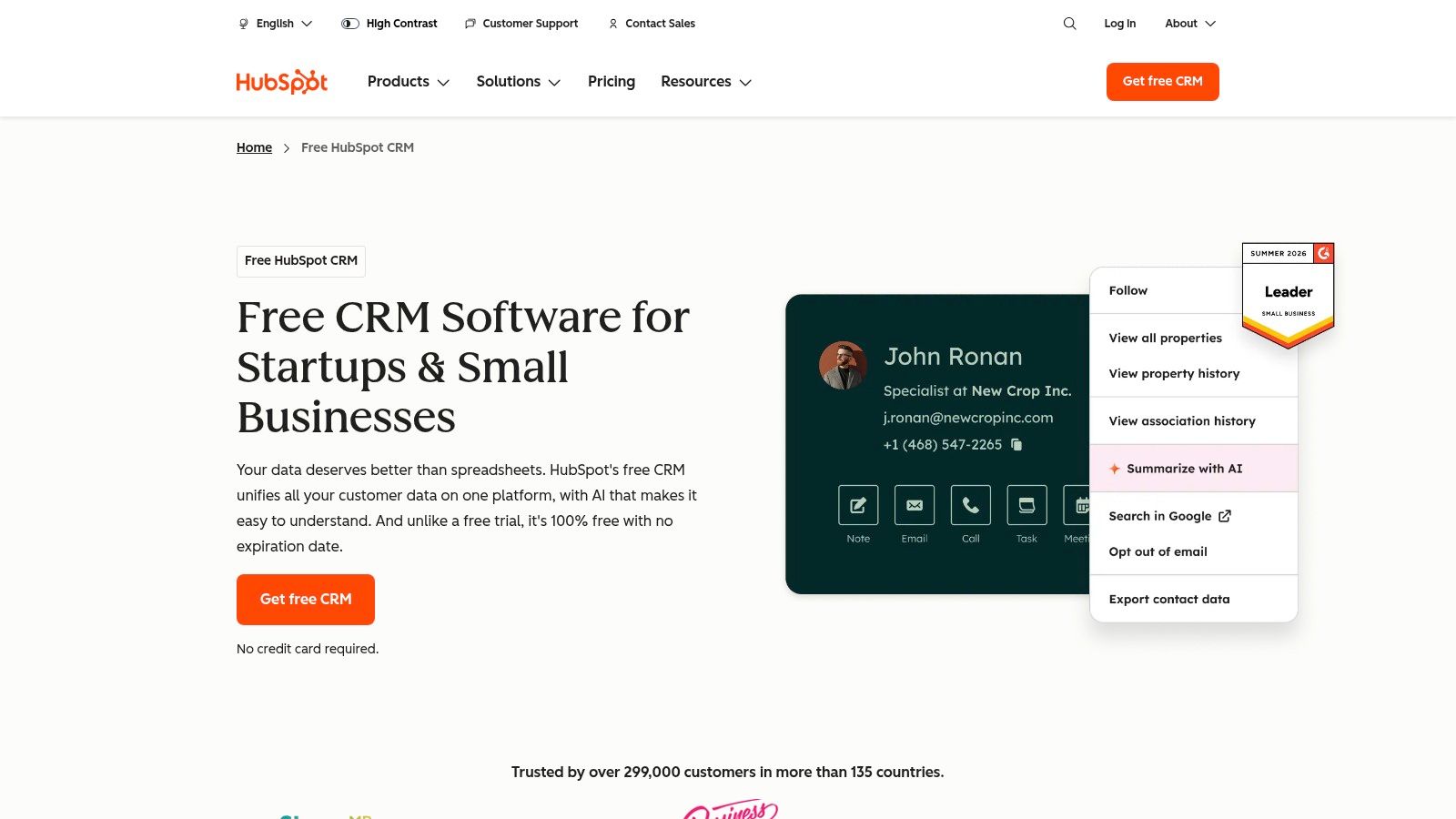
HubSpot is usually the first CRM I put in front of a small business that has outgrown spreadsheets but is not ready for a heavy system rollout. The reason is simple. New reps and founders can open it, understand the record structure quickly, and start logging real sales activity without a long training cycle. Reviews of simple small-business CRMs regularly place it near the top for ease of use, including Gain's review of simple CRMs for small businesses.
What makes HubSpot easy is not just the interface. It is the way the core objects fit together. Contacts, companies, deals, tasks, notes, and email history sit in one record model, so a small team spends less time hunting through inboxes or updating separate tools. That matters early, when process discipline is still fragile and every extra click gives reps a reason to skip CRM updates.
Where HubSpot works best
HubSpot fits teams that want a system they can start using this week and still keep a year from now. The free CRM is useful for basic contact management and pipeline tracking, and Sales Hub adds structure once you need stronger automation, templates, forecasting, and reporting.
A few practical strengths matter most:
- Connected records: Contact, company, and deal data stay linked, which reduces duplicate entry and missed context.
- Good day-to-day workflow: Email tracking, meeting scheduling, and task management support follow-up discipline without adding another layer of admin.
- Room to grow: Sales, marketing, service, and reporting tools share the same data model, so expansion is easier than stitching together separate point solutions later.
Practical rule: Choose HubSpot if you want an easy CRM now and a realistic path to a direct deal-to-contract handoff later.
That last point is where HubSpot becomes more strategic than many small-business CRM picks. A CRM should not stop at pipeline visibility. Once a deal reaches verbal yes, the work shifts to quote accuracy, approvals, contract generation, redlines, signature, and renewal tracking. HubSpot gives you a clean source of customer and deal data for that next step, and tools like Legitt AI can pick up the contract side without forcing your team to rekey information by hand.
The trade-off is cost control as requirements expand. HubSpot starts easy, but paid tiers can become expensive once you add advanced automation, reporting, or multiple hubs. Small teams should decide early which features they will use in the next 12 months. If you buy for a future org chart instead of your current sales process, HubSpot can turn into an expensive way to manage a simple pipeline.
For small businesses that want fast adoption, solid daily usability, and a credible path from first touch to signed agreement, HubSpot remains one of the safest choices.
Website: HubSpot CRM
2. Pipedrive
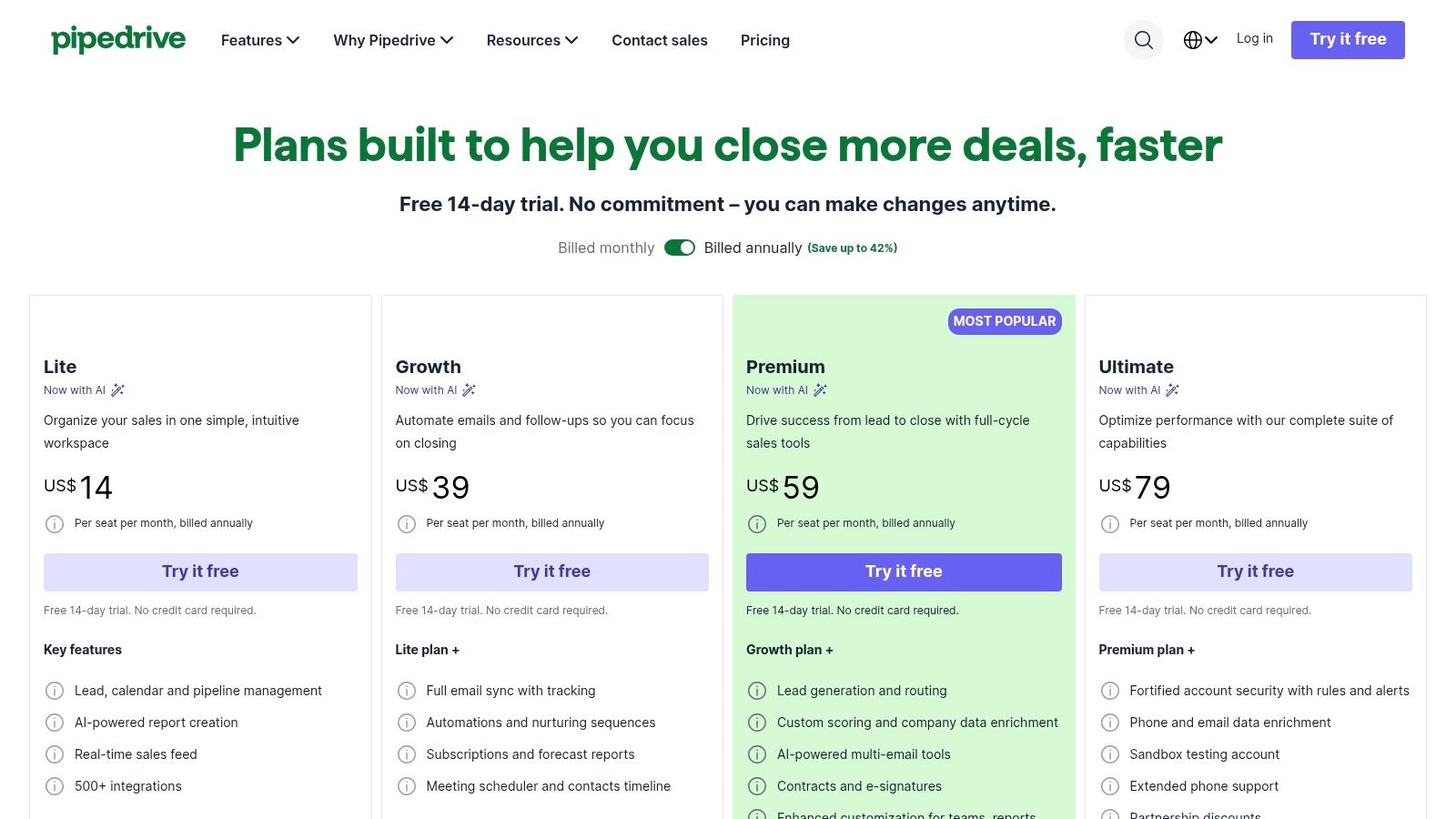
A common small-business sales problem looks like this. Leads are coming in, reps are busy, and nobody is fully sure which deals need attention today. Pipedrive fixes that problem better than many broader CRM platforms because it keeps the daily job visible. Open the pipeline, review the stage, log the next activity, move the deal forward.
That focus is the product's real advantage. Pipedrive is built for teams that need cleaner execution more than deeper customization. If your sales process is straightforward and your main gap is follow-up consistency, adoption is usually fast because the system matches how reps already think about their work.
Where Pipedrive fits best
Pipedrive tends to work well for owner-led sales teams, small B2B companies, agencies, and service businesses that manage opportunities through a defined set of stages. It is especially useful when the sales manager wants fewer “I forgot to follow up” excuses and better visibility into stuck deals.
What usually lands well in practice:
- Visual pipeline management: Stage-based views make aging deals and bottlenecks easy to spot.
- Activity-first workflow: Calls, meetings, and follow-up tasks stay tied to the deal, which improves rep discipline.
- Low training burden: New users can usually understand the basics quickly without a long implementation cycle.
- Useful sales extras: Email sync, calendar scheduling, and lead capture options cover many day-to-day needs.
The trade-off is scope. Pipedrive stays easy partly because it is not trying to run your whole commercial operation inside one product. Teams often add paid features or outside tools once they need stronger marketing automation, more advanced reporting, or heavier document workflow support.
That matters if you are choosing a CRM for the next stage of growth, not just for this quarter. A CRM should help the team close deals, but it should also hand clean data into what happens after the buyer says yes. Proposal details, approvals, contract creation, redlines, signature, and renewal tracking usually belong in a connected contract workflow, not buried inside a sales pipeline.
Pipedrive works best when you treat it as the front end of revenue execution. Once a deal reaches proposal or verbal commit, the practical move is to pass the record into a CLM process where legal and sales can manage terms without cluttering the CRM. Tools like Legitt AI fit that handoff model well because they extend the workflow from pipeline management into contract generation, review, and signature without forcing the team to re-enter deal data.
Small businesses that want a clean pipeline, fast user adoption, and a sensible path from opportunity tracking into contract management should keep Pipedrive on the shortlist.
Website: Pipedrive pricing and plans
3. Bigin by Zoho CRM
Bigin exists for teams that like the Zoho ecosystem but don't want the weight of full Zoho CRM on day one. That distinction matters. A lot of small businesses don't need a highly configurable CRM yet. They need contacts, a pipeline, calling, forms, and simple workflow rules.
Bigin's appeal is speed. The product is designed to get a small business operational quickly, and it's one of the better fits for service businesses, founder-led sales, and teams that need a lightweight field or call-driven workflow.
Best fit for small, hands-on teams
Bigin is practical when your team is doing a lot of direct outreach, scheduling, or service follow-up. The built-in telephony features, appointment pages, web forms, and team pipelines cover more of the daily workflow than many “simple” CRMs do.
What usually works well in Bigin:
- Prebuilt pipelines: Teams don't need to design a CRM from scratch.
- Telephony support: Click-to-call, recording, and IVR are useful for service-heavy operations.
- Zoho path later: If you outgrow Bigin, you're not forced into a full replatform immediately.
The limit is sophistication. Bigin stays easier because it doesn't try to expose every advanced customization or reporting layer. That's good for adoption, but eventually some teams want more complex automation, deeper forecasting, or more robust analytics than Bigin is built to provide comfortably.
For contract management, Bigin usually needs a companion system once your sales process matures. If your team starts moving from verbal approvals to recurring vendor contracts, customer MSAs, or structured procurement reviews, you'll want a CLM workflow that handles approvals, redlines, repository management, and renewal tracking without forcing those tasks into the CRM.
Website: Bigin by Zoho CRM
4. Freshsales (Freshworks)
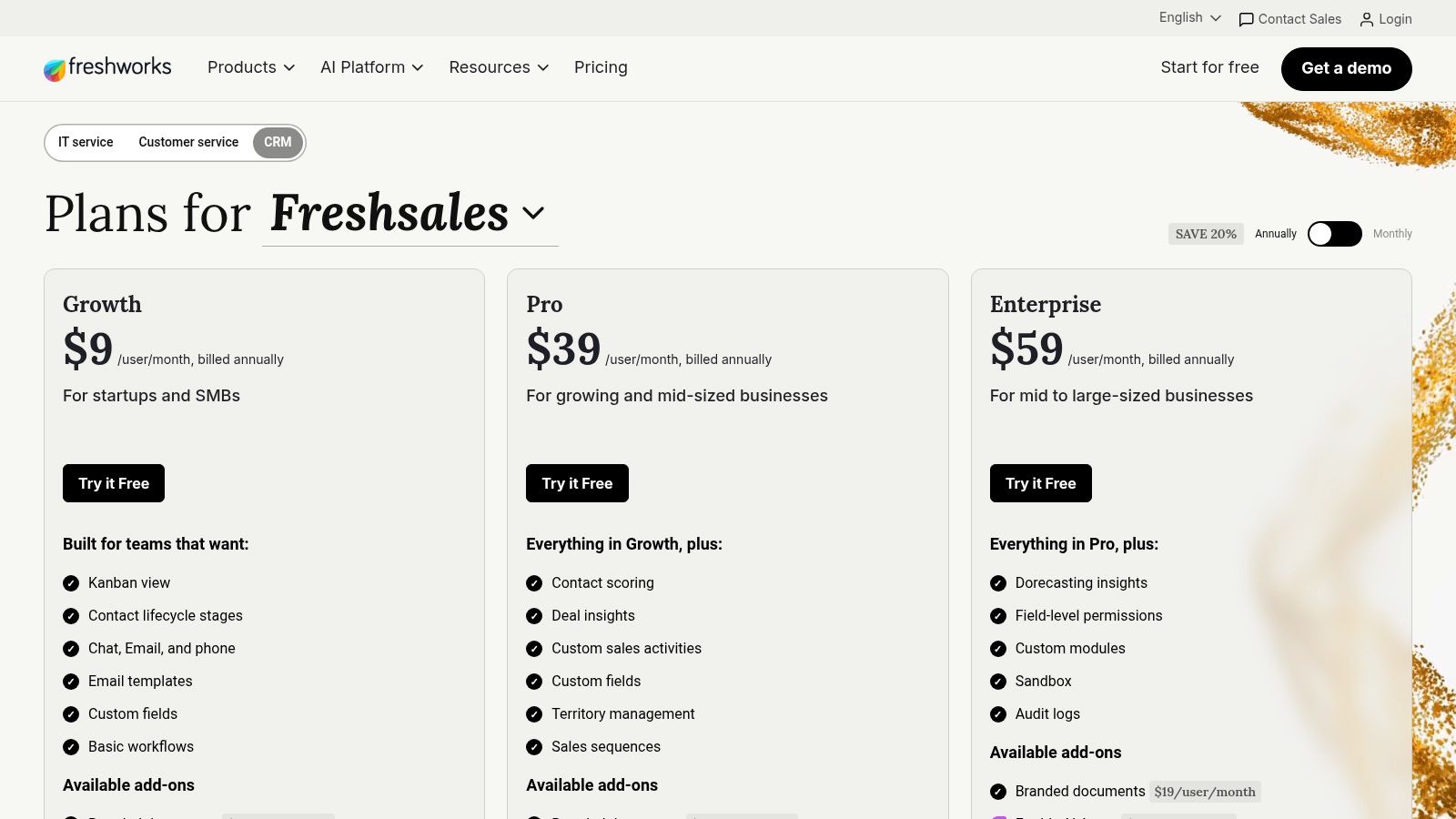
A common small-team problem looks like this. Reps are tracking deals in one system, calling from another, answering chat in a third tab, and trying to piece together the customer story before the next follow-up. Freshsales stands out because it brings much of that daily communication work into the CRM, which usually improves adoption faster than another layer of customization.
Freshsales feels especially practical for companies that run a high-touch sales process and want fewer handoffs between prospecting, follow-up, and pipeline management. Email, phone, chat, deal tracking, and basic automation sit in one interface, so the system starts earning its keep early instead of after a long setup project.
Where Freshsales earns its keep
The main advantage is operational efficiency. A rep can move from a contact record to a call, log activity, update a deal stage, and trigger the next task without bouncing between tools. For small businesses, that time savings matters because the same people are often handling lead response, qualification, quoting, and account follow-up.
What usually works well in Freshsales:
- Built-in communication tools: Calls, email, and chat are tied closely to customer records.
- Multi-pipeline visibility: Teams with new business, renewals, or inbound versus outbound motions can separate workflows cleanly.
- Useful AI assistance: Freddy can support scoring, suggestions, and task automation without requiring a heavy admin layer.
The trade-off is buying clarity. Freshsales makes sense once you know whether you want the standalone CRM or a broader Freshworks stack, but that choice can slow down evaluation. The more detailed analytics and deeper automation also tend to sit in higher-priced tiers, so the low-friction start does not always reflect the long-term cost.
It also fits a specific maturity stage. Freshsales is strong at managing conversations and keeping pipeline execution organized, but it should not become the place where legal review, clause fallback, approval routing, and signature tracking are forced into custom fields and notes.
That matters once deals start turning into real commercial process. If your team is sending proposals today and negotiating MSAs, order forms, or vendor agreements next quarter, CRM selection should account for what happens after the opportunity reaches a verbal yes. Freshsales can manage the selling motion well. Contract work is usually better handled in a CLM layer, including AI-assisted review and approval workflows in tools such as Legitt AI, so sales keeps momentum while legal and operations maintain control.
Website: Freshsales pricing
5. Capsule CRM
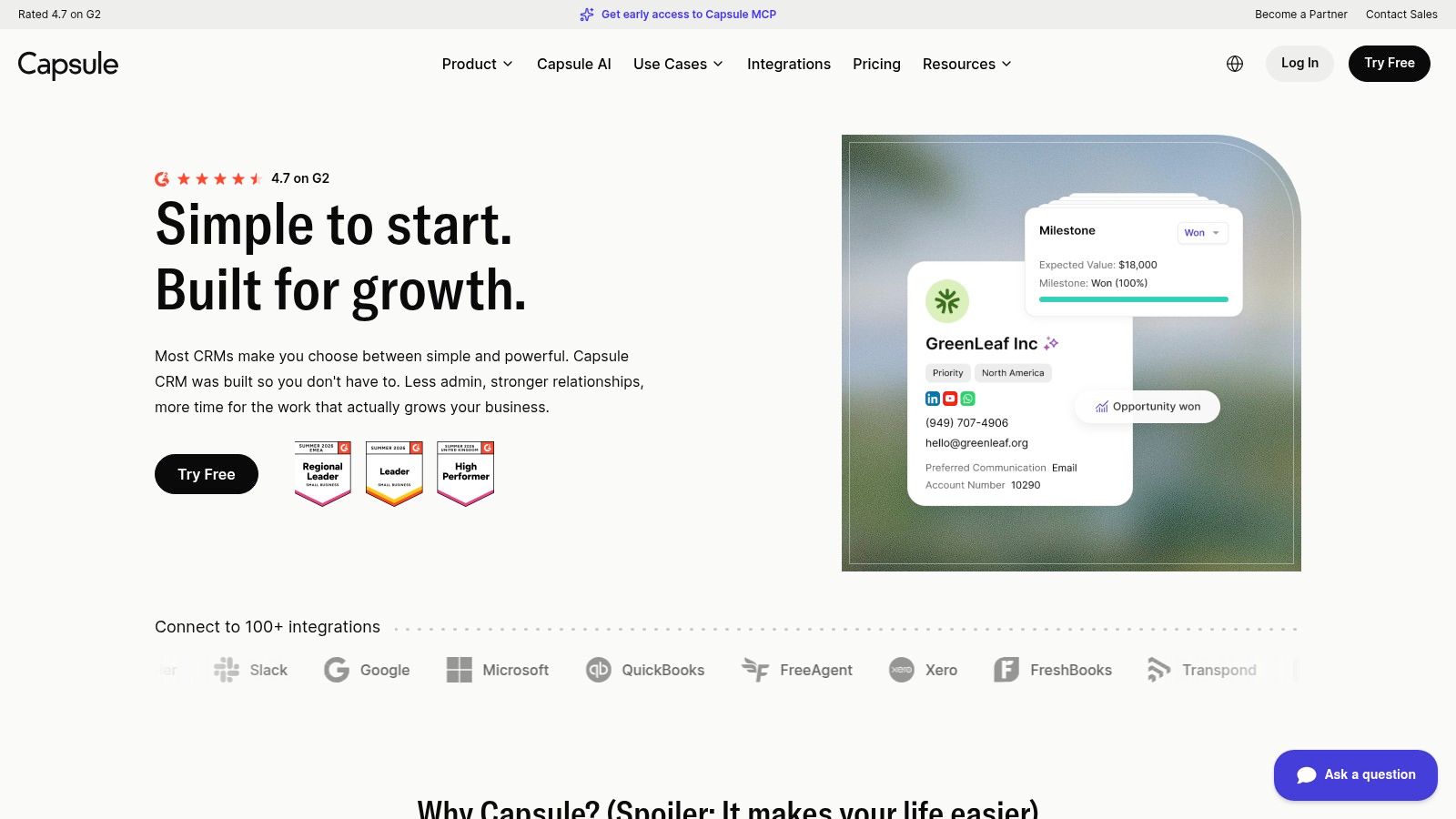
Capsule is the kind of CRM small teams often stick with because it doesn't ask them to become CRM operators. It covers the core jobs well: contact management, pipelines, tasks, and project visibility. The interface is clean, the navigation is predictable, and the pricing model feels less game-like than some larger vendors.
For owner-led businesses, boutique agencies, and firms that want enough CRM without a platform overhaul, Capsule is often a smart middle ground.
What Capsule gets right
Capsule doesn't win by offering the longest feature list. It wins by keeping routine work organized.
Its strongest traits are practical:
- Approachable setup: Teams can create a pipeline and start using it without much training.
- Core workflow coverage: Contacts, deals, projects, and task management fit together naturally.
- Useful integrations: Connections with accounting and collaboration tools support basic business operations.
Capsule also tends to suit teams that already know they won't use advanced customization. That's an advantage, not a weakness, when simplicity is the priority.
The easiest CRM for small business isn't the one with the most toggles. It's the one your team updates without being chased.
The trade-off is scale at the high end. Capsule's analytics, custom workflows, and deeper ecosystem support don't match the larger suites. That usually isn't a problem early. It becomes a problem when revenue operations matures and the business wants stronger automation between quote, contract, invoicing, and customer onboarding.
At that point, you don't necessarily need to replace Capsule immediately. But you do need to think about the next layer. Contract review, template control, approval routing, repository search, and obligation tracking belong in a CLM environment, not inside a lightweight CRM.
Website: Capsule CRM
6. Less Annoying CRM (LACRM)
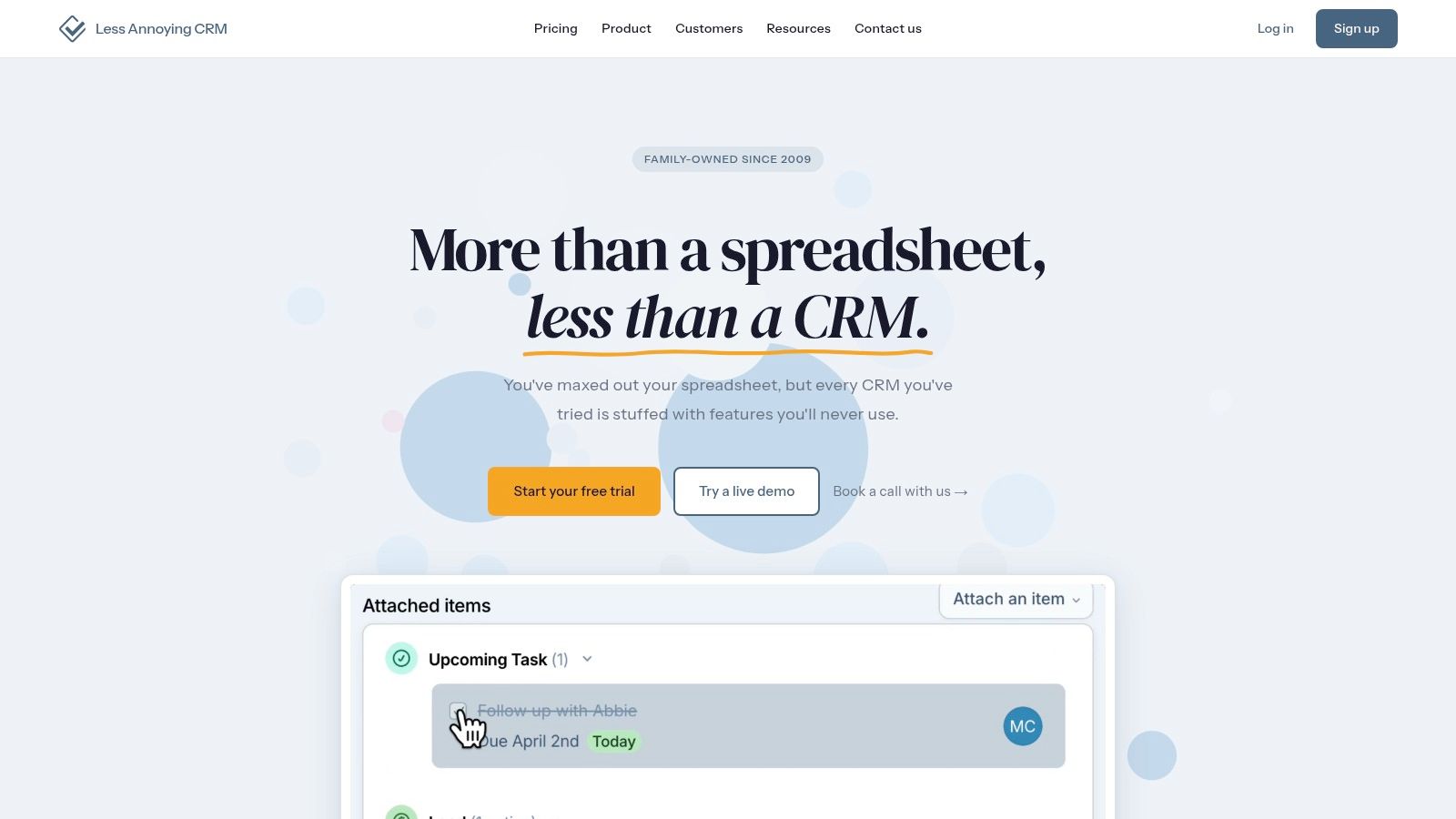
A common small-business scenario looks like this. Leads live in one place, follow-ups live in someone's inbox, and the owner is still asking every Friday which deals are real. Less Annoying CRM is built for that stage. It gives a small team one place to track contacts, tasks, pipeline activity, and next steps without asking them to learn a complicated system first.
That focus is the reason LACRM earns a loyal following. Teams that bounced off larger CRMs often do better here because the product asks for less setup discipline up front. You can get people using it quickly, which matters more than feature depth when adoption has already been a problem.
Best for owner-led sales teams and simple pipelines
LACRM fits businesses that need consistency more than customization. If the main goal is to make sure every prospect has an owner, a follow-up date, and a visible status, it does that job well.
A few strengths stand out:
- Fast adoption: The interface is easy to explain to people who do not live in software all day.
- Clear day-to-day workflow: Contacts, notes, tasks, and pipeline records stay tied together in a practical way.
- Straightforward pricing and support: Small teams usually know what they're paying for and can get answers without going through a long support chain.
There is a real ceiling, though.
LACRM starts to strain when your sales process involves approvals, quote-to-contract handoffs, detailed forecasting, or a growing stack of tools that all need to stay in sync. You can patch some of that with Zapier and manual process discipline, but that only works for so long. At some point, the team is managing exceptions instead of managing revenue.
That matters because CRM is only the first system in the chain. Once a deal moves past the pipeline stage, the work shifts to proposals, contracts, approvals, signature tracking, and renewal obligations. LACRM does not try to solve that, and it should not. For a small business, the better path is often to keep the CRM simple, then add a contract lifecycle layer when deal volume and contract risk justify it. Tools such as Legitt AI sit in that next layer, where legal review, templates, approval routing, and agreement tracking belong.
If your business wins through disciplined follow-up and a short sales cycle, LACRM is a sensible choice. If you expect more complex revenue operations within the next year, choose it with a clear plan for what will handle contracts next.
Website: Less Annoying CRM
7. monday sales CRM
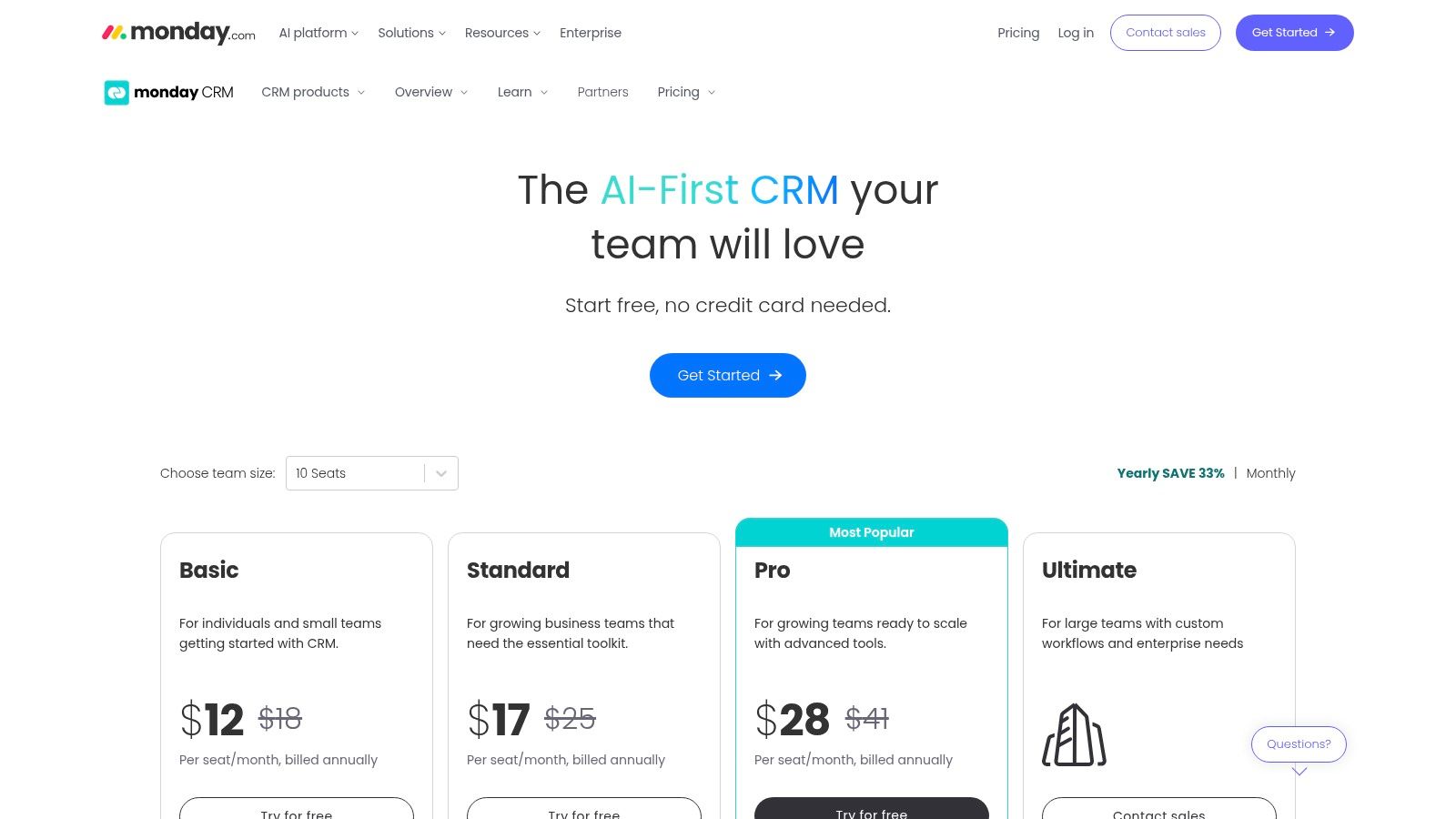
monday sales CRM works best for teams that think visually and already run parts of the business in monday.com. If a spreadsheet-minded team wants to graduate into structured workflow management without adopting a traditional CRM interface, monday often feels familiar faster than expected.
Its strength is flexibility. You can shape boards, stages, ownership fields, handoffs, and dashboards around how the team already works, instead of forcing everyone into a rigid sales model.
Strong for cross-functional workflow design
monday sales CRM is often a better fit for businesses where sales, delivery, operations, and leadership all touch the same records. The board-based design makes status visible across teams.
That usually shows up in a few ways:
- Template-driven setup: Teams can launch a usable workflow quickly.
- Cross-functional visibility: Sales handoffs into delivery or onboarding are easier to model.
- Automation options: Internal notifications and task routing reduce manual coordination.
The risk is overbuilding. Because monday is flexible, teams sometimes spend more time designing boards than moving deals. Also, some of the more advanced CRM features sit higher in the pricing stack, and the seat structure can be awkward for very small teams.
This is also a CRM where contract workflow planning matters early. If you're using monday to coordinate quote approvals or post-sale onboarding, don't force contract review and legal negotiation into the same board unless the workflow is extremely simple. For customer agreements, vendor contracts, and enterprise approvals, a connected CLM system gives you better controls for drafting, clause review, versioning, and eSignature.
Website: monday sales CRM pricing
8. Streak CRM for Gmail
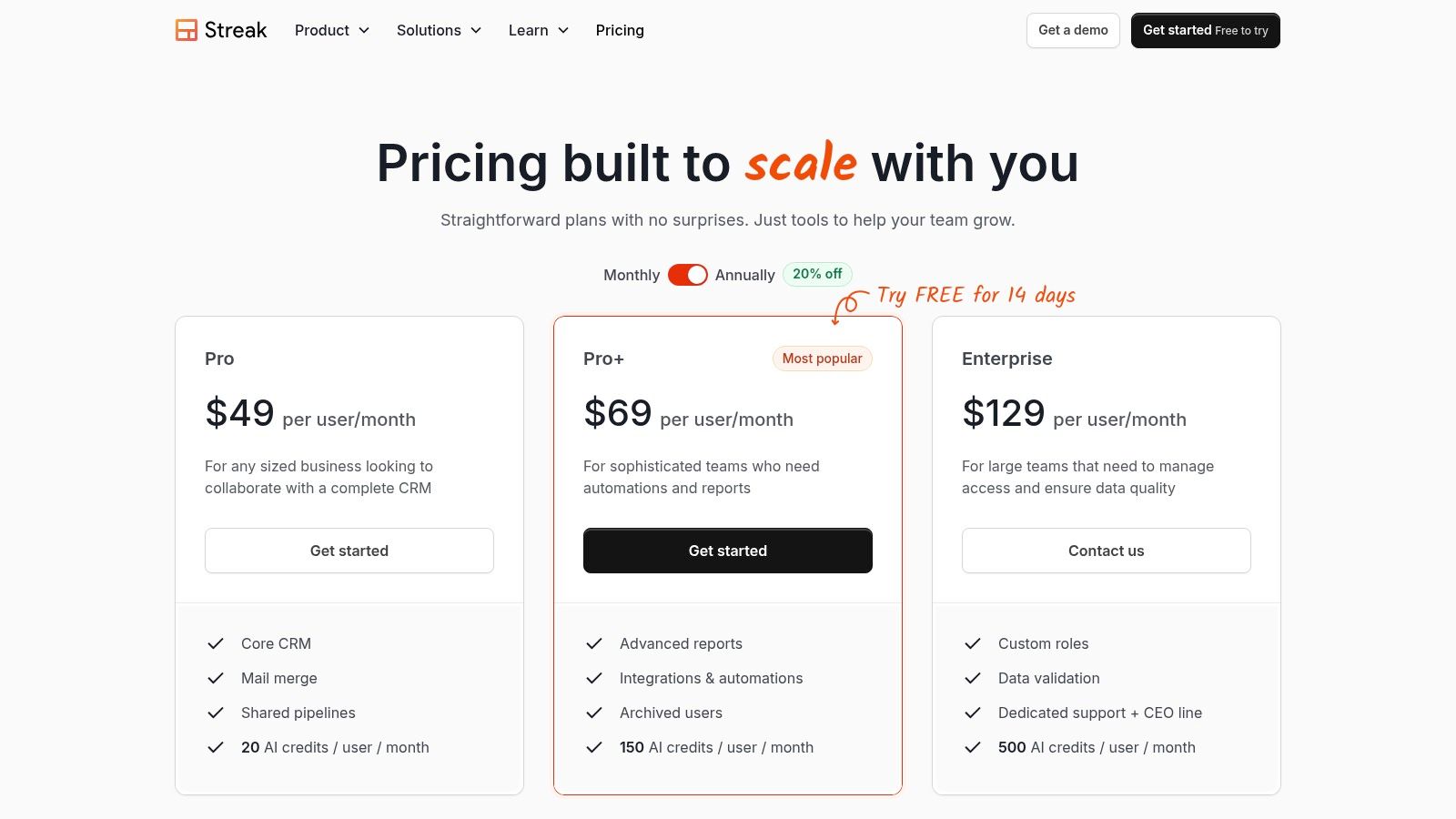
If your team sells from the inbox, Streak is one of the fastest ways to get CRM discipline without changing where people work. It lives inside Gmail, so the onboarding friction is low for solo operators, recruiters, small agencies, and founder-led sales motions.
That's the whole pitch. Don't move the team into a separate system unless the workflow demands it.
Best for inbox-first selling
Streak makes sense when the sales process is mostly email-driven and the team doesn't need enterprise-style reporting.
Useful pieces include:
- Pipelines inside Gmail: You track stages without leaving the inbox.
- Shared visibility: Teams can see communication context more easily.
- Email productivity tools: Snippets, tracking, and mail merge support repetitive outreach.
This setup is great until it isn't. Streak tends to work best when the whole company standardizes on Gmail and the process stays relatively light. Once sales management wants broader dashboards, more structured automation, or deeper cross-functional workflow control, a dedicated CRM starts to make more sense.
For contracts, Streak is almost always the beginning of the process, not the end. You can qualify, nurture, and push a prospect to agreement stage from the inbox. But formal contract drafting, AI review against playbooks, approval routing, repository management, and renewal reminders belong in CLM software built for legal and commercial teams.
Website: Streak CRM pricing
9. Nimble
Nimble is a relationship CRM. That difference matters. It isn't trying to be the most configurable pipeline engine on the market. It's designed for people who build business through networks, referrals, outreach, and ongoing contact management.
Consultants, agencies, advisors, and founder-sellers often like Nimble because it helps them enrich contacts and stay organized where they already work, especially across inbox, browser, and mobile.
A good fit for relationship-led growth
Nimble shines when your sales motion depends on knowing people, not just moving deals through formal stages. Its prospecting extension and unified contact handling are useful for users who spend a lot of time in email and on the web.
What stands out:
- Contact enrichment: Better context often means better outreach.
- Unified records: Syncing with common email and calendar environments keeps the CRM current.
- Lightweight prospecting: It supports outbound work without forcing a heavy sales stack.
The compromise is depth. Nimble isn't the platform I'd choose for a highly structured, multi-stage enterprise sales process with formal legal review paths and layered approval gates. It's better for businesses where the relationship is the asset and the process is still relatively lean.
That also means contract workflow should live elsewhere once the commercial process gets serious. If your customer agreements need negotiation, redlines, approvals, eSignature, repository search, or renewal tracking, a dedicated contract lifecycle management layer will do that work far better than a relationship CRM.
Website: Nimble pricing
10. Copper
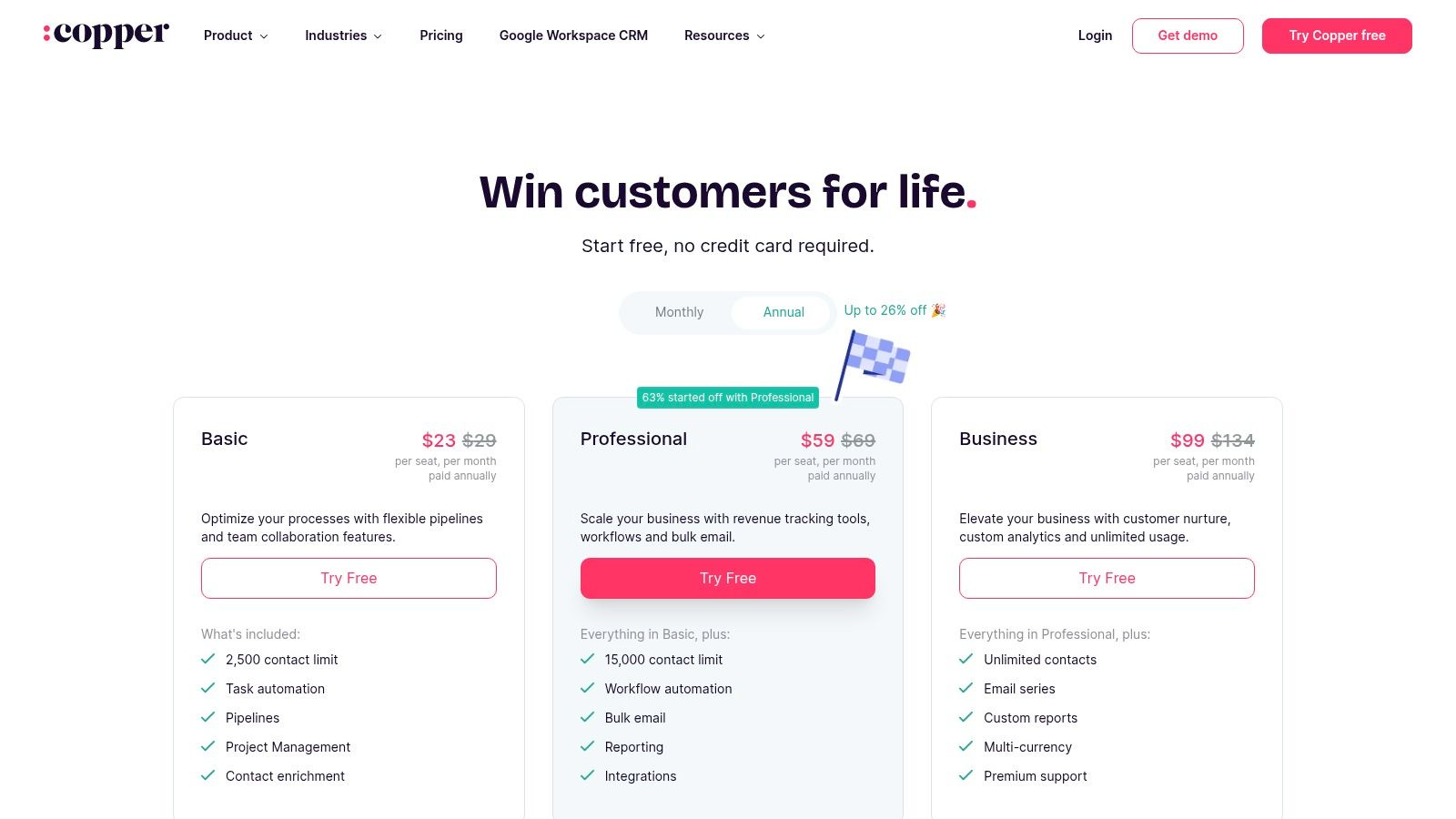
Copper is one of the easiest CRM choices for companies that live in Google Workspace. The product feels familiar because it mirrors the way Gmail and Calendar users already work. That matters more than many buyers realize. Familiarity reduces training time and improves adoption.
For small teams that don't want a CRM to feel like a separate operating system, Copper is often a clean fit.
Why Google-centric teams like it
Copper's value is straightforward. It keeps relationship and pipeline management close to the email and calendar tools your team already uses.
That usually means:
- Native workflow feel: Gmail and Calendar users don't need to relearn basic habits.
- Quick setup: Autofill and email interaction capture reduce admin work.
- Useful integrations: Teams can connect documents, eSignature tools, accounting apps, and collaboration tools.
The main caution is growth pressure. Lower tiers have constraints, and the stronger analytics and automation options sit higher up. If the company becomes more process-heavy, you may start to feel those limits.
Copper also illustrates a broader truth about the easiest CRM for small business. Ease isn't just visual simplicity. Mobile access and AI-enabled functionality increasingly affect whether a CRM can support daily operations, and the U.S. Chamber highlights the need to verify mobile app access, built-in AI, and automation limits before deployment in its guide to low-cost CRM tools for small businesses. That's especially relevant if your reps update deals on the move or rely on reminders and assignment rules to keep work from stalling.
Website: Copper pricing
Top 10 Easiest CRMs for Small Business
| Solution | Core features & USP ✨🏆 | Legitt handoff / Contract integration ✨ | UX rating ★ | Target audience 👥 | Pricing / Value 💰 |
|---|---|---|---|---|---|
| HubSpot CRM (Smart CRM + Sales Hub) | Free unified records, activity timeline, large app marketplace ✨🏆 | Native Legitt integration for seamless deal → contract & e-sign handoff | ★★★★ | 👥 Startups → mid-market sales teams | 💰 Freemium → paid Hubs (can get complex) |
| Pipedrive | Visual Kanban pipeline, activity nudges, 500+ integrations ✨ | Connects to Legitt via API/Zapier; strong pipeline → contract flow | ★★★★ | 👥 Small sales teams, pipeline-first reps | 💰 Tiered; add-ons for lead gen/docs |
| Bigin by Zoho CRM | Lightweight pipeline, built-in telephony, fast setup (“CRM in 30m”) ✨ | Integrates via Zoho ecosystem / API; Legitt via Zapier/REST | ★★★ | 👥 Small businesses, field & service teams | 💰 Affordable entry; clear upgrade path to Zoho |
| Freshsales (Freshworks) | Built-in phone/chat/email, Freddy AI, multichannel in one app ✨ | API/Zapier integrations; supports CRM → Legitt automation | ★★★★ | 👥 SMBs needing multichannel engagement | 💰 Best value at Pro/Enterprise tiers |
| Capsule CRM | Clean UI, predictable limits, pipelines & projects ✨ | Integrates via common apps/API; Legitt via Zapier/REST | ★★★ | 👥 Very small teams, accountants, SMBs | 💰 Predictable pricing; free tier for tiny teams |
| Less Annoying CRM (LACRM) | Extremely simple contacts/pipelines, human support ✨ | Limited native integrations; Legitt via Zapier/custom API | ★★★ | 👥 Solo owners & micro SMBs | 💰 Single low predictable fee |
| monday sales CRM | Highly visual boards, templates, automations & AI fields ✨ | Integrates via monday apps/API; Legitt via connectors/Zapier | ★★★★ | 👥 Cross-functional teams using monday.com | 💰 3-seat minimum; advanced features on Pro+ |
| Streak CRM for Gmail | CRM inside Gmail: pipelines, snippets, mail merge ✨ | Gmail-native → Legitt via Zapier/API; best when team uses Gmail | ★★★ | 👥 Solo operators & inbox-based sellers | 💰 Free → paid plans; best for Gmail users |
| Nimble | Relationship CRM with contact enrichment & prospector extension ✨ | Syncs with Google/MS; Legitt via API/Zapier | ★★★ | 👥 Consultants, agencies, founder-led sales | 💰 Mid-range; add-on credits may increase cost |
| Copper | Google Workspace-native CRM, autofill interactions, automations ✨ | Deep Google integration; connect to Legitt via API/Zapier | ★★★ | 👥 Google-centric small teams | 💰 Tiered; contact limits on lower plans |
From CRM to Revenue Connecting Your Sales and Contract Workflows
The CRM decision matters, but it's not the finish line. A closed-won deal is only the handoff point to the next revenue-critical workflow. Someone still has to draft the contract, review terms, route approvals, manage redlines, collect signatures, store the final agreement, and track renewal or obligation dates. If that chain still runs through inboxes and copied data, your CRM has only solved half the problem.
Small businesses often hit an invisible wall. The CRM looks simple enough, but the operational burden starts after the sale moves forward. One analysis argues that most “easiest CRM” content ignores whether a system can run without a dedicated admin, which matters because 25% of small businesses lack the capacity to hire specialized IT staff, according to WorksBuddy's review of simple CRM systems. That's exactly why the handoff into contract lifecycle management needs to be designed, not improvised.
A practical workflow looks like this:
- Deal stage triggers contract work: A rep marks a deal as Proposal Sent in HubSpot.
- CRM data populates the draft: Customer name, commercial terms, owner, and dates flow into a CLM template.
- Legal and sales review in one process: The contract moves through approvals, redlines, fallback language checks, and eSignature.
- Executed contracts stay searchable: The final agreement lands in a repository with metadata, renewal dates, and obligations intact.
That's where an AI-native CLM platform like Legitt AI fits naturally. It can sit after the CRM and handle AI-powered contract drafting, review, negotiation, approval workflows, repository management, eSignature, renewals, obligations tracking, and contract intelligence in one environment. The operational benefit is simple. Sales stops copying deal terms into documents. Legal stops chasing versions. Operations gets better visibility into what was signed and what happens next.
The efficiency case for AI contract workflows is already clear. Benchmarks cited by Stealth Agents' research on AI contract lifecycle management say AI-assisted CLM reduces contract cycle times by 50% to 80%, with average duration moving from 3.4 weeks to under one week in high-adoption organizations. For legal teams reviewing standard commercial paper, AIVortex's guide to AI contract review reports that AI tools now handle 70% to 80% of first-pass review work that associates previously did manually, often saving 50% to 70% of time on standard NDAs, MSAs, and employment agreements.
Operational advice: Keep the CRM responsible for opportunity management. Let CLM own contract drafting, redlines, approvals, eSignature, and repository control.
If you're migrating to a new CRM, keep the rollout boring. That's usually how these projects succeed.
- Clean data first: Remove duplicate contacts, dead deals, and inconsistent fields before import.
- Pilot with a small team: Start with one pipeline and a few users, then expand after the process holds.
- Define stage exits clearly: “Proposal Sent” or “Closed Won” should trigger a specific contract action.
- Map the handoff early: Decide where approvals, templates, legal review, and signatures will happen before reps start closing deals.
- Connect voice and sales operations thoughtfully: If your team also needs calling workflows, planning how to integrate CRM and VoIP early avoids another round of workflow rework later.
The best CRM for a small business is the one the team will use. The best revenue workflow goes further. It connects lead capture, pipeline management, contract automation, AI contract review, eSignature, and post-signature obligations into one operational system. That's the difference between buying a CRM and building a revenue engine.
If you want the CRM handoff to contracts, approvals, eSignature, and repository management to run in one connected workflow, Legitt AI is worth evaluating. It gives teams a way to move from deal data to AI-assisted drafting, negotiation, signature, and ongoing contract intelligence without relying on copy-paste between sales, legal, and operations.