You’re trying to get a deal signed, onboard a vendor, hire a contractor, or lock in a service agreement. Legal isn’t available, outside counsel is expensive, and copying a random template from the internet feels reckless. That’s the gap many businesses are dealing with in 2026.
Problem isn’t whether a non-lawyer can write a contract. It’s whether the contract process is controlled. A usable business contract needs to be clear, complete, easy to review, and easy to manage after signature. If your workflow ends at “download template, edit, email, sign,” you’re creating risk you’ll pay for later in missed obligations, bad renewals, and sloppy version control.
That’s why how to write a business contract without a lawyer step by step in 2026 is really a workflow question. Drafting matters. Review matters. Approval, signature, storage, and follow-up matter just as much.
Why You Need a Smarter Way to Create Contracts in 2026
A founder needs a services agreement today. A sales manager wants a customer contract out before procurement loses momentum. An operations lead is trying to formalize a vendor relationship without waiting on a legal queue. Those situations aren’t unusual. They’re normal.
The old answer was “send it to legal.” That still makes sense for high-risk deals. It doesn’t work well for every routine agreement. Many teams are carrying too much contract work through manual review, scattered documents, and unclear ownership.
According to Juro’s contract management statistics, only 11% of businesses rate their contract management as very effective. The same source notes that 29% of legal teams handle 100–500 contracts annually. That combination explains why routine contracts often get delayed. The issue usually isn’t legal judgment alone. It’s process design.
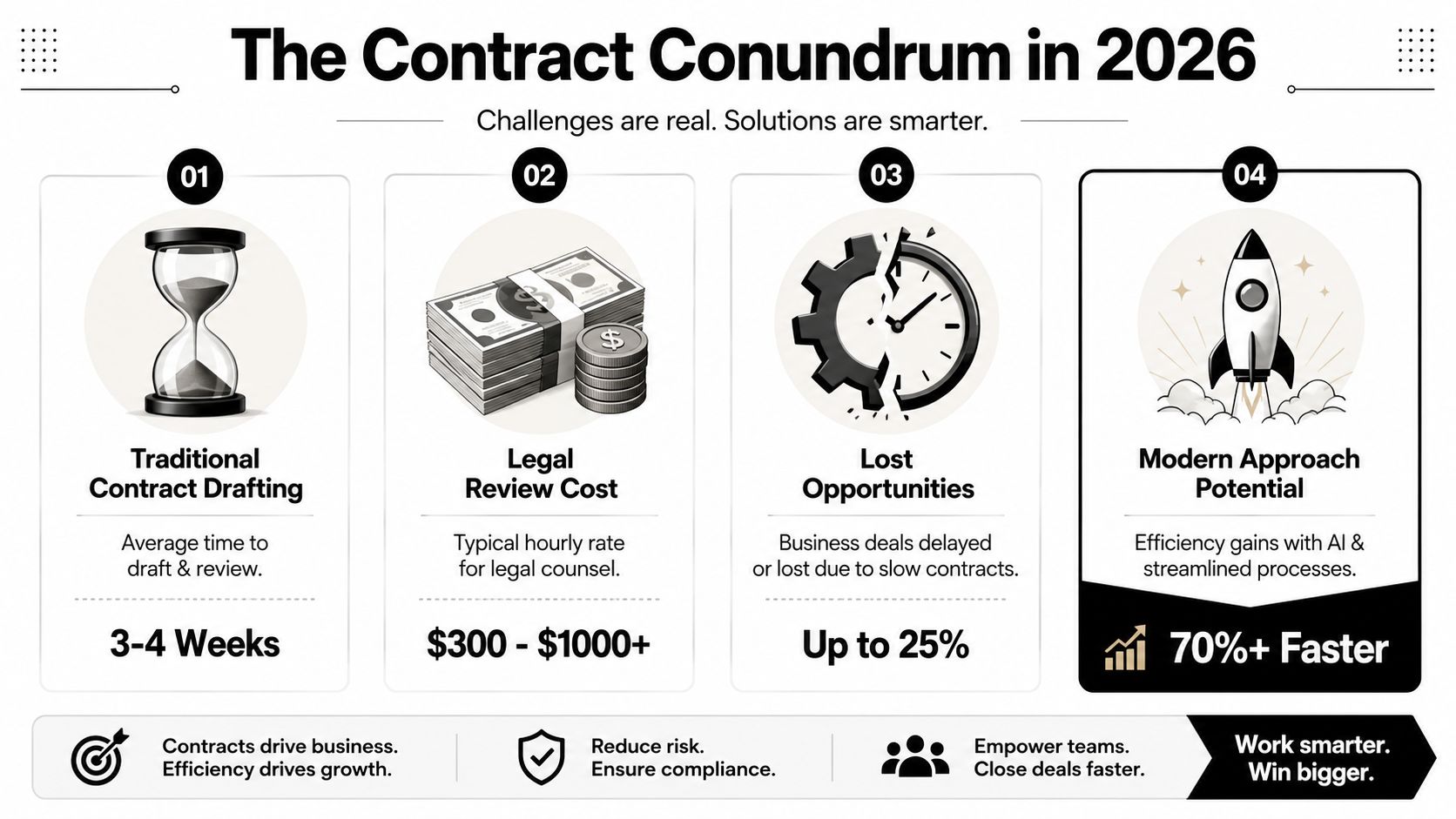
What breaks in a manual contract process
The risky version of DIY contracting usually looks like this:
- Someone grabs an old file and hopes the prior language still fits the new deal.
- Key terms get buried in email instead of written into the agreement itself.
- Redlines happen across attachments with no clear source of truth.
- Approvals are informal and no one can prove who accepted what.
- The signed contract disappears into a folder structure no one maintains.
That’s why businesses start looking for tools built for repeatable contract work. For smaller teams trying to avoid manual sprawl, this overview of small business contract software is a useful starting point because it frames contracts as an operational system, not just a document task.
What works better
A safer approach is simple in principle. Standardize your first draft. Use clear language. Route exceptions to legal. Store every version centrally. Track what happens after signature.
Practical rule: Speed is fine. Uncontrolled speed is what creates contract risk.
In practice, that means using templates intentionally, defining approval rules before negotiation starts, and relying on AI-powered CLM tools to reduce repetitive drafting and review work. The goal isn’t to act like a lawyer. The goal is to avoid preventable mistakes on contracts that don’t need custom legal engineering.
Assembling the Building Blocks of an Enforceable Contract
A business contract doesn’t need fancy wording to work. It needs the right components. If those pieces are missing, the contract may be weak even if it sounds formal.
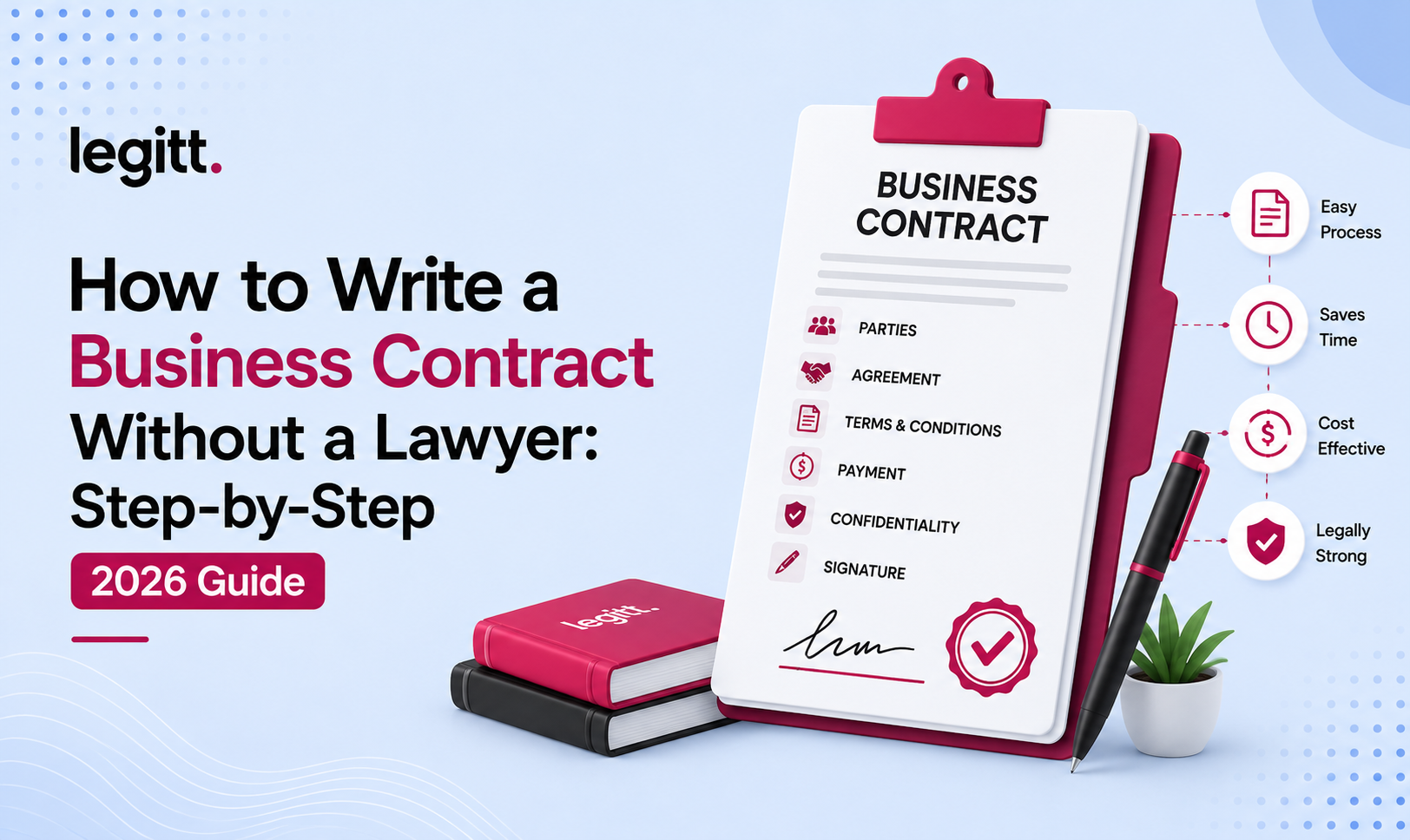
One practical legal baseline comes from UpCounsel’s explanation of making a legal contract without a lawyer. A contract can be legally binding without a lawyer if it includes offer, acceptance, consideration, and clear terms. To improve enforceability, it should also identify the parties, legal purpose, and competent signers.

The core elements in plain business language
Think about a freelance marketing agreement.
- Offer means one side proposes a defined arrangement. For example, monthly campaign management for a stated fee.
- Acceptance means the other side agrees to that arrangement. Not “we’ll probably do this.” Actual agreement.
- Consideration means each side gives something of value. One side provides services. The other pays.
- Clear terms mean the agreement says what will be done, when, for how much, under what conditions.
Then add the practical details that make enforcement easier:
- Parties identified clearly. Use legal names, not shorthand.
- Legal purpose. The contract should be for lawful business activity.
- Competent signers. The people signing need authority and capacity to do it.
Completeness beats legalese
Most weak contracts fail because they’re vague, not because they’re too simple.
Here’s what a non-lawyer should confirm before sending a draft:
| Contract element | What to verify |
|---|---|
| Parties | Correct legal names and addresses |
| Scope | Exact deliverables, products, or services |
| Payment | Amount, timing, invoicing, late payment terms |
| Timing | Start date, end date, milestones, deadlines |
| Responsibilities | What each side must do |
| Exit rights | Termination, notice, post-termination duties |
| Problem handling | Remedies, disputes, refunds, replacements |
If you want another practical perspective on structuring terms, this guide on how to write a business contract is worth reviewing alongside your template process.
Written agreements are the safer baseline for commercial deals because verbal agreements are much harder to prove and enforce.
That’s the point many businesses underestimate. You may have a perfectly real business arrangement. If the terms aren’t captured clearly in writing, enforcement gets harder fast.
Start from a strong template, not a blank page
Blank-page drafting invites omissions. A structured template reduces that risk, especially for recurring contracts like NDAs, service agreements, purchase terms, contractor agreements, and sales contracts. A curated library of free contract templates can help you start from a defined framework instead of stitching clauses together manually.
Use the template as a framework, not a substitute for judgment. If the commercial deal changes, the document needs to change with it.
A Modern Workflow for Drafting Contracts with AI
The best 2026 drafting process starts before you type a single clause. You decide what kind of agreement you’re creating, what variables matter, and where the risk sits. Then you use software to generate a controlled first draft.
That’s a major shift from the old method of hunting for templates, copying old language, and hoping nothing important was left behind.
The drafting workflow that holds up in practice
Use this sequence for routine commercial agreements.
-
Choose the right contract type
Don’t start with a generic “business agreement.” Start with the actual use case. Is this a services agreement, NDA, independent contractor agreement, statement of work, or vendor contract? Most drafting mistakes happen because the wrong base document was used. -
Pull from a vetted template library
Use a template designed for repeated use, with placeholders for commercial variables and standard fallback clauses. That reduces the temptation to improvise structural terms. -
Define the business inputs first
Before editing language, lock down:- Scope
- Pricing
- Deliverables
- Timeline
- Ownership of work product
- Confidentiality needs
- Termination rights
-
Generate a first draft with AI assistance
A contract generator should turn structured inputs into a clause-based draft. The benefit isn’t magic. It’s consistency. Tools such as Legitt AI’s contract generator let teams create a first draft from plain-English inputs and a template framework, which is far safer than freeform drafting inside a Word document.
Clauses you should understand before you send anything
You don’t need to be a lawyer to understand what the core business clauses do.
-
Scope of work
This defines what’s included and what isn’t. If scope is vague, disputes show up later as “we assumed that was part of the deal.” -
Fees and payment terms
State the amount, invoice timing, due dates, taxes if relevant, and what happens if payment is late. -
Term and termination
Every contract needs an end point or a termination mechanism. If the relationship fails, this clause decides how cleanly you can exit. -
Confidentiality
This tells both sides how they can use and protect non-public information. -
Intellectual property
Critical for service providers, agencies, software vendors, and contractors. Who owns the deliverables? Who keeps pre-existing materials? -
Liability and indemnity
These clauses allocate risk when something goes wrong. Even a non-lawyer should treat them as high-attention terms. -
Dispute resolution and governing law
If a dispute happens, this determines where and how it gets handled.
What AI should do and what it shouldn’t
AI is useful for structured drafting, clause suggestions, issue spotting, and pulling terms into consistent language. It shouldn’t replace human review of the commercial deal itself.
Working rule: Use AI to remove repetitive drafting work. Use people to decide what risk the business is actually willing to accept.
A practical example: if you’re drafting a contractor agreement, AI can produce a coherent draft from your inputs. It can’t decide whether your IP assignment position is commercially acceptable in a sensitive product build. That decision still belongs to the business owner, legal reviewer, or both.
Managing Redlines and Approvals Without the Chaos
Email-based negotiation is where decent contracts turn messy. One person edits a Word file. Another replies with comments in PDF. Sales forwards a version with “minor changes.” Procurement sends back a different attachment. Nobody is sure which version controls.
That process is slow, but the larger problem is traceability. You can’t easily see what changed, who approved the change, or whether a negotiated clause deviates from your standard position.
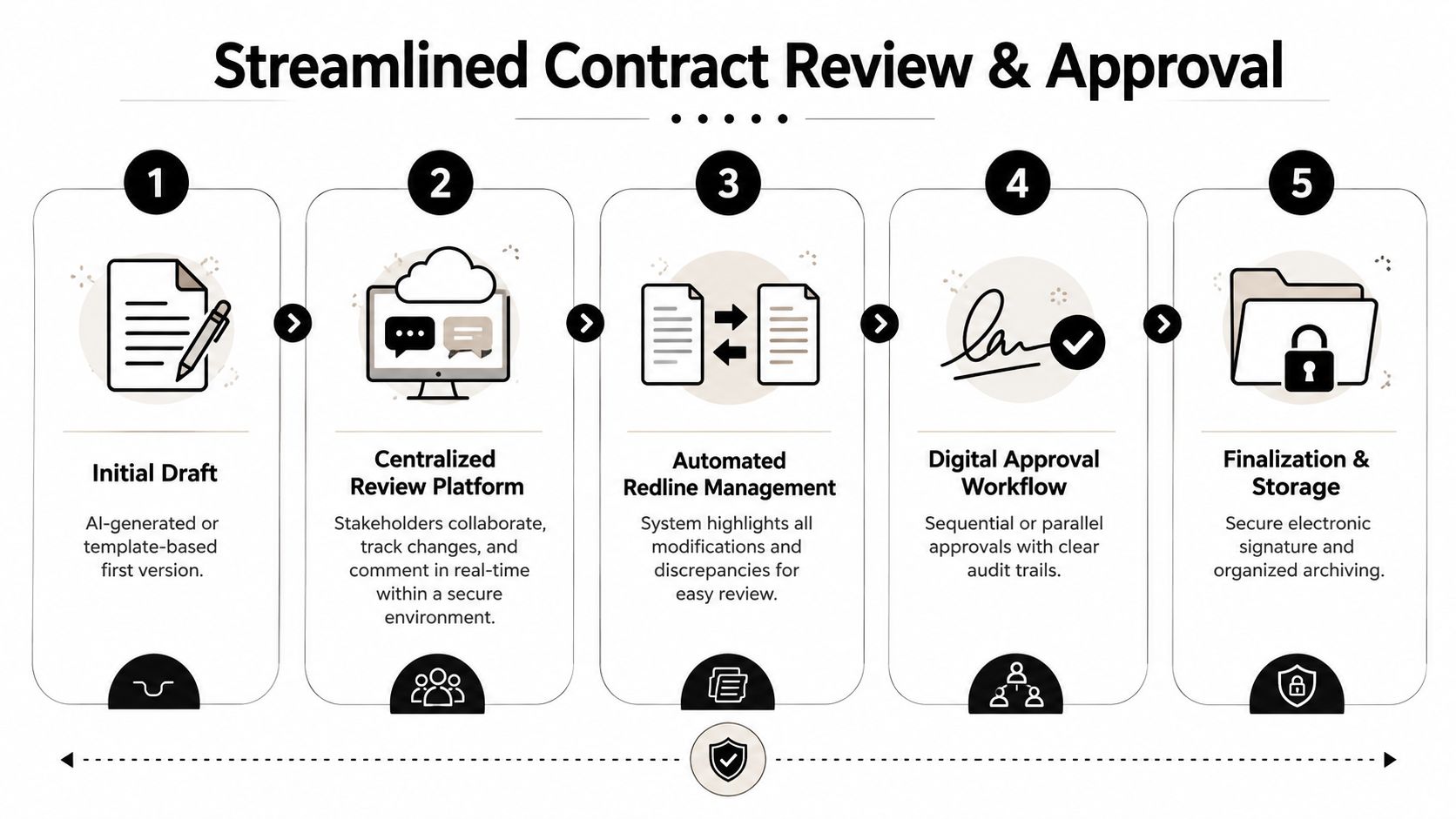
Email threads versus a controlled CLM workflow
| Email redlining | Centralized CLM review |
|---|---|
| Multiple attachments | Single source of truth |
| Manual version naming | Version history tracked automatically |
| Comments buried in inboxes | Comments visible in one workspace |
| Informal approvals | Routed approvals with records |
| Hard to compare changes | Redlines and deviations surfaced clearly |
A controlled review environment fixes several common failures at once. Stakeholders comment in one place. Redlines are visible against the current draft. Approval routing follows rules instead of memory.
What good redline control looks like
A workable process usually includes:
- Central review workspace so internal teams and counterparties aren’t negotiating across disconnected files
- Clause comparison against your standard paper to spot deviations quickly
- Approval routing based on role, contract type, or risk trigger
- Audit trail showing who changed, approved, or signed what
- Fallback language so negotiators don’t invent concessions under pressure
AI review starts to matter. On third-party paper, an AI tool can identify clauses that depart from your approved positions, flag areas that deserve escalation, and shorten the time spent on routine comparison work. That doesn’t remove human judgment. It removes mechanical document checking.
Bad approval processes don’t just slow contracts down. They let unapproved risk slip through because nobody has a complete view of the changes.
A practical approval chain
For a routine services contract, a simple sequence works well:
- Business owner reviews commercial terms
- Finance checks payment structure if needed
- Security or privacy reviews data-related terms when relevant
- Legal steps in only if a threshold is triggered
- Authorized signer executes the final version
That model is much cleaner than asking legal to read every low-risk contract from scratch. It keeps review proportional to the deal.
Securing Signatures and Managing Post-Execution Obligations
A signed contract isn’t the finish line. It’s the start of performance. Many teams still treat execution as the final step, then lose control immediately afterward.
The first problem is signature friction. Printing, scanning, and re-sending PDFs slows down routine agreements and introduces avoidable confusion about which copy is final. Integrated e-signature tools remove that friction and create a cleaner record of execution. If your process still depends on email attachments and manually collected signatures, you’re making a simple step harder than it needs to be.
A structured electronic signature workflow helps because it ties routing, signer roles, and status tracking to the contract record itself. That matters operationally. The signed agreement should land in the same system that stores the draft history and metadata, not in someone’s inbox.
Storage is not management
A shared drive is storage. It isn’t contract management.
After execution, someone needs to know:
- When the contract renews
- What notice period applies
- Which obligations are active
- Whether pricing changes later
- Who owns the relationship internally
- What amendments changed the original deal
If those details live only inside the PDF, your team ends up re-reading contracts manually whenever a question comes up. That’s expensive in time and risky in practice.
What a smart repository changes
A proper CLM repository turns contracts into searchable business records. Instead of opening files one by one, teams can find key terms, dates, renewal triggers, and obligations from structured fields and extracted metadata.
That creates practical benefits across departments:
- Sales and revenue operations can see renewal timing and committed terms.
- Procurement can track vendor obligations and notice windows.
- Finance can verify payment triggers and term changes.
- Legal operations can monitor exceptions and amendments.
- Founders and operators can see what the business has agreed to.
Operational reality: Most contract risk shows up after signature, when teams forget dates, miss obligations, or keep working from outdated assumptions.
AI-powered repositories improve this stage because they can extract clause data, flag upcoming milestones, and surface obligations without requiring someone to review every page manually. That’s where contract intelligence becomes practical. Not as a dashboard gimmick, but as a way to stop missing things the business already agreed to.
Creating Your Escalation Playbook When to Engage a Lawyer
The smartest non-lawyer contract process has guardrails. If every contract goes to legal, the business slows down. If no contract goes to legal, risk gets mispriced. The solution is an escalation playbook.
A practical framework from Sirion’s guidance on how non-lawyers draft contracts safely recommends pre-approved templates with guided inputs, centralized version control, and clear legal-review thresholds by deal value or risk. That’s the right model because it treats contract work as governed workflow, not ad hoc drafting.
Contracts that usually need escalation
Some agreements are poor candidates for DIY handling:
- Equity financing documents
- M&A-related agreements
- Complex licensing deals
- Cross-border arrangements with unfamiliar jurisdiction issues
- Contracts involving significant intellectual property transfer
- Agreements involving sensitive personal data or regulated obligations
- Heavily negotiated liability or indemnity terms
These aren’t routine papering exercises. They can reshape risk for years.
Build thresholds your team can actually follow
Your playbook should answer a few basic questions.
| Trigger | Escalate to legal |
|---|---|
| Non-standard template | Yes |
| Material data privacy issues | Yes |
| IP ownership is heavily negotiated | Yes |
| Liability terms are unusual | Yes |
| Governing law is unfamiliar | Yes |
| Counterparty paper replaces your form | Usually yes |
For lower-risk agreements, the rule can be simpler. Approved template, guided inputs, standard clauses, business approval, signature. That’s efficient and defensible.
The point isn’t to replace lawyers
Good operators don’t try to eliminate legal review entirely. They reserve legal time for contracts where legal expertise changes the outcome.
Lawyers add the most value on ambiguity, leverage, and risk concentration. They add the least value when they’re asked to fix the same routine drafting issue over and over.
That’s why a modern DIY contract process works. It gives non-lawyers a safe lane for repeatable agreements and a clear stop sign for everything else.
Frequently Asked Questions About DIY Business Contracts
Can I legally write my own business contract without a lawyer
Yes, if the agreement includes the core elements of a valid contract and clearly states the business terms. The bigger issue isn’t whether you wrote it yourself. It’s whether the document is complete, clear, and signed by the right people.
What’s the biggest mistake people make
Using a generic template that doesn’t match the actual deal. Most contract problems come from missing or vague terms, not from a lack of formal legal language.
Are verbal business agreements enough
They can be valid in some situations, but they’re much harder to prove and enforce. For business use, written agreements are the safer default.
Should I use AI to draft contracts
Yes, for routine first drafts and structured clause assembly. No, if you expect AI to make judgment calls about unusual risk, negotiation strategy, or high-stakes legal issues.
What contracts are safest to handle without a lawyer
Routine, repeatable agreements with stable terms. Examples include straightforward service agreements, contractor agreements, NDAs, and basic vendor paper that follows approved language.
When should I stop and escalate
Escalate when the contract changes ownership of IP, involves sensitive data, uses unfamiliar law, includes aggressive liability language, or departs materially from your approved template.
If your team wants a more controlled way to draft, review, e-sign, store, and track contracts in one workflow, Legitt AI is built for that operating model. It gives business users a structured path for routine agreements while keeping version control, approvals, signatures, and post-signature management in the same workspace.