The Complete Salesforce Contract Management Workflow: From Lead to Signature
Most sales processes have a clean first half and a messy second half.
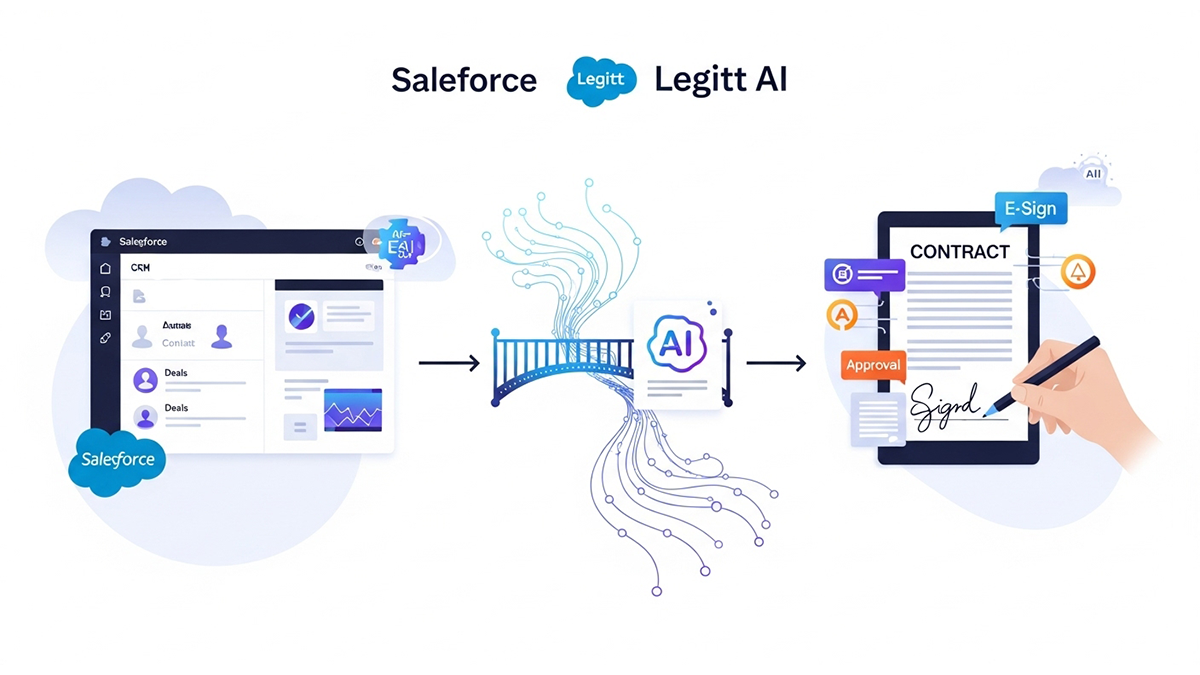
The first half – lead capture, qualification, opportunity tracking, pipeline reporting – runs inside Salesforce with reasonable efficiency. The second half – drafting the contract, getting it reviewed, negotiating redlines, collecting a signature, and storing the executed agreement – frequently falls apart because it leaves Salesforce entirely.
This guide walks through what a properly integrated Salesforce contract management workflow looks like at each stage, where the common failure points are, and what actually changes when the contract process stays inside the CRM from start to finish.
For background on how the technical connection between Salesforce and a CLM platform is built, see how Salesforce contract management integration works under the hood. For a strategic view of what this changes at the CRM level, see what AI-native CLM integration adds to Salesforce.
Stage 1: Opportunity to Contract Trigger
In a standard Salesforce deployment, “Closed Won” is the end of the CRM workflow. The rep updates the stage and sends an email to legal saying “we need a contract for Acme Corp, details attached.”
In an integrated Salesforce contract management workflow, “Closed Won” – or more commonly, a stage like “Contract Pending” – is a trigger, not an endpoint.
When a deal reaches the trigger stage, the CLM integration fires automatically. It reads the opportunity record: account name, billing address, product line, deal value, contract start date, payment terms, and any custom fields the sales team has captured. It identifies the correct contract template based on deal type – MSA, SaaS subscription agreement, professional services agreement, NDA, or whatever applies – and generates a first draft.
This happens without anyone manually initiating it. The sales rep does not need to email legal. Legal does not need to start from a blank template. The draft exists within minutes of the deal moving stages.
What this eliminates: the 2-5 day gap that typically exists between a deal closing in Salesforce and a contract draft landing in someone’s inbox.
Stage 2: Template Selection and Clause Logic
Contract templates in a vacuum are useful but limited. The real leverage comes from clause logic – rules that determine which specific language goes into a contract based on the deal context.
A well-configured Salesforce contract management integration applies clause logic automatically using CRM data:
- Customer geography: A deal with a European entity triggers GDPR-compliant data processing language. A US healthcare company triggers HIPAA-specific provisions.
- Deal size: Contracts above a certain value threshold get a more detailed indemnification clause and an enhanced limitation of liability.
- Product type: A contract that includes a professional services component gets a SOW exhibit automatically attached.
- Customer risk profile: Accounts flagged in Salesforce as high-risk or regulated get additional compliance representations.
Legal teams configure these rules once during implementation. After that, they run automatically on every new contract – no manual clause selection required. The output is a draft that already reflects the deal specifics and the applicable legal requirements, rather than a generic template that someone needs to customize by hand.
Stage 3: Internal Review and Approval
Not every contract needs full legal review before going to the customer. One of the most significant efficiency gains from Salesforce contract management integration is separating contracts that can go straight to the customer from contracts that need a legal pass.
Standard deals – contracts that use approved templates, fall within normal deal parameters, and have no flagged clauses – can route directly to the customer for signature without touching the legal queue. The CLM system enforces this by checking the draft against pre-approved standards before allowing it to proceed.
Non-standard deals – those with custom terms, above a certain value, or with clauses flagged as risky – route to a legal reviewer via an approval workflow that lives inside Salesforce. Legal gets notified, reviews the draft in the CLM interface, and approves or sends back with comments. The sales rep sees all of this as a status update on their Salesforce opportunity record.
This approval structure is what makes self-service contracting safe. Sales reps get speed. Legal gets control over exceptions. Nobody has to manage a separate email chain to track where approvals stand.
Stage 4: Counterparty Negotiation and Redlines
Once a contract goes to the customer, one of two things happens: they sign it as-is, or they send back redlines.
In a traditional workflow, redlines come back as a tracked-changes Word document attached to an email, which then gets forwarded to legal, who edits and sends back, and the cycle repeats over email with version numbering that inevitably gets confused.
In an integrated Salesforce contract management workflow, redlines happen inside the CLM platform. The counterparty either has access to a secure portal to make edits, or they send back a document that gets uploaded and tracked by the CLM system. Either way:
- Every version is logged with a timestamp.
- Changes between versions are highlighted automatically.
- Legal can see the entire negotiation history without asking anyone for the “latest version.”
- Playbook-aligned alternative language is suggested by the AI for commonly negotiated clauses, so legal does not need to draft fallback positions from scratch.
The negotiation status syncs back to the Salesforce opportunity record so sales leadership has visibility without joining every email thread.
Stage 5: Approval and E-Signature
Once negotiation is complete and the contract is in final form, it needs two things: internal approval and a signature.
Internal approval runs through the same workflow as Stage 3 – but now it is approving the final, negotiated version rather than the initial draft. The CLM system routes the final contract to whoever needs to sign off internally – typically a manager, VP, or legal lead, depending on deal size – collects approval, and then releases the contract for signature.
E-signature happens inside the same system. The contract is sent to the counterparty via the CLM platform’s e-signature functionality – either natively or through an integrated tool like DocuSign or Adobe Sign. Signing status updates in real time: sent, opened, signed by one party, fully executed.
When the contract is fully executed, the signed PDF is automatically stored in the CLM repository and linked to the Salesforce account and opportunity record. The opportunity stage updates to reflect contract execution. No manual filing. No hunting for the signed copy.
Stage 6: Post-Signature Tracking
The contract is signed. In most companies, this is where Salesforce’s involvement ends and a combination of calendar reminders, spreadsheets, and institutional memory takes over.
That system reliably fails. The IACCM estimates that 9.2% of contract value is lost to leakage – revenue that was contracted but never captured because someone missed a renewal, failed to track an obligation, or did not notice that a payment milestone had passed.
In a fully integrated Salesforce contract management workflow, post-signature tracking is automated:
- Renewal dates surface as Salesforce tasks and calendar alerts assigned to the account owner, at configurable intervals before the renewal window opens.
- Obligation milestones – deliverable dates, payment schedules, reporting requirements – appear as Salesforce tasks with due dates.
- Contract-linked upsell signals – usage limits approaching, seat caps being hit, expansion options becoming available – are flagged to the account manager automatically.
- Risk events – notices received, force majeure triggers, termination windows opening – are surfaced for legal review.
The account owner in Salesforce sees all of this without ever opening the contract PDF. The contract’s obligations become part of the CRM workflow, not a separate document-management problem.
What the Full Workflow Looks Like in Numbers
Teams that fully implement this Salesforce contract management workflow typically report:
- Contract cycle time (Closed Won to signed contract) reduced by 40-60%
- Legal review volume for standard deals reduced by 60-70% through template automation
- Renewal capture rate improved from reactive (discovered after expiry) to proactive (managed 90+ days in advance)
- Contract error rate near zero on auto-generated deals
These numbers depend on deal volume, contract complexity, and how well the integration is configured. Most teams see meaningful improvement in all four metrics within the first 6 months.
The Bottom Line
The Salesforce contract management workflow does not have to break down at the contracting stage. When a CLM platform is properly integrated, every step from opportunity trigger to post-signature obligation tracking stays inside the CRM environment where sales and legal teams already work.
The result is not just faster contracts – it is a CRM that actually reflects the full state of your customer relationships, including what you committed to after the handshake.
Related reading:
- How Salesforce contract management integration works technically
- What AI-native CLM adds to Salesforce strategically
- How this integration boosts sales team efficiency
- Understanding the full CLM lifecycle inside Salesforce
FAQs
Does Legitt AI replace Salesforce CPQ?
No. CPQ remains your source for pricing, packaging, and approvals. Legitt AI reads CPQ outputs to assemble proposals and order forms and writes back executed terms to Salesforce so billing, provisioning, and analytics stay accurate.
How does Legitt AI prevent “made-up” legal text?
Drafting is retrieval-first: it assembles from your vetted templates, clause libraries, and playbooks. AI generation is used for summaries and cover notes, not for core legal language. Every clause carries provenance and a policy rationale.
What happens when a customer insists on their paper?
Legitt AI ingests the document, classifies clauses, and compares them to your playbook. It flags risky deviations, proposes approved alternatives, and preserves definitions/cross-references. Low-confidence items route to counsel with clause-level citations.
Can it handle multilingual, multi-jurisdiction deals?
Yes. Localization packs swap governing law/venue language, statutory references (GDPR/CCPA/PDPA/DPDP), and number/date formats. Bilingual contracts maintain semantic parity and set precedence where required.
How are approvals accelerated?
A policy engine maps attributes (discounts, caps, SLAs, data types) to approvers and sends compact policy-delta briefs with clause excerpts. Approvers decide in one click from Slack/Teams/email; results log to Salesforce.
How does executed contract data flow back to Salesforce?
On signature, Legitt AI writes structured fields-term dates, renewal windows, uplifts, SLAs, credits, obligations-into Opportunity/Quote/Contract/Custom Objects as appropriate, attaching the signed PDF for provenance.
What are the security and compliance basics?
Tenant scoping, RBAC, encryption in transit and at rest, redaction where appropriate, and full audit trails. Clause provenance and policy-delta reporting make audits faster and exceptions transparent.
How do we measure success?
Track time to first draft, approval latency, draft-to-sign cycle time, deviation rates at signature, renewal hygiene, booking accuracy, and legal throughput. Establish baselines and review deltas monthly.
How quickly can we get value?
With a lean template set and a 10–15-clause library, teams typically see faster first drafts in week one. Over the next 4–8 weeks, approval latency drops, redline loops shrink, and post-sign data quality improves.
Where does Legitt AI live in our stack?
It sits alongside Salesforce and your e-sign/CLM, orchestrating drafting, negotiation assistance, approvals, and post-sign sync. It doesn’t replace your CRM; it makes it move faster-and keeps every downstream system in step.