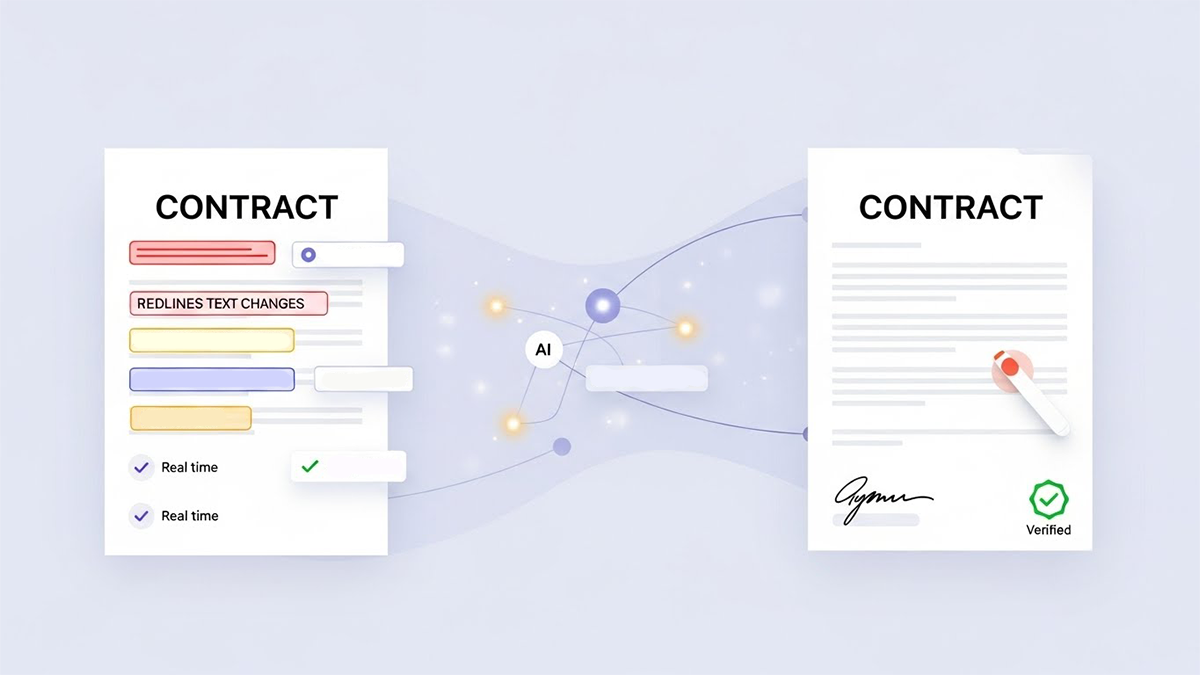
In most organizations, contracts still bounce between Word, email, and separate e-sign tools, with redlines lost in attachments and approvals buried in inboxes. An AI-native editor integrated directly with e-signature changes that dynamic completely: redlines, comments, approvals, and final signatures all live in one continuous workflow.
An AI-native platform like Legitt AI (www.legittai.com) combines a contract-first editor with e-sign so that inline edits, clause approvals, and version freezes seamlessly become a sign-ready package-without re-uploading documents, losing context, or manually rebuilding signature envelopes. This article explains how that works in practice, why it matters for legal, sales, procurement, and HR, and how to roll out an AI-native editor + e-sign combo in your own organization.
1. What Is an AI-Native Contract Editor?
An AI-native contract editor is not just a rich-text editor in the browser. It is:
- Clause-aware – understands definitions, sections, cross-references, and logical structure.
- Template-driven – built on top of standardized templates and approved clause libraries.
- Playbook-enabled – guided by negotiation rules, fallback positions, and risk thresholds.
- Workflow-connected – embedded in the same system that manages approvals, signatures, and storage.
Instead of treating the contract as a static document, the editor treats it as structured data: each clause, variable, and metadata field is an object that AI can reason about.
On Legitt AI (www.legittai.com), the editor is the primary workspace for users. They draft, redline, comment, and approve directly in the browser; the system tracks every change, turns approvals into workflow events, and knows exactly when a document transitions from “in negotiation” to “ready for signature.”
2. Inline Redlines: From Free-Form Editing to Structured Collaboration
Traditional redlining is usually done in Word, with “track changes” and comment bubbles passed back and forth over email. This leads to:
- Version chaos (“Which ‘final_final_v7’ is actually final?”).
- Lost context when comments are not copied into the e-sign tool.
- Weak audit trails for who changed what and why.
An AI-native editor solves this with inline redlines inside a single shared environment:
2.1 Typed and visual redlines
Users can:
- Insert, delete, and modify text with change tracking always on.
- See additions, deletions, and moved clauses visually, similar to a modern word processor.
- Toggle between a “clean” view and a redline view.
Because everything happens in one editor, there is no need to export, email, and re-import documents just to review changes.
2.2 Clause-level awareness
Instead of just tracking characters, the editor understands:
- Which clause is being modified (for example, “Limitation of Liability”, “Data Protection”, “Termination”).
- Whether the change strengthens or weakens your standard position.
- Whether the clause now falls outside your defined playbook boundaries.
AI can flag that a particular redline introduces, for example, uncapped liability or unusually broad IP assignment, and highlight it before anyone approves it.
3. Approvals Inside the Editor: From Comments to Formal Sign-Off
Inline comments are useful, but on their own they do not equal approval. An AI-native editor adds explicit approval states to the collaborating experience.
3.1 Role-based review and approval
You can define roles such as:
- Contract owner (sales, procurement, HR, business sponsor).
- Legal reviewer.
- Finance and pricing approver.
- Security and privacy reviewer.
Inside the editor, these roles can:
- Add comments and suggested edits.
- “Approve” specific clauses or the entire document.
- “Reject” risky changes and push back to the owner with guidance.
Each approval is recorded as a structured event: who approved, what they approved, when, and on which version.
3.2 AI-assisted approval decisions
AI can make approvals smarter by:
- Summarizing all changes since the last review, focusing on high-risk clauses.
- Comparing the current draft against your standard template and highlighting deviations.
- Suggesting recommended actions: accept, revert to standard language, or escalate.
This turns approval from a manual, line-by-line reading exercise into a supervised decision process, where reviewers see what matters most first.
4. From “Approved Draft” to Sign-Ready Document Without Rework
In many legacy setups, once a contract is approved, someone must:
- Export it from Word.
- Convert it to PDF.
- Upload it into an e-sign tool.
- Manually place signature and initial fields.
- Re-enter signer details and routing order.
Every manual step is a chance for mistakes: wrong version uploaded, missing signature block, fields misaligned with pages.
In an AI-native editor + e-sign environment, this transition is automatic.
4.1 Version freeze and signature snapshot
When final internal approvals are complete, the system:
- “Freezes” the approved version of the document in the editor.
- Creates a signing snapshot that is immutable and linked to the unique contract ID.
- Associates every clause and variable in that snapshot with the signing envelope.
This ensures that the document sent for signature is exactly the version that was approved-no accidental or unauthorized tweaks in between.
4.2 Auto-generation of signature fields and routing
Because the editor understands the contract’s structure and participant roles, the platform can:
- Automatically detect the correct signature blocks and map them to signers.
- Place signature, initial, and date fields in the correct positions.
- Configure sign order and parallel signing based on your policies (for example, internal signatures first, then external; or customer first, then counter-signature).
In Legitt AI (www.legittai.com), the user typically clicks “Send for signature,” and the system builds the envelope using the data and structure already present-no re-tagging required.
 Hi, What do you want to Draft?

Click to upload or drag & drop
pdf, docx up to 5 MB
Click to upload or drag & drop
pdf, docx up to 5 MB
5. How AI Connects Redlines, Approvals, and E-Sign Workflows
The real power of an AI-native editor + e-sign integration is in how AI stitches the entire lifecycle together.
5.1 Understanding the negotiation history
Because all edits and approvals happen in one place, AI can:
- Build a timeline of key changes, approvals, and rejections.
- Identify which clauses were heavily negotiated and which stayed standard.
- Highlight concessions that deviate from playbook tolerances.
This negotiation history is preserved alongside the signed contract and can be surfaced later during disputes, renewals, or audits.
5.2 Driving conditional routing based on what changed
Changes in specific clauses can trigger additional routing or signatures. For example:
- If liability is increased above a threshold, require CFO approval before signing.
- If a data-related clause references a regulated category, involve the DPO or security lead.
- If a discount exceeds policy, add a regional VP to the signature chain.
AI watches for these triggers as redlines are applied, so your approval and signing workflows stay aligned with the actual content of the document-not just headline numbers.
6. End-to-End Flow: Draft → Redline → Approve → Sign → Store
To see how it all fits together, consider a typical sales contract journey on Legitt AI (www.legittai.com) or a similar AI-native platform.
6.1 Draft
- Sales selects an opportunity in CRM.
- The system generates a draft contract from the appropriate template and clause set, with commercial terms pre-filled.
6.2 Redline and collaborate
- Internal stakeholders and, later, the customer work in the same AI-native editor environment.
- All edits are tracked as redlines; comments and questions are attached to specific clauses.
- AI highlights risky or unusual changes for attention.
6.3 Approve
- Legal, finance, and any required executives review within the editor.
- They see a summary of key deviations from standard language.
- They approve or reject changes, and once all required approvals are in place, the draft is marked “Sign-ready.”
6.4 Sign
- The platform freezes the approved version and automatically generates the signing envelope.
- Signature fields are auto-placed; routing, sequencing, and authentication are set according to policy.
- Signers receive a streamlined, compliant e-sign experience.
6.5 Store and analyze
- Once fully signed, the document and its metadata (clauses, dates, values) are stored in a central repository.
- The full negotiation and approval history remain attached to the record.
- AI can use this data to improve templates, playbooks, and workflows over time.
7. Governance, Control, and Auditability
Integrating AI-native editing with e-signature raises the stakes for governance-but it also makes governance much easier.
7.1 Controlled templates and clause libraries
Legal and contract leadership define:
- Which templates are available for each use case.
- Which clause variants are permitted, and under what conditions.
- Which sections are “locked” and cannot be altered without special approval.
The editor enforces these rules while still giving negotiators flexibility within the allowed boundaries.
7.2 Complete audit trail
Because everything happens in one system, you get:
- A detailed log of every change to the document, including who made it and when.
- A record of every approval decision, including context and comments.
- Clear linkage between the approved version and the signed version.
This unified audit trail is far more robust than a mix of Word files, email chains, and separate e-sign audit logs.
8. Implementation Roadmap: Rolling Out an AI-Native Editor + E-Sign
Moving from Word + email + stand-alone e-sign to an AI-native editor + e-sign model is a transformation, but it can be managed in stages.
- Standardize your templates
- Identify your top contract types (NDAs, MSAs, SOWs, vendor agreements, HR docs).
- Consolidate them into governed templates with approved clause variants.
- Deploy the AI-native editor
- Roll out the editor to a pilot team (for example, sales and legal in one region).
- Train users on working directly in the browser with inline redlines and comments.
- Connect approvals to content
- Define who must approve what and under which conditions.
- Configure approval workflows and playbooks inside the platform.
- Integrate e-signature
- Define routing and signing rules for each contract type.
- Turn on the “Send for signature” path directly from the editor once approvals are complete.
- Migrate to central storage
- Ensure all newly signed contracts land in a centralized repository with full metadata.
- Gradually backfill older key contracts if needed.
- Iterate and expand
- Use analytics to refine templates, playbooks, and workflows.
- Expand to additional departments (procurement, HR, partnerships) and more complex agreements.
With this phased approach, you can move away from fragmented, manual processes and toward a unified, AI-driven contract lifecycle where inline redlines and approvals flow seamlessly into e-signing and beyond.
Read our complete guide on Contract Lifecycle Management.
FAQs
How is an AI-native contract editor different from using Word plus a traditional e-sign tool?
An AI-native editor keeps drafting, redlining, approvals, and signature preparation in one environment. Instead of exporting Word documents, emailing them, and then uploading PDFs into an e-sign tool, you work in a browser-based editor that understands clauses, templates, and workflows. When everyone has approved, the platform automatically creates a sign-ready envelope. This avoids version confusion, manual field placement, and the risk that the wrong version is sent for signature.
Can counterparties outside my organization still negotiate in an AI-native editor?
Yes. You can share secure links with counterparties so they can review and redline in the same environment, subject to the permissions you set. They see a familiar track-changes experience, but under the hood, AI is classifying and analyzing their edits. You control which areas they can edit and when a version is locked. Once negotiation is complete, the same system moves the document into signing without any rework.
How do we control who can accept or reject redlines?
Role-based permissions are central to the model. For example, business owners may propose changes, but only legal or specially authorized users can accept edits to high-risk clauses such as liability or data protection. The platform enforces these rules automatically, so someone without the right role cannot accidentally accept a risky change. Every accept/reject action is logged as part of the approval record.
What happens if someone insists on working in Word offline?
Many AI-native platforms allow you to export and import Word files, but the key is how you bring them back. When a counterparty sends a Word document, you import it into the editor, which then reads the track changes, maps them to clauses, and incorporates them into the structured negotiation view. You still end up with a single authoritative version in the AI-native editor that flows into signing, even if parts of the process involved offline editing.
Does integrating the editor with e-signature affect the legal enforceability of the contract?
No. Legal enforceability is determined by the substance of the contract and compliance with applicable e-sign laws, not by the fact that drafting and signing happen in different tools or a single tool. In an AI-native stack, you actually gain stronger evidence: a unified audit trail of drafts, changes, approvals, and signatures. As long as your e-sign setup meets legal requirements (intent, consent, attribution, record integrity), the contract is just as enforceable-often more defensible-than one drafted in Word and signed elsewhere.
How does this approach reduce legal team workload?
Legal teams spend less time chasing versions, manually checking for standard language, and policing who has changed what. AI highlights deviations from your clause library and playbooks, and approvals are captured directly in the editor. Legal can focus on substantive questions-whether a particular deviation makes commercial or risk sense-rather than on mechanical tasks like reconciling multiple “final” drafts or re-tagging PDFs for signature.
Can AI-native editing and e-sign work for non-legal users such as sales, HR, and procurement?
Yes. The whole point is to empower non-legal users within safe boundaries. Sales can initiate and customize contracts within allowed ranges, HR can use approved offer-letter and NDA templates, and procurement can generate vendor agreements tied to governance rules. They work in a guided editor where AI and embedded playbooks prevent them from inadvertently exceeding their authority or altering locked clauses. Legal remains in control of the underlying templates and rules.
How does the system ensure that the signed document is the same as the approved one?
Once the document reaches “sign-ready” status, the platform freezes that version and creates an immutable signing snapshot. Any further edit attempts either create a new draft version (requiring re-approval) or are blocked based on your policy. The signed PDF or rendered document is generated from this frozen snapshot. The audit trail shows exactly which version was approved and then signed, eliminating ambiguity about the final text.
What about security and confidentiality of contracts in an AI-native editor?
Security is handled at multiple layers: encrypted storage, encrypted transport, role-based access control, and detailed activity logging. You can restrict access by team, geography, or project, and you can set sharing rules for external parties. In a platform like Legitt AI (www.legittai.com), contract data is segregated by customer, and your content is not used to train public models. This gives you much tighter control than emailing documents around or storing them in unmanaged shared drives.
How can we start adopting an AI-native editor + e-sign model without disrupting ongoing work?
Start with a focused pilot rather than a big-bang change. Choose one or two contract types-such as NDAs and standard sales MSAs-and a small group of users in legal and sales or procurement. Move those contracts into the AI-native editor, connect approvals and e-sign, and keep your existing tools as a temporary fallback. After a few cycles, measure improvements in cycle time, errors, and user satisfaction. Use those results to refine templates and processes, then expand to more contract types and teams in a phased rollout.