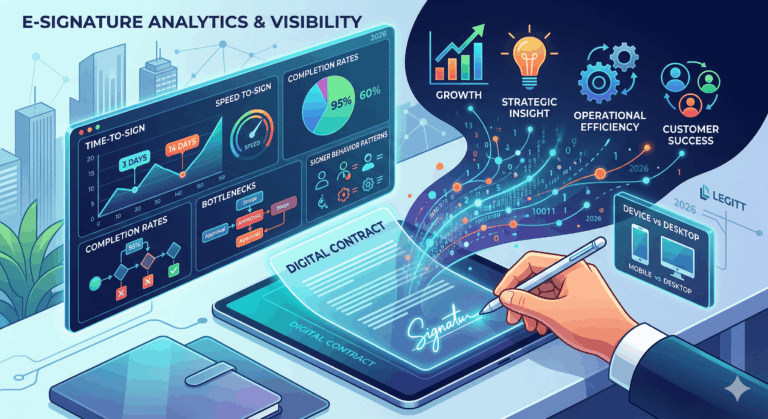

Most organizations treat signed contracts as the “end of the story”: a PDF in a folder, a status field flipped to “Closed Won,” and everyone moves on. But if you stop there, you are leaving a huge amount of operational intelligence on the table. Signature events – who signed, when, in what order, after how many reminders – tell you exactly where revenue slows, where approvals get stuck, and how healthy your contracting process really is. Centralizing that signature data for analytics turns signatures from a static endpoint into a dynamic performance signal.
An AI-native CLM and eSignature platform like Legitt AI (www.legittai.com) can act as the backbone for this approach: orchestrating the signing process, capturing every event, and exposing that data in a structured way to your BI stack. This article walks through how to do it – from designing your data model to building dashboards and closing the loop back into workflow automation.
1. What Exactly Is “Signature Data”?
Before centralizing anything, you need to be clear about what you are collecting. Signature data is not just “signed vs not signed.” At a minimum, it includes:
- Contract context: contract ID, title, type (NDA, MSA, SOW, PO, DPA, amendment), value, currency, term, business unit, region.
- Parties and signers: which organizations are involved; which individuals are signers, approvers, observers; their roles (legal, finance, C-level, procurement, project owner).
- Events along the journey:
- Sent for signature
- Delivered/opened
- Viewed (often multiple times)
- Reminders sent
- Signed/declined/expired
- Workflow configuration: signing order, parallel vs sequential signing, internal vs external signers, expiry dates.
When this data is captured and normalized, you can analyze how contracts move (or don’t move) from approval to execution, instead of just counting how many documents are signed.
2. Why Signature Data Is Usually Fragmented
In a typical environment, signature-related information is scattered across:
- One or more eSignature platforms.
- A CLM or document repository (if it exists).
- CRM (for customer contracts) and procurement/ERP (for vendor contracts).
- Email inboxes and shared drives.
- Local files on laptops.
Each system stores its own view: the eSignature tool knows about envelopes and recipients; CRM knows about opportunities and stages; the repository knows about files and folder paths. None of this is centralized into one coherent picture.
The consequences are predictable:
- No reliable answer to “How long do contracts take to get signed by type/customer/region?”
- No visibility into bottlenecks (which roles or teams delay signatures).
- Difficulty tying signature dates to revenue recognition, project start dates, or renewals.
- Weak auditability – especially if you are in a regulated industry.
Centralization solves this by bringing signature events, contract data, and business context into a unified analytical layer.
3. Step One: Design a Unified Signature Data Model
Do not start with integrations. Start with the data model – a clear schema that describes signature data across all tools. A robust, analytics-friendly model usually has these core entities:
- Contract
- contract_id, title, type, status.
- Value, currency, term start/end, auto-renew, governing law, business unit.
- Party
- party_id, organization name, type (customer, vendor, partner, internal entity).
- Relationship to contract (buyer, seller, processor, controller, subsidiary, etc.).
- Signer / Approver
- signer_id, name, email, role (legal, finance, CFO, CPO, external counsel).
- party_id (which organization they represent).
- Signature Workflow (Envelope)
- workflow_id or envelope_id.
- The contract version it refers to (contract_version_id).
- Configuration: signing order, roles, expiry, reminder rules.
- Signature Event (Fact Table)
- event_id, workflow_id, contract_id, signer_id.
- Event type: SENT, DELIVERED, OPENED, VIEWED, REMINDER_SENT, SIGNED, DECLINED, EXPIRED, CANCELED.
- Timestamp, source system, IP/device (if required for audit).
This model becomes your single source of truth. Any event from any eSignature tool, CLM, or workflow system must map into these core entities. Once you have this, analytics becomes a matter of querying – not reconciling incompatible logs and exports.
4. Step Two: Choose Your System of Record and Analytics Hub
Next, decide where this model “lives.” There are usually two layers:
- Operational system of record
- Often your CLM platform or an AI-native contract system such as Legitt AI (www.legittai.com).
- Holds active contract records, workflow state, and near real-time signature statuses.
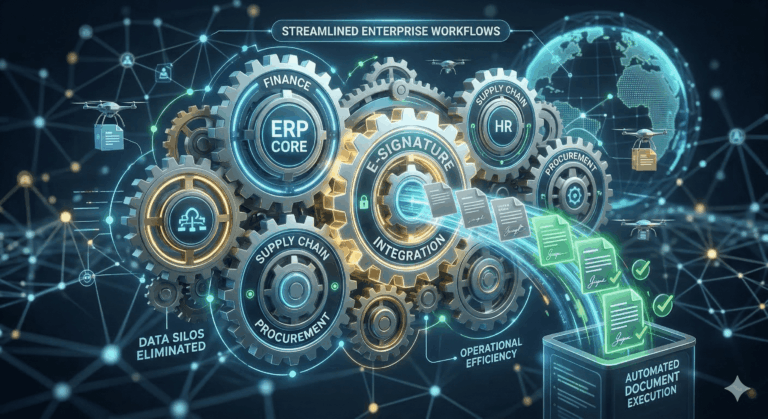
- Feeds status back into CRM, ERP, and procurement tools.
- Analytical hub
- Typically a data warehouse/lake (Snowflake, BigQuery, Redshift, Synapse, etc.).
- Receives regular or streaming feeds from the CLM/eSign system and other applications.
- Serves as the foundation for BI dashboards, self-service analytics, and data science.
You do not need perfection on day one. Many teams start by centralizing into the CLM and one analytics store, then gradually expand integrations and sophistication. The critical part is having one canonical pipeline that combines contract, signer, and event data.
5. Step Three: Integrate Your Primary Sources
With the model and hub defined, you can connect systems in a structured way.
5.1 eSignature platforms
For each eSignature provider you use:
- Configure webhooks or scheduled API pulls to capture:
- Envelope creation, update, and completion events.
- Recipient (signer) configuration and changes.
- Status changes for each signer (sent, opened, signed, declined, bounced, etc.).
- Map provider-specific fields to your unified schema.
You should never be manually exporting CSVs from eSign tools for analytics; this needs to be automated.
5.2 CLM and contract repository
Your CLM or contract repository provides the contract context:
- Contract IDs, types, values, parties, and lifecycles.
- Template vs negotiated agreements.
- Version history and final “signed” artifacts.
Integrate CLM to ensure that every signature event is tied to a specific contract and version, not just to a free-floating envelope ID.
5.3 CRM, ERP, procurement, and vendor systems
Signature data alone is useful; signature data joined with commercial and operational data is powerful. You should integrate:
- CRM (for customer deals and revenue context).
- ERP/billing (for invoice and recognition timelines).
- Procurement/vendor management (for supplier onboarding and spend).
This lets you answer questions such as:
- “How many days between contract sent and signature for deals above $100k in EMEA?”
- “Which vendors consistently delay signing and impact project start dates?”
- “What is the correlation between signature delays and implementation delays?”
6. Step Four: Use AI to Normalize and Enrich the Data
Real-world data is messy. Names differ, IDs are missing, fields are inconsistently filled. AI and intelligent rules can dramatically reduce manual cleanup.
6.1 Normalizing entities
AI can help you:
- Resolve duplicate parties (“ACME Inc.” vs “Acme Corporation LLC”).
- Match signers across systems (same person using different emails).
- Derive contract types from document content when the field is missing or wrong.
This entity resolution is critical for clean analytics. Without it, your dashboards will be full of fragmentation and noise.
6.2 Enriching from contract content
If your platform can read and understand contract documents, you can automatically extract:
- Governing law and jurisdiction.
- Renewal and notice periods.
- Payment terms and billing frequency.
- Whether a DPA or data-sharing clause is present.
This enrichment means you can slice signature analytics along risk and obligation dimensions, not just by high-level labels. For example, you can track signature times for contracts with strict SLAs vs those without, or for agreements with cross-border data transfers.
6.3 Pattern detection and risk scoring
Once enough data is centralized, AI can:
- Learn typical signature timelines per segment and flag anomalies.
- Identify roles or teams that consistently create bottlenecks.
- Predict the likelihood that a contract will miss a quarter-end target based on current status and history.
Those insights are what turn a signature data project from a reporting exercise into a decision-making engine.
7. Step Five: Build Analytics That Actually Drive Decisions
With a clean, enriched dataset, you can now build dashboards and analyses with real business value. Some high-impact views include:
7.1 Signature cycle time and breakdown
- Average and median time from “sent for signature” to “fully executed,” by:
- Contract type, region, deal size, business unit.
- Customer vs vendor, new vs renewal, template vs negotiated.
- Stage-level metrics:
- Time in internal approvals vs time waiting for external signatures.
- Time per role (legal, finance, executive, procurement).
This immediately exposes where process optimization, automation, or staffing is needed.
7.2 Bottleneck and backlog analytics
- Contracts currently awaiting signature, by:
- Signer role and organization.
- Age (how long they have been stuck).
- Deal or project impact (value, start date).
- Individuals or departments with persistent queues.
You can use this to rebalance workload, adjust approval thresholds, or introduce delegated approval rules.
7.3 Signature outcome and quality metrics
- Expired, declined, or canceled signature requests, with reasons where available.
- Contracts that required multiple re-sends or changes before signature.
- Differences in performance across templates, playbooks, or negotiation patterns.
With content integration, you can even analyze whether certain clause positions correlate with higher decline or delay rates.
7.4 Revenue, project, and risk impact
By joining to CRM and delivery systems, you can answer:
- How much revenue is currently “stuck at signature”?
- How often do projects miss planned start dates due to unsigned SOWs?
- Which contracts with critical obligations (SLAs, renewal dates) were executed late, increasing operational risk?
These views provide a concrete business justification for investing in better workflows and automation.
8. Step Six: Close the Loop – From Analytics to Automation
Centralizing signature data is not an end in itself. The real value comes when you feed insights back into your process. Examples include:
- Dynamic reminders: use analytics to configure AI-driven reminder cadences based on typical behavior for each segment or role.
- Risk-based routing: if analytics show that certain clauses or contract types always require more back-and-forth, route them earlier to legal or deal desk.
- Threshold tuning: adjust financial or risk thresholds for additional approvals based on evidence of where they genuinely add value vs where they only add delay.
- Playbook improvements: use signature outcomes to refine templates, fallback clauses, and negotiation boundaries.
An AI-driven CLM platform can automate many of these adjustments: when it detects a contract at risk of missing a critical date, it can automatically escalate, adjust reminders, or prompt the owner to intervene.
9. Governance, Security, and Compliance
Signature data often contains personal and sensitive information. As you centralize, you must also harden governance:
- Access control: enforce role-based access so that users see only the contracts and granular signature details they are entitled to see.
- Data minimization: in your analytics environment, mask or pseudonymize personal identifiers where full detail is not necessary.
- Retention and deletion: align signature and contract data retention with regulatory and contractual requirements.
- Auditability: maintain clear logs showing who accessed what data, when, and for what purpose.
An enterprise-ready platform and a sound data architecture should address these points by design, not as afterthoughts.
10. Implementation Roadmap: Start Small, Scale Fast
You do not need to boil the ocean. A pragmatic path might look like this:
- Pilot scope
- Choose 1–2 high-volume contract types (e.g., NDAs and standard customer MSAs).
- Integrate your main eSign provider and CLM into your analytics hub.
- Baseline dashboards
- Implement basic cycle time and backlog views.
- Validate data quality and refine mappings.
- Expand context
- Add CRM, procurement, and project/delivery data.
- Start tracking revenue and project impact of signature delays.
- Introduce AI enrichment
- Apply entity resolution and contract metadata extraction.
- Begin simple predictive models (e.g., contracts at risk of missing quarter-end).
- Operationalize improvements
- Use insights to redesign workflows, reminders, escalation paths.
- Measure before/after KPIs to validate impact.
From there, you can continue to onboard more contract types, regions, and business units, steadily moving toward a unified, analytics-driven contract execution engine.
Read our complete guide on Contract Lifecycle Management.
FAQs
Do we need a CLM platform before centralizing signature data?
A CLM platform is not strictly required, but it makes centralization far easier. Without a CLM, you will need custom logic and manual mapping to connect eSignature envelopes to specific contracts, parties, and business context. With a CLM, contracts and workflows already have IDs and metadata that can serve as the spine of your model. You can start with a basic integration between eSign and CRM, then introduce CLM as the operational system of record when you are ready.
How is centralizing signature data different from just using eSignature reports?
eSignature tools typically provide envelope-level reports – how many documents were sent, how many are signed, and some timing information. Centralization goes further by joining that event data with contract records, CRM deals, vendor records, and project timelines. That allows you to analyze performance by contract type, segment, and value and to understand the revenue and operational impact of delays. In other words, you move from tool-level reporting to business-level analytics.
What if we use multiple eSignature providers across departments?
Multiple providers are common in larger organizations. The key is to normalize their outputs into your common data model. You can build connectors or use an integration layer that abstracts provider-specific details and produces standard Workflow and SignatureEvent records. Over time, you may decide to rationalize providers, but you do not need to wait for that to begin centralizing and analyzing signature data.
How do we handle contracts that are still signed manually (wet signatures)?
Wet signatures are less rich in event data, but they can still be captured for analytics. When a physical contract is signed and scanned, you can log a synthetic SIGNED event in your CLM or contract system, including the contract ID, signers, and date. You will not have view or reminder events, but you can still measure elapsed time between “ready for signature” and “signed.” Over time, you can use these metrics to build a business case for digitizing remaining manual flows.
How does AI actually help beyond what we could do with SQL and dashboards?
AI helps in three main ways: cleaning, enrichment, and prediction. It reduces manual effort by resolving duplicate parties and signers, standardizing contract types, and filling in missing metadata from document content. It enriches raw logs with semantic context (e.g., risk level, presence of certain clauses). And it supports predictive use cases like identifying contracts likely to miss a target date, or spotting systemic bottlenecks by role or region. Traditional analytics can show you “what happened”; AI helps explain “why” and “what is likely to happen next.”
Are there specific KPIs we should focus on first?
Good starting KPIs include: average time from “sent for signature” to “fully signed” by contract type and segment; percentage of contracts that expire or are canceled without signing; distribution of time spent in internal approvals versus with external signers; and total contract value currently stuck at signature. These metrics are easy to understand, highlight clear bottlenecks, and directly connect to revenue and operational outcomes. You can add more nuanced KPIs (e.g., by clause or risk score) later.
How do we ensure privacy and compliance when aggregating signer data?
You should treat signer data as personal data where applicable. That means enforcing strict access controls (especially in your analytics environment), limiting visibility of individual identities to those who need it, and masking or aggregating data for broader reporting. You should also align retention policies with your legal and regulatory obligations and implement strong encryption and audit logging. Centralization, when done properly, can actually improve compliance by making access and use auditable and consistent.
How quickly can we expect to see value from centralizing signature data?
You often see value as soon as you have a first clean view of signature cycle times and backlog by contract type. Even a simple dashboard that shows “where contracts are stuck today” can change behavior and improve focus. More advanced benefits – such as predictive risk flags and process redesign based on historical patterns – arrive as you accumulate data and refine your model. Many organizations see meaningful improvements in cycle time within a few months of implementing basic centralization.
What skills do we need internally to run a signature analytics program?
You will usually need a combination of: a business owner (legal ops, sales ops, or procurement), a data engineer or integration specialist to build and maintain pipelines, and an analyst or BI developer to design dashboards and metrics. If you add AI-based enrichment and prediction, you may also involve data scientists or use embedded capabilities in your CLM/AI platform. You do not necessarily need a large team, but you do need clear ownership and collaboration across legal, sales, and IT.
How should we start if we are currently “spreadsheet-driven” and not very automated?
Start by picking one important signature flow – for example, customer MSAs or vendor onboarding contracts – and instrument it. Even if you still rely on spreadsheets for some tracking, integrate your main eSign tool and CRM into a small analytical store and define a basic contract and signature schema. Build a simple dashboard showing status and cycle times. This will highlight immediate opportunities for improvement and create a concrete foundation to justify broader automation, including adopting an AI-native CLM and signature platform to gradually replace manual, spreadsheet-driven processes.