
Yes, you can automate signature reminders using AI – and do it in a way that is smarter, less annoying, and far more effective than basic timed emails. Instead of sending the same “please sign” message to everyone, AI can decide who to remind, when to remind them, how to remind them, and even how strongly to nudge based on context and behavior. An AI-native contract platform like Legitt AI (www.legittai.com) can plug into your eSignature and contract workflows so follow-ups happen automatically while your teams stay focused on closing deals and managing relationships.
This article explains how AI-powered signature reminders work, how they fit into sales, legal, and procurement processes, and how to implement them in a controlled and professional way.
1. Why Signature Reminders Matter More Than You Think
In many organizations, contracts do not stall because of legal disagreements or pricing disputes – they stall because someone simply has not signed yet. Busy executives, vendor approvers, or internal stakeholders open the contract, intend to come back later, and never do. The result is:
- Delayed revenue recognition and missed quarter-end targets.
- Slower vendor onboarding and project kickoff.
- Frustration for sales, legal, and procurement teams chasing “just one more signature.”
Traditional reminder systems are blunt tools: a fixed sequence of emails after X days. They:
- Ignore how engaged the recipient actually is.
- Do not consider the value or urgency of the contract.
- Cannot adapt tone or channel based on the relationship.
AI changes this by turning signature reminders into a smart workflow instead of a simple timer. With Legitt AI (www.legittai.com), signature nudges become contextual, prioritized, and aligned with your broader contracting strategy.
 Hi, What do you want to Draft?

Click to upload or drag & drop
pdf, docx up to 5 MB
2. What Does AI-Powered Signature Automation Actually Mean?
AI-powered signature automation means that reminders are no longer just scheduled; they are orchestrated. The system looks at:
- Contract metadata – value, type (NDA vs MSA vs SOW), start date, renewal timelines.
- Recipient behavior – opened vs not opened, number of views, time on page, partial completion.
- Business context – opportunity close date, go-live dependencies, vendor onboarding deadlines.
- Organizational rules – how many reminders are acceptable, escalation rules, communication policies.
Using these inputs, the AI decides:
- Whether it is time to remind someone at all.
- Whether a gentle nudge suffices or an escalation is appropriate.
- Whether to remind only the external signer, or also internal owners.
- Which channel(s) to use – email, in-app, dashboard alerts, or task creation.
Instead of “send 3 emails over 7 days,” you get a dynamic system that adapts to each contract and signer.
3. How AI Knows Whom to Remind, When, and How Often
AI-powered reminders rely on combining behavioral signals with business rules.
3.1 Reading behavioral signals
The system monitors activity around each signature request:
- Has the recipient opened the email?
- Have they clicked through to the document?
- How long did they spend viewing it?
- Did they start filling fields but abandon midway?
If someone has never opened the link, the right action might be a fresh, clear reminder – or even a resend with a simplified subject line. If they opened the contract several times but did not sign, AI may wait a bit, then send a more focused nudge or notify your internal owner to check in personally.
3.2 Applying business context
A $20 NDA and a multi-year, multi-million-dollar MSA have very different urgency profiles. AI can factor in:
- Deal value and stage in the pipeline.
- Contract start dates and dependencies (e.g., onboarding, service activation).
- Internal deadlines (quarter-end, fiscal year-end, project launch).
For high-value or time-critical contracts, reminders can be prioritized and escalated more aggressively. For low-risk agreements, a lighter touch may be enough.
3.3 Learning optimal timing and cadence
Over time, AI can learn:
- What times of day get better open and completion rates.
- How many reminders typically lead to a signature before diminishing returns.
- Which recipients (roles or domains) respond better to earlier vs later nudges.
This lets the system continuously refine timing and frequency, instead of following fixed, one-size-fits-all schedules.
4. How Legitt AI (www.legittai.com) Automates Signature Reminders End-to-End
An AI-native contract platform can sit at the center of the contract lifecycle – from draft to approval to signature – and orchestrate reminders as a natural extension of that flow.
4.1 Integrating with eSign and contract workflows
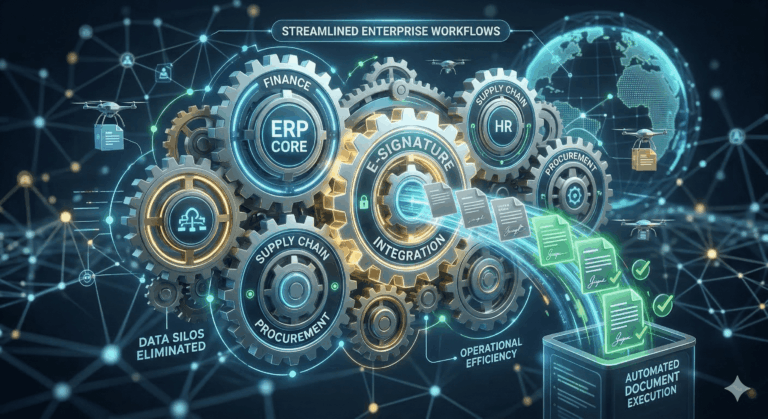
Legitt AI connects to your eSign provider or uses integrated eSign capabilities, so it can see:
- When a document is sent out for signature.
- Who the signers are and in what order.
- The current status of each signer (pending, viewed, signed).
Because it also has the contract metadata and business context, it is uniquely positioned to decide which reminders matter most at any given time.
4.2 Multi-channel nudging: external and internal
AI-powered reminders should not only go to external signers. Often, internal delays are just as harmful. A good setup will:
- Send polite, branded reminders to external signers.
- Notify internal owners (sales, procurement, legal, project managers) when their deals are at risk due to signature delays.
- Create tasks or alerts in CRM or project tools when human follow-up is needed.
Legitt AI can also suggest personalized follow-up messages your team can send directly, blending automation with human judgement.
4.3 Prioritization and dashboards
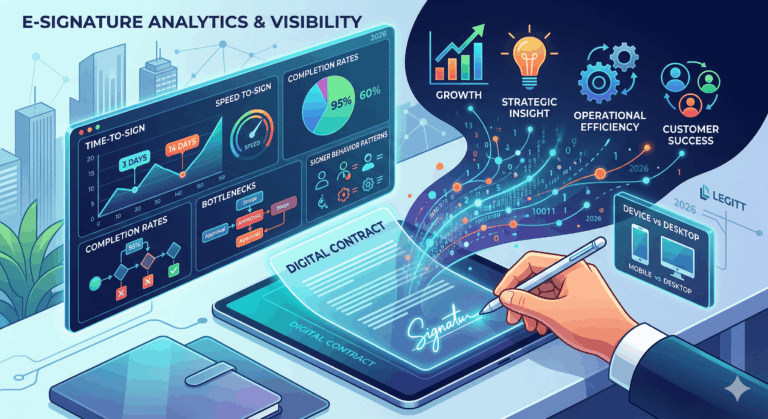
Instead of scattered notifications, AI can provide a consolidated view:
- Contracts awaiting signatures, sorted by risk and value.
- Deals at risk of slipping due to pending signatures.
- Bottlenecks by signatory role or organization.
This helps managers and teams focus their efforts where it matters instead of chasing everything equally.
5. Can AI Reminders Really Reduce Cycle Times Across Sales, Legal, and Procurement?
In practice, yes – especially when signature delays are one of your main bottlenecks.
5.1 For sales teams
AI reminders help sales:
- Keep deals moving without constant manual chasing.
- Focus on strategic conversations, not “just checking in on the contract” emails.
- Get early warning when deals are at risk due to signature inactivity.
Shorter signature times often translate to higher close rates and smoother quarter-end.
5.2 For legal teams
Legal reduces friction when:
- They are not repeatedly asked, “Has the customer signed yet?”
- They can see which contracts are stalled at signature vs still in negotiation.
- They have data on how long signatures take per contract type, region, or counterparty.
This helps legal refine playbooks and understand where process or policy, not legal language, is slowing things down.
5.3 For procurement and vendor management
For procurement, signature automation:
- Speeds up vendor onboarding and SOW approvals.
- Reduces operational delays from unsigned POs or amendments.
- Improves adherence to sourcing timelines and project plans.
AI reminders become a quiet, persistent engine that nudges deals and vendor contracts across the finish line.
6. How Do You Avoid “Nagware”? Governance, Tone, and Brand Control
Automated reminders can backfire if they feel spammy or pushy. Governance is essential.
You should define:
- Maximum frequency – how many reminders before pausing.
- Quiet hours and days – avoid weekends or nights unless critical.
- Escalation rules – when to involve internal stakeholders instead of repeatedly pinging the signer.
- Tone and content – ensure messages reflect your brand voice and professionalism.
AI can help by:
- Varying subject lines and message phrasing to avoid repetition.
- Recognizing when a signer is clearly engaged (e.g., has opened repeatedly) and adjusting tone.
- Suggesting when a human phone call or personal email might be more effective than another automated reminder.
Well-governed AI reminders feel helpful, not harassing.
7. Implementation Roadmap: How to Roll Out AI Signature Reminders
A practical rollout often follows three steps.
7.1 Step 1 – Instrument and observe
First, connect your contract and eSign systems and start collecting data about signature behavior:
- Time from send to first open.
- Time from first open to signature.
- Number of manual reminders currently sent.
This baseline helps you understand the problem and set realistic targets.
7.2 Step 2 – Start with simple, rules-based AI reminders
Begin with clear, conservative rules:
- One reminder after X days of inactivity.
- Escalation to internal owner after Y days for high-value contracts.
- Different cadences for low-risk vs high-risk documents.
Use AI to generate reminder content, but keep scheduling logic simple initially. Measure impact on cycle times and signer engagement.
7.3 Step 3 – Layer in adaptive and predictive logic
Once the basics work, introduce more advanced logic:
- Predict which contracts are likely to stall based on past patterns.
- Adjust timing and content based on recipient engagement.
- Prioritize reminders across your entire portfolio using risk and value scores.
At this stage, AI becomes a proactive assistant, not just an automatic scheduler.
8. Limits and Best Practices – What AI Should and Should Not Do
AI should not:
- Override your communication policies or legal constraints.
- Send messages without clear audit trails and opt-out paths where required.
- Make binding commitments or legal statements in reminders.
Best practices include:
- Keeping reminder content factual and neutral – “Your contract is ready for signature,” not negotiation.
- Ensuring all automated outreach is logged and visible to account owners.
- Allowing stakeholders to pause or adjust reminders for sensitive deals or relationships.
Used thoughtfully, AI signature reminders become a quiet but powerful engine for operational efficiency, not a source of risk or annoyance.
Read our complete guide on Contract Lifecycle Management.
FAQs
How is AI-based signature automation different from simple scheduled reminders?
Traditional reminders are typically fixed sequences – for example, an email after 3 days, 7 days, and 14 days regardless of what is happening. AI-based automation looks at behavior and context: whether the document was opened, how important the contract is, and how close you are to key dates. It can adjust timing, frequency, and even tone based on those signals. This makes reminders more effective and less intrusive, because they react to real-world behavior instead of following a rigid timeline.
Do I need to change my eSignature provider to use AI reminders?
Not necessarily. Many AI-native contract platforms can integrate with popular eSignature tools. They read status updates (sent, viewed, signed) and layer intelligence on top, handling prioritization, messaging, and internal alerts. In some setups, signature capabilities are built directly into the contract platform itself. The important point is that your AI engine has access to contract metadata and signature events so it can make informed decisions about when and whom to remind.
Can AI reminders personalize messages to different recipients?
Yes. AI can tailor reminder content to the role and context of each signer. For example, an executive signer might receive a short, high-level reminder, while a procurement approver might see a note emphasizing process and timeline. The system can also reference the project name, contract type, or relevant dates to make reminders more specific and useful. Personalization keeps messages from feeling like generic spam and often improves engagement.
How do AI reminders handle multi-signer workflows?
In multi-signer workflows, some signers must sign before others. AI can track signature order and only remind the person whose action is currently needed. Once one signer completes, the system automatically shifts focus to the next. It can also notify internal owners if the sequence is stuck for too long at a particular step. This prevents confusion where later signers are nudged before it is actually their turn, and helps you see exactly where the bottleneck lies.
Will automated reminders annoy my customers or partners?
They can, if configured poorly – but they do not have to. The key is to control frequency, tone, and timing, and to use AI to detect when a human touch is better than another automated email. You can limit the number of reminders, avoid sending them during off-hours, and escalate to a personal follow-up when repeated nudges do not work. Over time, you can analyze which patterns produce positive results and tune your settings so that reminders feel helpful and professional rather than pushy.
Can AI prioritize which pending signatures are most important?
Yes, prioritization is one of the biggest advantages of using AI. The system can rank pending signatures based on deal value, contract start dates, project dependencies, or risk factors. That way, your team sees a focused list of “high-impact” pending signatures rather than a long undifferentiated queue. This helps sales, legal, and procurement allocate their attention efficiently, making sure critical contracts do not get lost among low-risk, low-value paperwork.
How do AI reminders integrate with our CRM or deal management tools?
In many deployments, signature and contract status is synced back to your CRM or deal system. AI can then create tasks, update opportunity stages, and surface alerts directly where your teams already work. For example, if a key customer has not signed a renewal agreement, the account owner can see that risk on their dashboard and receive a nudge to follow up. Integrations help avoid context switching and ensure that signature automation is woven into your existing processes.
Are there compliance or privacy concerns with AI-based reminders?
As with any automation that involves customer communication, you must comply with applicable regulations and internal policies. That includes managing contact preferences, maintaining accurate records of communications, and ensuring that reminder content does not reveal sensitive information. Robust AI platforms are designed with logging, access controls, and configurable policies so you can enforce who can send what to whom. When set up correctly, AI-based reminders can actually improve compliance by making processes more consistent and auditable.
How quickly can we see benefits from AI-driven signature reminders?
Many organizations see measurable improvements in contract cycle time within a few weeks of implementing basic automated reminders. As you add adaptive timing, prioritization, and better integration with CRM and contract systems, the impact grows. You can track metrics such as time from send to signature, number of manual follow-ups performed by staff, and close rate improvements for deals previously stuck at signature. Even modest reductions in average signature delays can translate into meaningful revenue and efficiency gains.
What is the best way to start experimenting with AI signature automation?
The best starting point is to pick one or two high-volume contract types – for example, NDAs or standard order forms – and enable simple AI-backed reminders for those flows. Monitor how quickly signatures are completed compared to your previous process, and gather feedback from customers and internal teams. Then gradually introduce more sophisticated logic: different cadences by contract value, internal escalations for critical deals, and integration with CRM dashboards. By iterating in controlled stages, you can build a robust, AI-powered signature reminder system that fits your organization’s needs and culture.