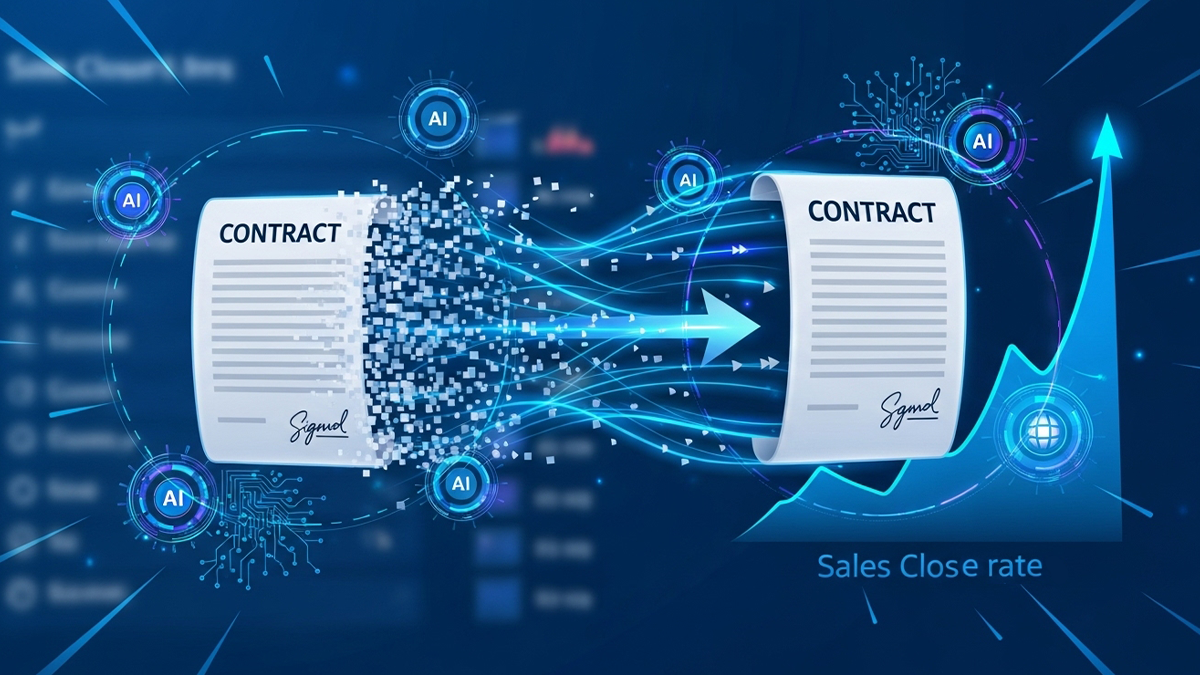

Sales reps do not lose deals at the top of the funnel as often as people think. They lose them at the bottom – in the stretch between a verbal yes and a signed contract.
According to research by Forrester, the average B2B sales cycle has lengthened by 22% over the past five years, and contract-related delays account for a disproportionate share of that growth. Legal review queues, manual handoffs between sales and legal, version confusion during negotiation, approval bottlenecks – these are not strategic problems. They are operational ones. And they are solvable.
Salesforce CLM integration addresses them directly by keeping the contract workflow inside the CRM where sales reps work. This guide breaks down exactly where time is lost, what the integration changes, and how to measure whether it is working.
Where Sales Time Actually Goes in the Contract Stage
Before getting to solutions, it helps to be specific about where the bottlenecks are. In a typical B2B sales organization without Salesforce CLM integration, the contract stage looks like this:
Day 1: Deal closes. Rep sends an email to legal or fills out a contract request form.
Days 2-4: Legal queue. The contract request sits in a shared inbox or ticketing system until a legal team member picks it up. Average wait time in companies doing more than 20 contracts a month: 3-5 business days.
Days 5-6: Manual drafting. Legal pulls up a template, manually enters deal details from the Salesforce opportunity – sometimes getting them wrong – selects clauses, and produces a first draft.
Days 7-10: Internal review. The draft circulates for internal approval via email with no central tracking.
Days 11-15+: Counterparty review and redlines. The contract goes to the customer. They send back redlines in a Word document. More email, more version management, more wait time.
Total contract cycle time in this scenario: 15-30 business days is common. For some organizations, it stretches to 45+ days on complex deals.
That is time during which the customer could change their mind, a competitor could move in, or the champion inside the customer’s organization could change roles.
What Salesforce CLM Integration Changes Stage by Stage
Eliminating the Request Queue
The first and most impactful change is eliminating the contract request queue entirely.
When a Salesforce opportunity reaches the contract trigger stage, the CLM integration fires automatically. A contract draft is generated from the opportunity data without anyone submitting a request. Legal does not need to be notified manually. The draft exists within minutes.
This alone eliminates the 3-5 day queue that exists at the start of most contract processes. For sales teams running high-volume pipelines, this compounds: if a rep is closing 5-10 deals a month, eliminating 3-5 days per deal saves 15-50 days of waiting per rep per month.
Removing Manual Data Entry Errors
Manual data entry between Salesforce and contract templates is a consistent source of errors. A pricing figure gets transposed. The contract entity name does not match the Salesforce account name. The start date is wrong because someone read the opportunity close date instead of the requested contract start date.
These errors have two costs: rework time when they are caught before signing, and dispute risk when they are not caught until after.
Auto-population from Salesforce fields eliminates this category of error entirely for standardized deals. The contract inherits exactly what is in Salesforce – so if the data is accurate in the CRM, the contract is accurate too. This shifts the quality control focus to Salesforce data hygiene, which is a much more tractable problem.
Shrinking Internal Approval Time
Internal approval in most organizations is managed via email. Someone forwards the draft to a manager, the manager is traveling, the draft sits for three days, someone sends a follow-up, the approval eventually comes back.
Salesforce CLM integration replaces this with a structured, tracked approval workflow inside the CRM. The draft routes to the right approver based on deal size, contract type, or other criteria. Turnaround is measured in hours, not days.
For standard contracts that meet pre-defined criteria, the approval step can be bypassed entirely – the system auto-approves and releases the contract for customer review. This is the mechanism that makes self-service contracting safe: not removing oversight, but making it automatic for deals that clearly fit the criteria.
Cutting Redline Cycles
Counterparty negotiation is the hardest stage to compress because it involves another party. But there are meaningful efficiency gains available here too.
AI-powered CLM platforms analyze incoming redlines and flag which changes are within pre-approved fallback positions versus which require legal review. For changes within standard fallback – a customer wanting 60-day payment terms instead of 30, when the approved position is “accept up to 90 days” – the system can suggest or even auto-accept the change without routing it to legal.
For changes that require legal review, the system presents the flagged clauses with context: what the original language said, what the customer proposed, and what the standard fallback position is. Legal can review and respond in a fraction of the time compared to reading the entire redlined document from scratch.
The result is that redline cycles that previously took a week per round often compress to 1-2 days, and the total number of rounds decreases because fallback positions are applied consistently rather than negotiated case-by-case.
For more on how this fits into the complete workflow, see the full Salesforce lead-to-signature workflow explained.
The Sales Rep Experience
The efficiency gains above are organizational. What does Salesforce CLM integration actually feel like from a sales rep’s perspective?
Before integration: Rep closes a deal, sends an email to legal, and waits. They have no visibility into where the contract is, who has it, or when it will be done. The contract process feels like a black box outside their control.
After integration: Rep updates the opportunity stage in Salesforce, and a contract appears in their pipeline view within minutes. They can see the contract status at all times – drafted, in legal review, sent to customer, signed – without asking anyone. When something needs their attention, they get notified inside Salesforce. The contract process feels like part of their workflow, not a separate system they have to chase.
This visibility change matters for adoption. Sales reps who feel like they have control over the contract process engage with it. Sales reps who feel like they are throwing deals over a wall tend to work around the system.
Metrics Sales Leaders Should Track
Once Salesforce CLM integration is live, these are the metrics worth tracking consistently:
Contract cycle time. Time from opportunity trigger to fully executed contract. Break this down by contract type, deal size, and sales team to identify where slowdowns persist.
Auto-approval rate. What percentage of contracts are approved without legal review? A well-configured Salesforce CLM integration should auto-approve 60-70% of standard deals.
Redline rounds per contract. How many back-and-forth cycles does the average negotiated contract require? A reduction from 3-4 rounds to 1-2 rounds is a realistic target.
Time-in-stage by contract stage. Which stage are contracts spending the most time in? This identifies where specific bottlenecks remain after integration.
Win rate on deals with contract delays vs. without. In competitive deal situations, contract speed correlates with win rate. If you can sign before your competitor has even sent their contract, that matters.
Common Mistakes That Limit Sales Efficiency Gains
Going live with too many contract types at once. Teams that try to automate every contract type in the first implementation often end up with a complex system that handles none of them well. Start with the highest-volume, most standardized contract type – typically NDAs or standard subscription agreements – and expand from there.
Not training sales reps on what the system does. Reps who do not understand that the contract is generating automatically from their Salesforce data tend to continue old behaviors – emailing legal, asking for status updates that are already visible in Salesforce.
Setting the auto-approval threshold too conservatively. Legal teams nervous about self-service contracting often set criteria so tightly that almost everything routes to review anyway. This eliminates most of the efficiency gain. Start with a pilot, measure the error rate, and widen the threshold based on evidence.
Treating it as a one-time implementation. Templates, clause libraries, and approval workflows need to be maintained as the business changes. Assign ownership for ongoing maintenance from day one.
Summary
Salesforce CLM integration reduces sales cycle length by attacking the specific bottlenecks that slow deals down after a verbal agreement is reached: the request queue, manual drafting, approval delays, and redline cycles.
The impact is measurable – contract cycle times 40-60% shorter are achievable for well-implemented programs – and the sales rep experience improves in ways that drive adoption. Contracts stop being something that happens to the deal and start being something the rep can see and influence from inside Salesforce.
The prerequisite is treating the implementation as a workflow redesign, not a software rollout. Templates, clause libraries, approval thresholds, and field mappings all need deliberate configuration before the efficiency gains materialize.
Related reading:
- How Salesforce contract management integration works technically
- The full lead-to-signature workflow inside Salesforce
- What AI add-ons bring to Salesforce’s core capabilities
- Understanding CLM and how it fits Salesforce
FAQs
How does Legitt AI improve sales efficiency in Salesforce?
Legitt AI reduces manual work by auto-generating contracts from Salesforce opportunity data. This minimizes errors, accelerates approvals, and ensures compliance with corporate policies. By enabling faster contract cycles, it frees sales reps to focus on selling rather than administrative tasks.
Can contracts be generated directly inside Salesforce?
Yes. Sales reps can create contracts directly from opportunities or accounts in Salesforce. Legitt AI pulls in relevant data and applies pre-approved templates, so the contract is ready in minutes without leaving the CRM.
How does the integration benefit legal teams?
Legal teams gain visibility into contracts without being overwhelmed by routine drafting. Legitt AI automatically applies clause libraries and flags risks, allowing legal to focus only on non-standard terms or high-value negotiations. This reduces workload and increases efficiency.
Does Legitt AI support e-signatures within Salesforce?
Absolutely. Legitt AI integrates with leading e-signature providers like DocuSign and Adobe Sign. Contracts can be sent, signed, and stored automatically within Salesforce records, ensuring a fully digital workflow from draft to execution.
What industries benefit most from Legitt AI + Salesforce integration?
Industries such as SaaS, healthcare, financial services, and manufacturing see the biggest impact. These sectors often deal with high contract volumes and strict compliance requirements, making the combination of Salesforce data and AI-powered contracting especially valuable.
Can Legitt AI handle complex or customized contracts?
Yes. Legitt AI supports customizable templates and clause libraries. It adapts to complex business needs, ensuring contracts reflect both organizational policies and unique customer requirements while maintaining compliance.
How does the integration improve customer experience?
Customers receive contracts faster and with fewer errors, making their buying journey smoother. Immediate delivery of accurate contracts enhances trust and signals professionalism, helping businesses close deals faster and leave a positive impression.
Is the integration secure for sensitive data?
Yes. Legitt AI ensures enterprise-grade security with data encryption, OAuth 2.0 authentication, and strict role-based access controls. Sensitive customer and contract data remain secure throughout the process.
How customizable are the workflows?
Workflows are highly customizable. Salesforce admins can define triggers for contract generation, map custom fields, and tailor clause libraries. This flexibility ensures the integration aligns perfectly with an organization’s unique sales processes.
What sets Legitt AI apart from other CLM solutions?
Legitt AI is AI-native, meaning intelligence is built into every step, not added as an afterthought. Unlike retrofitted CLM tools, Legitt AI provides real-time clause analysis, predictive recommendations, and risk detection inside Salesforce. This makes it smarter, faster, and more effective for modern enterprises.