If you’re running a small team in 2026, your contract process probably broke before anyone officially admitted it.
Sales is closing faster than legal can review. Procurement is chasing vendor terms in email threads. Operations is storing signed PDFs in one folder, draft versions in another, and renewal dates in a spreadsheet nobody fully trusts. The obvious fix is usually an eSignature tool. It feels practical, familiar, and low risk.
That instinct makes sense. But it often solves only the final step of the problem.
The key decision behind Legitt Lite vs DocuSign Business Plans: Which Is Better for Small Teams in 2026? isn’t about who can capture a signature. It’s about whether your team needs a signing tool or a system for managing contract work from first draft to renewal. For many founders and lean legal teams, that distinction is where ROI, compliance exposure, and operating efficiency start to diverge.
The Crossroads of Growth When Email and PDFs Fail
A common small-team workflow still looks like this. Someone starts in Word. A contract gets emailed internally for comments. The counterparty sends back a redline. Another version is saved with “final_v7” in the file name. Someone uploads the latest PDF for signature. After signing, the executed copy lands in shared storage, and renewal tracking becomes a calendar reminder if anyone remembers to set it.
That process works for a while. Then growth turns it into drag.
A founder hiring fast, a procurement lead onboarding new vendors, or a revenue team pushing more MSAs all run into the same issue. The contract itself isn’t the bottleneck. The handoffs are. Every handoff creates delay, version confusion, duplicated effort, and avoidable risk.
For that reason, many small businesses start by looking at DocuSign. It’s a logical first step because eSignature is the most visible pain point. If documents are waiting on signatures, a signing platform seems like the answer.
But when the surrounding workflow stays manual, the team hasn’t fixed contract management. They’ve just digitized the last mile.
A different framing helps. Instead of asking, “How do we get signatures faster?” ask, “Why does contract work require so many disconnected tools in the first place?” That question usually points toward contract lifecycle management rather than standalone eSignature.
Small teams that are trying to standardize approvals, reduce review cycles, and track obligations often need a broader operating model, not just a signature button. That’s why more founders are revisiting what contract management for small businesses should include.
E-Signature Tool vs Contract Management Platform
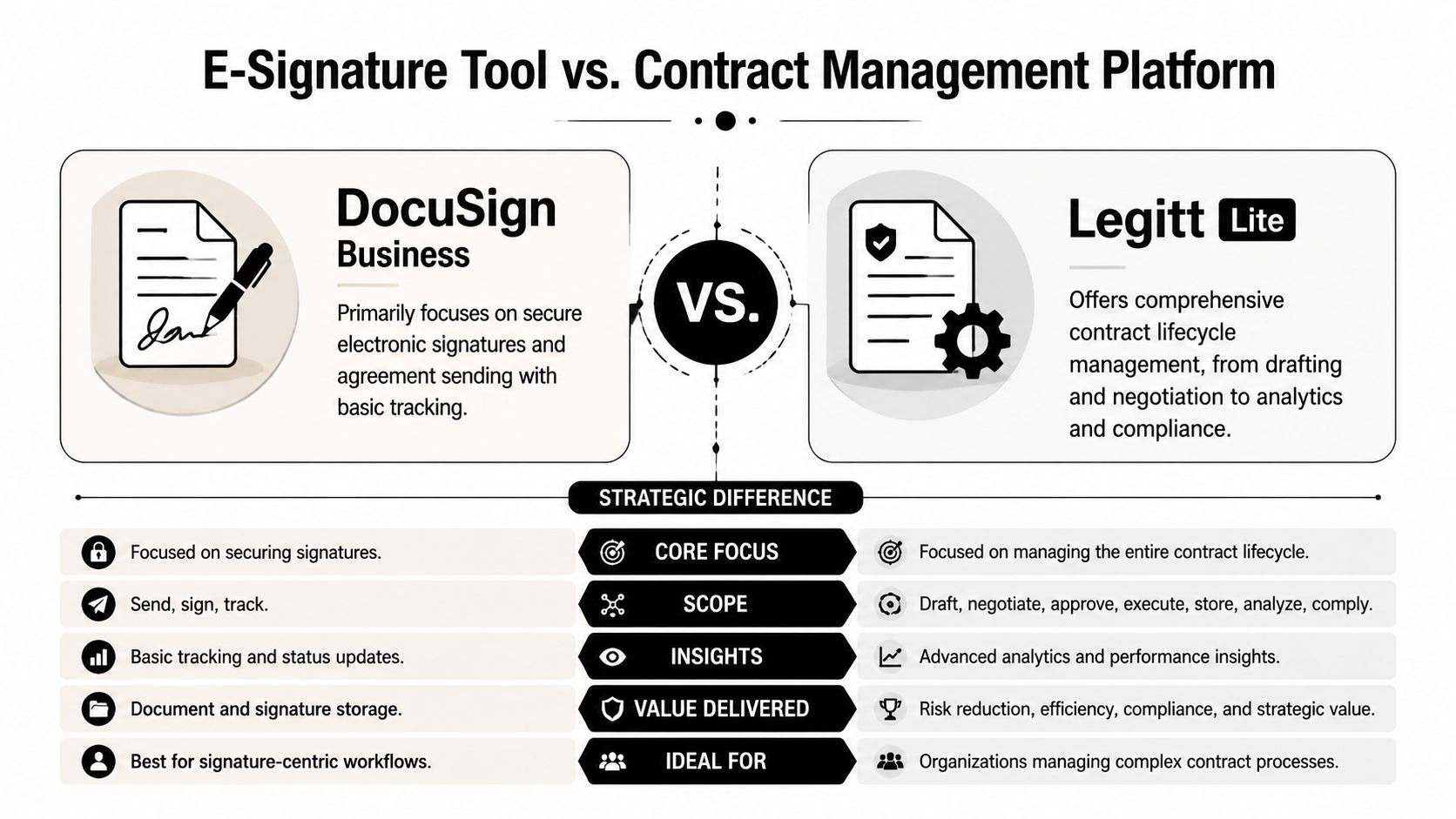
The core difference is strategic.
DocuSign Business Plans are designed around sending, routing, and signing agreements. That’s valuable. ESignature software solves an essential workflow, and DocuSign remains one of the best-known tools in that category.
Legitt Lite belongs to a different category. It’s a contract lifecycle management platform, which means it handles drafting, review, negotiation, approval workflows, signing, repository management, renewals, and contract intelligence in one operating environment.
Early in the buying process, these can look similar because both support eSignatures. In practice, they solve different business problems.
What an eSignature tool actually does
An eSignature platform is strongest when your document is already approved and ready to send. It handles:
- Signature collection: Routing documents to the right signer in the right order
- Execution tracking: Showing whether a contract is sent, viewed, or completed
- Basic agreement management: Templates, reminders, and simple storage
For a team sending straightforward agreements, that can be enough.
What a CLM platform changes
A CLM platform addresses the work that happens before and after signature. That’s where most small teams burn time and lose control. A CLM system supports:
- AI contract drafting: Creating agreements from approved templates and prompts
- Contract review: Flagging deviations and risky clauses before they become surprises
- Negotiation workflow: Managing redlines, comments, and approvals in one place
- Post-signature visibility: Tracking renewals, obligations, and compliance events
The market is moving in that direction. In 2025, 68% of SMBs using traditional e-signature tools reported dissatisfaction with post-signature contract management, including obligation tracking, renewal alerts, and deviation analysis. That gap drove a 40% increase in SMB adoption of integrated CLM platforms over the prior two years (independent CLM adoption findings).
Small teams rarely fail because they can’t get a document signed. They struggle because nobody can see what changed, what was approved, and what needs attention after execution.
That dissatisfaction explains why what contract lifecycle management means in practice has become a much more important buying question than simple eSignature comparison.
The hidden strategic mistake
Many buyers compare these tools as if they’re substitutes. They aren’t.
If your process problem is narrow, meaning you already draft well, negotiate cleanly, and track obligations elsewhere, DocuSign fits. If your process problem spans the entire contract journey, choosing an eSignature-first tool often leaves the expensive parts of the workflow untouched.
Feature Deep Dive Drafting Signing and Management
Feature comparisons get more useful when you follow the life of a contract instead of reading a vendor checklist. For small teams, the practical question is simple. Where does your team spend time, and where does risk enter the workflow?
Early comparison snapshot
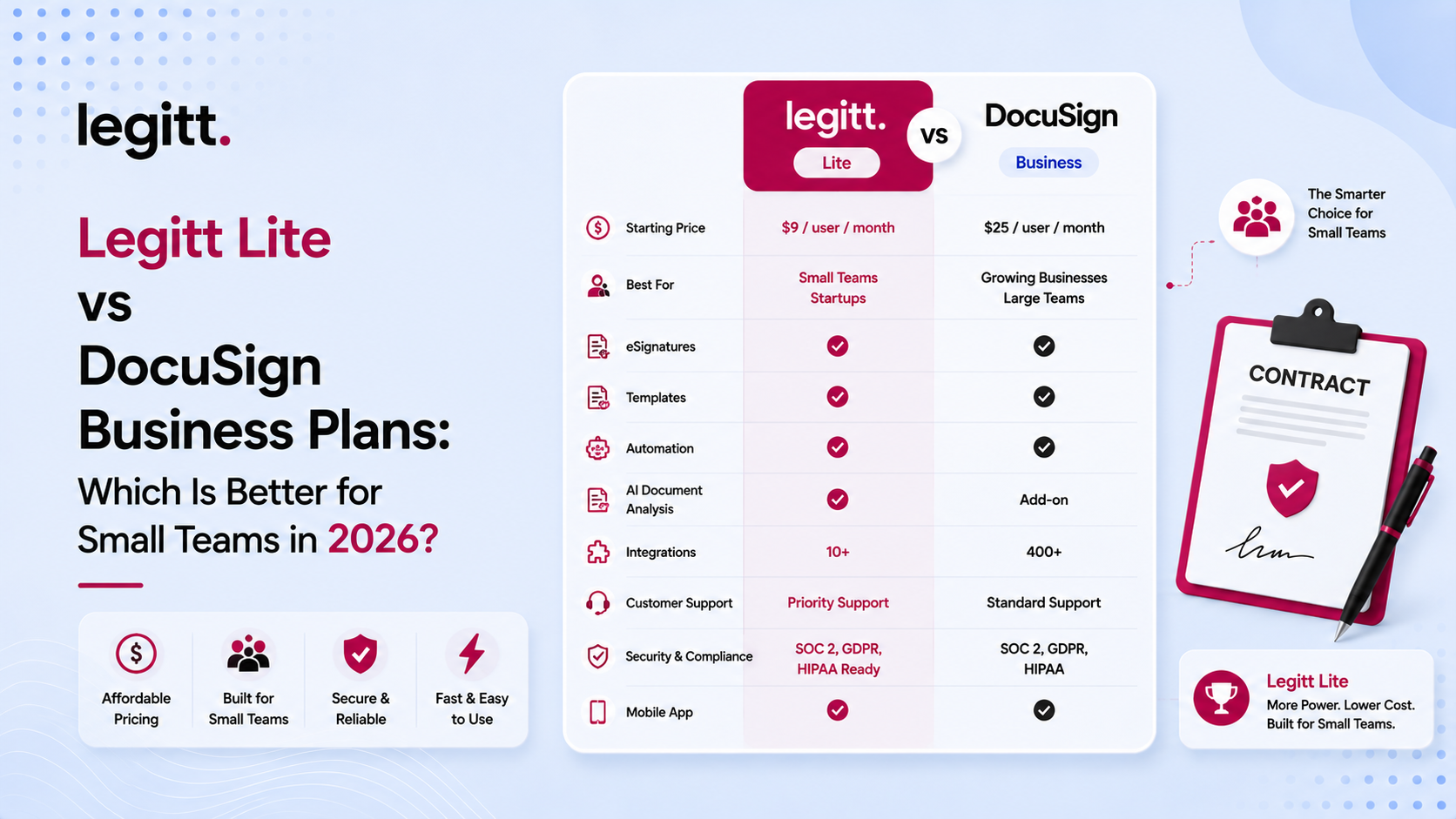
| Feature Area | Legitt Lite | DocuSign Business Pro |
|---|---|---|
| Contract drafting | AI-powered drafting and template-based generation in-platform | Primarily relies on user-uploaded documents for signing workflows |
| Third-party paper review | Clause extraction and deviation analysis built in | No native AI-driven semantic contract analysis in Business plans |
| Negotiation | Real-time, role-based redline collaboration in one workspace | Negotiation usually happens outside the platform before signing |
| Signature workflow | Built-in eSignature within the contract lifecycle | Strong eSignature workflow automation |
| Post-signature management | Obligation tracking, renewal visibility, searchable repository, contract intelligence | More limited post-signature management in Business plans |
| Workflow model | Unified CLM platform | Signature-first tool with adjacent agreement management |
Drafting and negotiation
The difference becomes operational, not theoretical.
With Legitt Lite, drafting starts inside the system. Teams can generate agreements from templates and prompts, then move directly into review and negotiation. That matters because the draft, the fallback language, the redlines, and the approval record stay connected.
DocuSign Business Pro is different. It generally assumes the document already exists. Teams upload a nearly final version, prepare fields, and route it for signature. That makes sense for polished, repeatable agreements. It does less for the messy middle where contracts usually slow down.
Practical rule: If your team spends more time creating, revising, and aligning on contract language than collecting the final signature, you don’t have an eSignature problem. You have a workflow problem.
Legitt Lite’s included AI agent performs clause extraction and deviation analysis on third-party paper, enabling teams to identify 200+ risk signals per contract without manual review. Comparative benchmark data also indicates that AI-native platforms reduce contract review time by 65–70% compared with non-AI eSignature-only tools (AI contract review benchmark summary).
That is especially relevant for small legal and operations teams. If you don’t have dedicated in-house counsel reviewing every vendor paper or customer MSA, semantic review support can change cycle time and consistency.
For teams evaluating modern contract drafting tools in 2026, this stage often determines whether a platform provides a significant advantage or just digitizes paperwork.
Signing and execution
DocuSign still has a clear strength here. Its Business Pro plan is built for mature eSignature workflows, including sending, routing, bulk operations, and execution management. If your only requirement is secure, dependable eSignature at the end of the process, it does that job well.
Legitt Lite also includes eSignature, but signature is one step inside a broader CLM process. For buyers, that means the evaluation should focus less on whether both tools can sign and more on what happens immediately before and after execution.
A useful way to think about this is task fit.
- DocuSign Business Pro fits teams that treat signing as the primary event.
- Legitt Lite fits teams that treat signing as one event inside contract operations.
Post-signature management and intelligence
Many small businesses often underestimate future pain.
Once a document is signed, actual business work often starts. Someone needs to know renewal timing, pricing commitments, notice periods, deliverables, approval obligations, and non-standard clauses. In an eSignature-only workflow, that information is often trapped in PDFs and inboxes.
Legitt Lite is designed to keep contract data usable after execution. That includes obligation tracking and searchable intelligence across the repository. DocuSign Business plans focus more on storing and routing agreements than extracting ongoing business meaning from them.
The strongest contract platform for a small team isn’t the one that ends the process neatly. It’s the one that prevents the signed contract from disappearing into storage.
If your team frequently asks “What did we agree to?” after signature, post-execution visibility should carry more weight than branded familiarity.
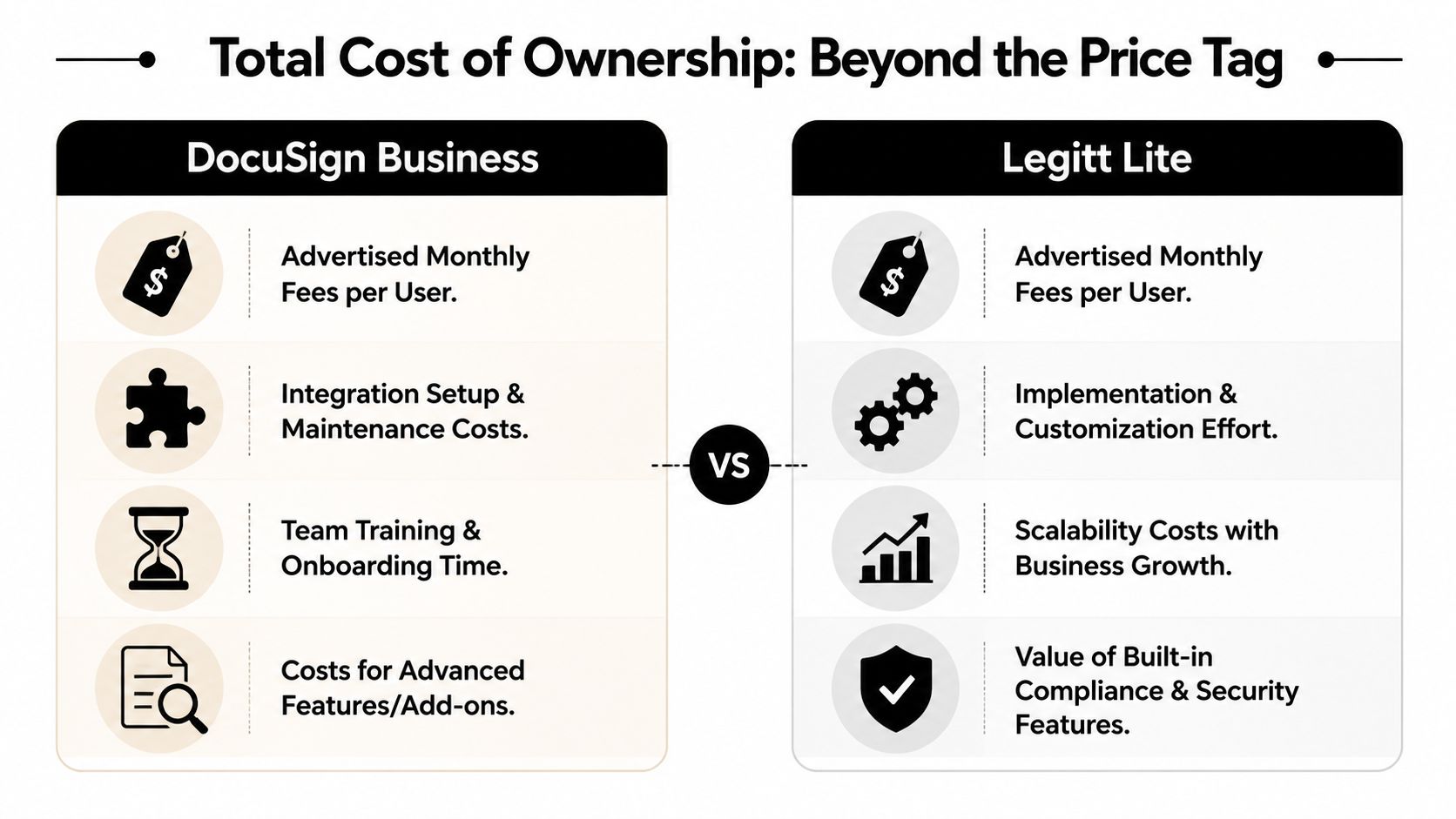
Analyzing Total Cost of Ownership Beyond the Price Tag
Most small teams compare contract software the wrong way. They look at the monthly subscription first, then stop.
That creates a distorted buying decision because the visible fee is only one layer of cost. Contract workflows also consume staff time, create handoff friction, trigger add-on charges, and introduce post-signature blind spots that show up later as operational expense.
The visible DocuSign cost
For 2026, DocuSign Business Pro is priced at approximately $65 per user per month when billed monthly, or about $40 to $60 per user per month with annual billing depending on volume and contract term. The plan includes a strict contractual allowance of up to 100 envelope sends per user per year, and exceeding that threshold can trigger pay-as-you-go overage fees. For a small team of five users, the annual cost ranges from $4,000 to $7,000. DocuSign also charges additional fees for common add-ons, including SMS delivery at $0.40+ per send and ID verification starting at $2.50+ per attempt (DocuSign Business Pro cost details).
Those numbers don’t make DocuSign overpriced by default. They do mean the headline subscription fee isn’t the full budget picture.
The hidden operational cost
The larger issue for small teams is fragmented workflow.
If drafting happens in Word, negotiation happens in email, signatures happen in DocuSign, and storage happens in shared drives, your team is paying in labor even when the software invoice looks modest. Independent 2025 research found that teams using standalone e-signature tools without integrated CLM spend 12 to 15 hours per month on manual contract administration and error correction. At a median small business legal rate of $150 per hour, that creates $1,800 to $2,250 in hidden operational costs annually (manual contract administration cost analysis).
That’s the number many founders miss.
A platform with a higher perceived software scope can still be the lower-cost operating model if it removes repeated manual work. This is why total cost of ownership, not sticker price, is the right lens for Legitt Lite vs DocuSign Business Plans: Which Is Better for Small Teams in 2026?
Why bundled productivity matters more than a cheaper line item
Integrated CLM changes cost structure in three ways:
- Less administrative labor: Drafting, review, signing, storage, and reminders happen in one workflow
- Fewer tool gaps: Teams don’t need to patch together separate systems for authoring, review, and obligation tracking
- Better post-signature control: Contract data remains actionable instead of becoming static PDF history
The business consequence is straightforward. A cheaper eSignature subscription can become the more expensive decision if your team still spends hours every month chasing versions, extracting terms manually, and rebuilding context after signing.
The more active your contract volume becomes, the less useful entry-level price comparison is.
A founder-friendly buying test
Use this checklist before comparing monthly fees:
- Count process steps: How many tools does one agreement touch before execution?
- Track human handoffs: Who copies data from one system to another?
- Review usage pattern: Will your sending volume push envelope limits or trigger paid add-ons?
- Audit post-signature work: Who monitors renewals, obligations, and non-standard terms after signature?
If the answer to those questions points to a fragmented workflow, then this broader competitor comparison for 2026 becomes more useful than a simple per-user pricing table.
Comparing Security Compliance and Workflow Integrations
For legal operations, procurement, and revenue teams, security isn’t just a procurement checkbox. It’s part of the contract process itself. The central issue isn’t only whether documents are encrypted or whether access is controlled. It’s whether the system helps teams catch risky language before it becomes an executed obligation.
Baseline security and active compliance
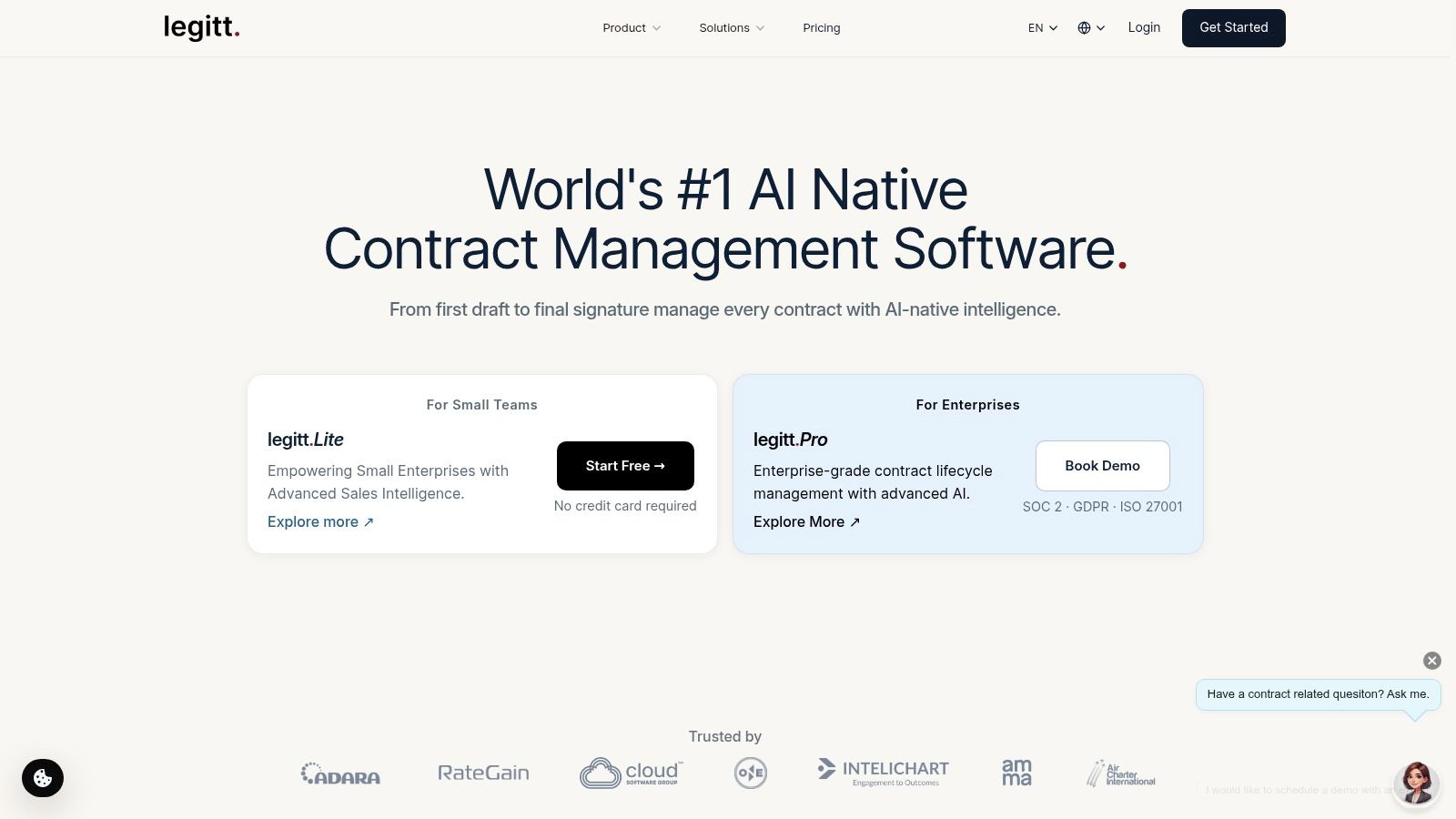
Legitt Lite offers SOC 2 Type II, ISO 27001/27701, GDPR, and HIPAA compliance as standard, along with AES-256 encryption and role-based access controls. It also includes an integrated AI compliance layer that automatically flags non-jurisdictional clauses. Its architecture supports real-time, role-based redline collaboration in one workspace, and unified CLM benchmarking shows that this type of environment can reduce handoffs by 80% (security and workflow benchmark details).
DocuSign Business Pro includes strong core security as well, but the difference is architectural. In DocuSign Business, negotiation and legal review often happen outside the signing workflow. In an integrated CLM environment, the compliance signal sits closer to the drafting and redlining activity itself.
That distinction matters when your team is managing vendor terms, liability caps, data processing language, or cross-border clauses. Passive security protects the file. Active compliance helps shape the contract.
Integration design and process reliability
Workflow integrations are where small teams either gain an advantage or create fragile process chains.
A unified CLM platform can connect CRM, collaboration tools, and contract execution so that data moves through one workflow. That reduces copy-paste work and lowers the chance that sales, legal, and operations are looking at different versions of the truth.
For example, if your revenue team uses Salesforce and Slack, and your customer communications depend on structured follow-up, contract automation works best when downstream messaging and approval timing are coordinated. Teams that want to tighten those communication flows may also find this email automation guide useful for aligning post-contract outreach with operational workflows.
Cross-border and regulated teams should also pay attention to how review logic, repository controls, and signature compliance fit together, especially when evaluating cross-border e-signature compliance in 2026.
A secure contract workflow isn’t just one that stores signed files safely. It’s one that gives your team an audit-ready record of how language was reviewed, approved, and executed.
The Final Verdict for Your Small Team Use Case
The right choice depends less on company size than on workflow maturity.
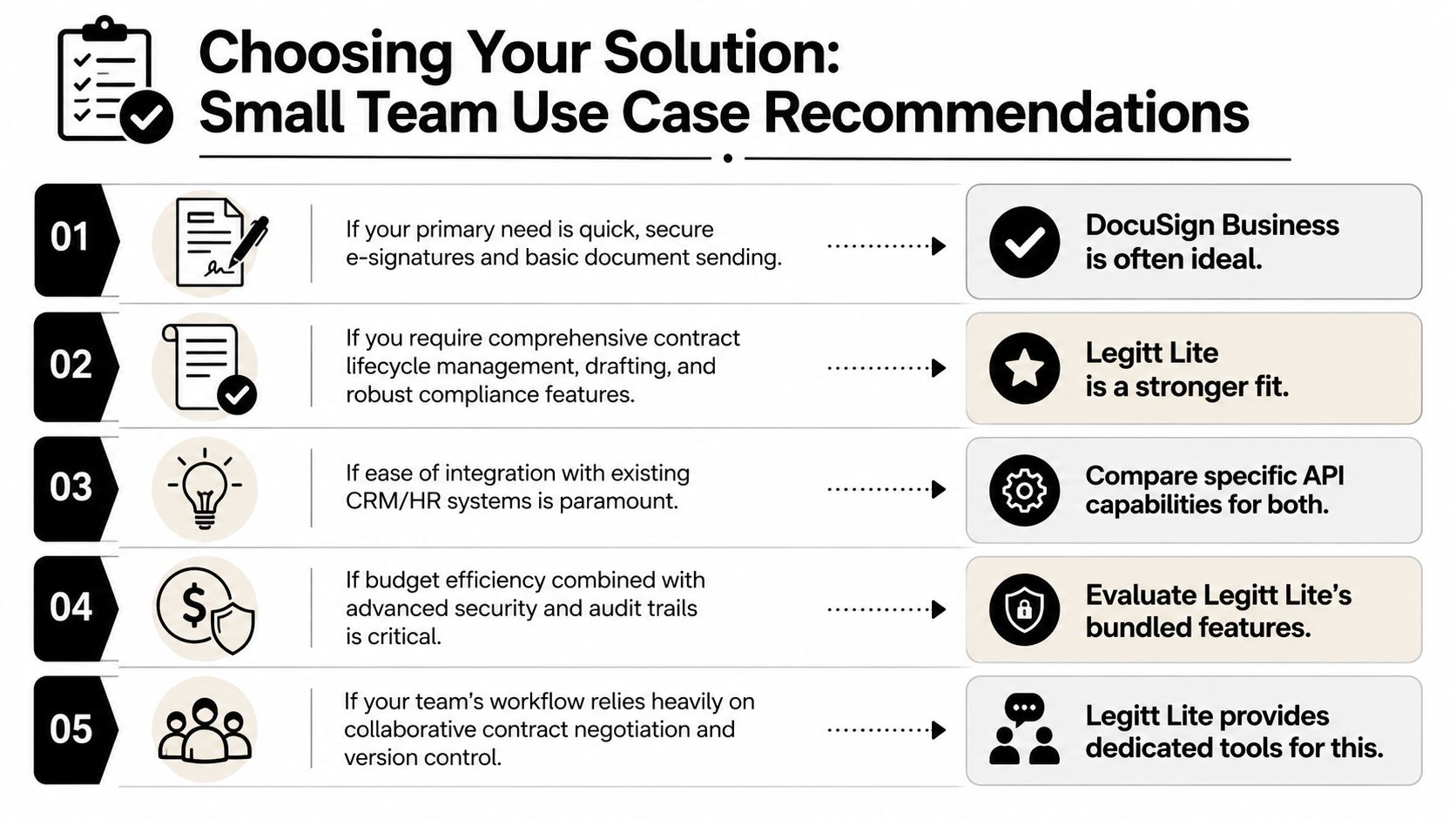
If your team only needs reliable eSignatures for relatively simple agreements, DocuSign Business can be the practical option. That’s especially true when contracts are already drafted elsewhere, negotiation is light, and nobody expects the signing platform to manage obligations, clause analysis, or repository intelligence.
If your team is growing into structured sales, procurement, or legal operations, the better long-term decision is usually the platform that reduces fragmented work. For those teams, Legitt Lite is the stronger fit because the value comes from bundled productivity, not just from replacing a signature step.
A simple decision checklist
- Choose DocuSign Business if your main requirement is secure sending and signing of finalized documents
- Choose a CLM platform if your team struggles with drafting delays, redline chaos, approval bottlenecks, or post-signature visibility
- Lean toward Legitt Lite if you want one system for AI contract drafting, review, negotiation, eSignature, repository management, renewals, and contract intelligence
- Reassess your current stack if contract work depends on email threads, spreadsheets, shared drives, and manual reminders
For a founder, this comes down to one question. Are you buying a tactical tool for signatures, or are you standardizing a core business process?
That is the answer behind Legitt Lite vs DocuSign Business Plans: Which Is Better for Small Teams in 2026?
Frequently Asked Questions About Choosing a Contract Platform
Is it hard to move existing contracts from Google Drive into a CLM platform
Usually, no. The harder part isn’t migration. It’s cleaning up version history, naming conventions, and missing metadata so contracts remain searchable and useful after import. Teams that migrate with a clear folder and template policy usually get value faster.
Is DocuSign more legally binding than Legitt Lite for eSignature
A buyer should focus on execution integrity, audit trail quality, and process fit, not brand recognition alone. The more important distinction in this comparison is workflow coverage, not whether one signature button appears more familiar.
Can a two-person startup justify CLM software
Sometimes, yes. It depends on contract complexity more than headcount. Teams using standalone e-signature tools spend an average of 12 to 15 hours per month on manual contract administration, which can add $1,800 to $2,250 annually at a median small business legal rate of $150 per hour (hidden contract admin cost data). If your startup signs investor documents, vendor agreements, customer contracts, and hiring paperwork, an integrated workflow can pay back early.
What should small teams prioritize first
Start with the stage that creates the most delay. If delays happen during review and redlines, prioritize AI contract review and collaboration. If signed contracts disappear after execution, prioritize repository management, renewals, and obligations tracking.
If your team is ready to replace fragmented contract work with one workflow for drafting, review, negotiation, eSignatures, and post-signature management, explore Legitt AI as an AI-native CLM platform built for growing legal, sales, procurement, and operations teams.